Section 5
LABELING UNIT
- 25 -
English
F412050100.fmIDM
version
Module 40/60/90/120
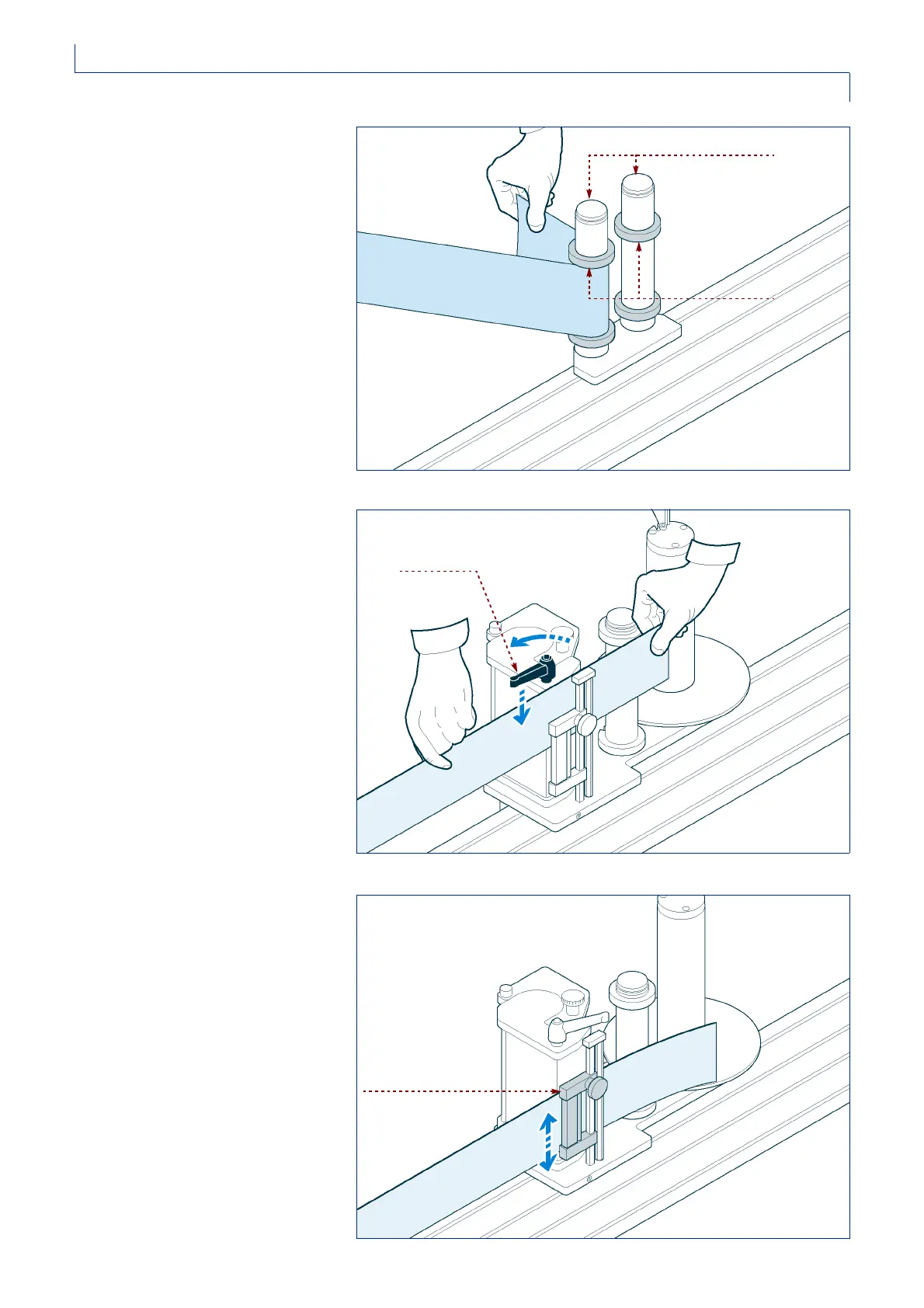
4 -Unwind about 1½ meters of paper
and remove the labels from this
stretch of paper.
5 -Thread the paper through the
rollers and adjust the position of
the rings so that they just come
into contact with the edge of the
paper.
6 -Turn the handle to open the driving
unit and thread the paper in from
above. Close the driving unit again
when you have finished.
7 -Position the paper braking pad in
the center.
IDM-41200601400.tif
rollers
rings
IDM-41200601500.tif
handle
IDM-41200601600.tif
paper braking pad



 To Next Page