EasyManua.ls Logo

Palfinger RC 400 P2 - User Manual

Palfinger RC 400 P2
52 pages
Print Icon
To Next Page IconTo Next Page
Loading...
Question and Answer IconNeed help?

Do you have a question about the Palfinger RC 400 P2 and is the answer not in the manual?

Summary

Notes regarding the operating instructions

Operating instructions

Explains the purpose and importance of the operating instructions for the unit.

Validity of operating instructions

Specifies the validity period and conditions for these operating instructions.

Operating company

Defines the responsibilities of the operating company for safe unit operation.

Terms

Provides definitions for key terms used throughout the operating manual.

Symbols

Explains the meaning of symbols and signal words used for warnings and information.

Sketches and pictures

Notes that sketches are for illustration purposes only.

Safety and Health Standards

General

General safety regulations and their observance are mandatory for crane operation.

Crane control systems

Emphasizes that safety features must not be manipulated or inactivated.

Components of the remote control

States that only original PALFINGER components are approved for the remote control system.

Guidelines to prevent dangers

Lists critical safety guidelines to prevent accidents and ensure safe operation.

General

CE symbol

Details EU requirements for operating the remote control, including CE symbol and conformity.

Overview

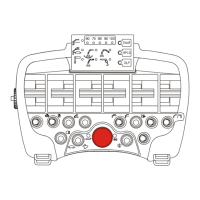
RC handset overview

Presents a detailed illustration and explanation of the remote control handset layout.

Table of functions

Lists and describes the functions assigned to each button, key, and indicator on the handset.

Operating symbols - Remote control handset

Illustrates and explains the symbols used for various crane functions on the handset.

Emergency cut-off button

Explains the function, location, and critical safety procedure for the emergency cut-off button.

Warning horn

Details the operation of the warning horn for signaling danger in the work area.

Automatic activation of AOS function (vibration damping)

Describes the automatic AOS function that prevents outer boom oscillation.

Manual activation of AOS function (vibration damping)

Explains the manual AOS function to prevent boom movement after load reduction.

Remote control safety shutdown

Outlines conditions under which the remote control handset automatically shuts down.

Storage

Provides instructions on how to securely store the remote control handset.

Feedback signal at the handset

Explains the meaning of LED indicators on the handset for various functions.

Support operation - linear lever

Details how to operate support functions using linear levers on the handset.

Linear lever for front mounting 8 x

Shows the function assignment for linear levers on the front-mounted 8x configuration.

Linear lever for rear mounting 8 x

Shows the function assignment for linear levers on the rear-mounted 8x configuration.

Linear lever for front;rear mounting 4 x

Illustrates the function layout for linear levers on the front/rear 4x mounting.

Support operation mode (joystick)

Explains how to use joysticks for support operations on the remote control.

Joystick for front;rear mounting (without additional support)

Details the joystick functions for front/rear mounting without additional supports.

Joystick for front;rear mounting (with additional supports)

Shows joystick functions for front/rear mounting with additional supports.

Battery of the remote control

Covers safety instructions, charging procedures, and handling of the remote control battery.

Preparing for remote operation

Preparing for remote operation

Visual inspection and checks required before operating the remote control.

Functional check

Describes critical functional checks, especially for the overload protection system.

Remote operation

Remote operation

Instructions for switching on and starting the remote control for crane operation.

Working or transport position of the rope winch

Procedure to adjust the rope winch to working or transport positions.

Changing the radio channel (in the event of a radio interference)

Describes how to change the radio channel to overcome interference issues.

Cable operation

Explains the use of a cable connection for operation as an alternative to radio.

Attaching and detaching of loads by the crane operator

Critical safety procedures for attaching and detaching loads to prevent accidental crane movement.

Interrupting the work with remote control

Steps to safely interrupt crane operations and secure the remote control.

Maintenance

Maintenance and care

Guidelines for maintaining the remote control to ensure reliability and service life.

Repairs

Information on how to handle repairs and the implications for warranty.

Disposal

Instructions for the proper disposal of electronic components and batteries.

Summary

Notes regarding the operating instructions

Operating instructions

Explains the purpose and importance of the operating instructions for the unit.

Validity of operating instructions

Specifies the validity period and conditions for these operating instructions.

Operating company

Defines the responsibilities of the operating company for safe unit operation.

Terms

Provides definitions for key terms used throughout the operating manual.

Symbols

Explains the meaning of symbols and signal words used for warnings and information.

Sketches and pictures

Notes that sketches are for illustration purposes only.

Safety and Health Standards

General

General safety regulations and their observance are mandatory for crane operation.

Crane control systems

Emphasizes that safety features must not be manipulated or inactivated.

Components of the remote control

States that only original PALFINGER components are approved for the remote control system.

Guidelines to prevent dangers

Lists critical safety guidelines to prevent accidents and ensure safe operation.

General

CE symbol

Details EU requirements for operating the remote control, including CE symbol and conformity.

Overview

RC handset overview

Presents a detailed illustration and explanation of the remote control handset layout.

Table of functions

Lists and describes the functions assigned to each button, key, and indicator on the handset.

Operating symbols - Remote control handset

Illustrates and explains the symbols used for various crane functions on the handset.

Emergency cut-off button

Explains the function, location, and critical safety procedure for the emergency cut-off button.

Warning horn

Details the operation of the warning horn for signaling danger in the work area.

Automatic activation of AOS function (vibration damping)

Describes the automatic AOS function that prevents outer boom oscillation.

Manual activation of AOS function (vibration damping)

Explains the manual AOS function to prevent boom movement after load reduction.

Remote control safety shutdown

Outlines conditions under which the remote control handset automatically shuts down.

Storage

Provides instructions on how to securely store the remote control handset.

Feedback signal at the handset

Explains the meaning of LED indicators on the handset for various functions.

Support operation - linear lever

Details how to operate support functions using linear levers on the handset.

Linear lever for front mounting 8 x

Shows the function assignment for linear levers on the front-mounted 8x configuration.

Linear lever for rear mounting 8 x

Shows the function assignment for linear levers on the rear-mounted 8x configuration.

Linear lever for front;rear mounting 4 x

Illustrates the function layout for linear levers on the front/rear 4x mounting.

Support operation mode (joystick)

Explains how to use joysticks for support operations on the remote control.

Joystick for front;rear mounting (without additional support)

Details the joystick functions for front/rear mounting without additional supports.

Joystick for front;rear mounting (with additional supports)

Shows joystick functions for front/rear mounting with additional supports.

Battery of the remote control

Covers safety instructions, charging procedures, and handling of the remote control battery.

Preparing for remote operation

Preparing for remote operation

Visual inspection and checks required before operating the remote control.

Functional check

Describes critical functional checks, especially for the overload protection system.

Remote operation

Remote operation

Instructions for switching on and starting the remote control for crane operation.

Working or transport position of the rope winch

Procedure to adjust the rope winch to working or transport positions.

Changing the radio channel (in the event of a radio interference)

Describes how to change the radio channel to overcome interference issues.

Cable operation

Explains the use of a cable connection for operation as an alternative to radio.

Attaching and detaching of loads by the crane operator

Critical safety procedures for attaching and detaching loads to prevent accidental crane movement.

Interrupting the work with remote control

Steps to safely interrupt crane operations and secure the remote control.

Maintenance

Maintenance and care

Guidelines for maintaining the remote control to ensure reliability and service life.

Repairs

Information on how to handle repairs and the implications for warranty.

Disposal

Instructions for the proper disposal of electronic components and batteries.

Palfinger RC 400 P2 Specifications

General IconGeneral
BrandPalfinger
ModelRC 400 P2
CategoryRemote Control
LanguageEnglish

Related product manuals