YOUR CONNECTIONS TO THE WEB AND WIRELESS DEVICES
CONNECTING WITH BLUETOOTH
®
DEVICES
128
6
CHAPTER
When you configure a hands-free device,
as described previously in Connecting to a
Bluetooth
®
hands-free device, the
hands-free device automatically appears in
your Trusted Devices list. Follow the steps
in this section to add other devices to your
Trusted Devices list, such as a friend’s
handheld.
Requesting a connection with another
Bluetooth device
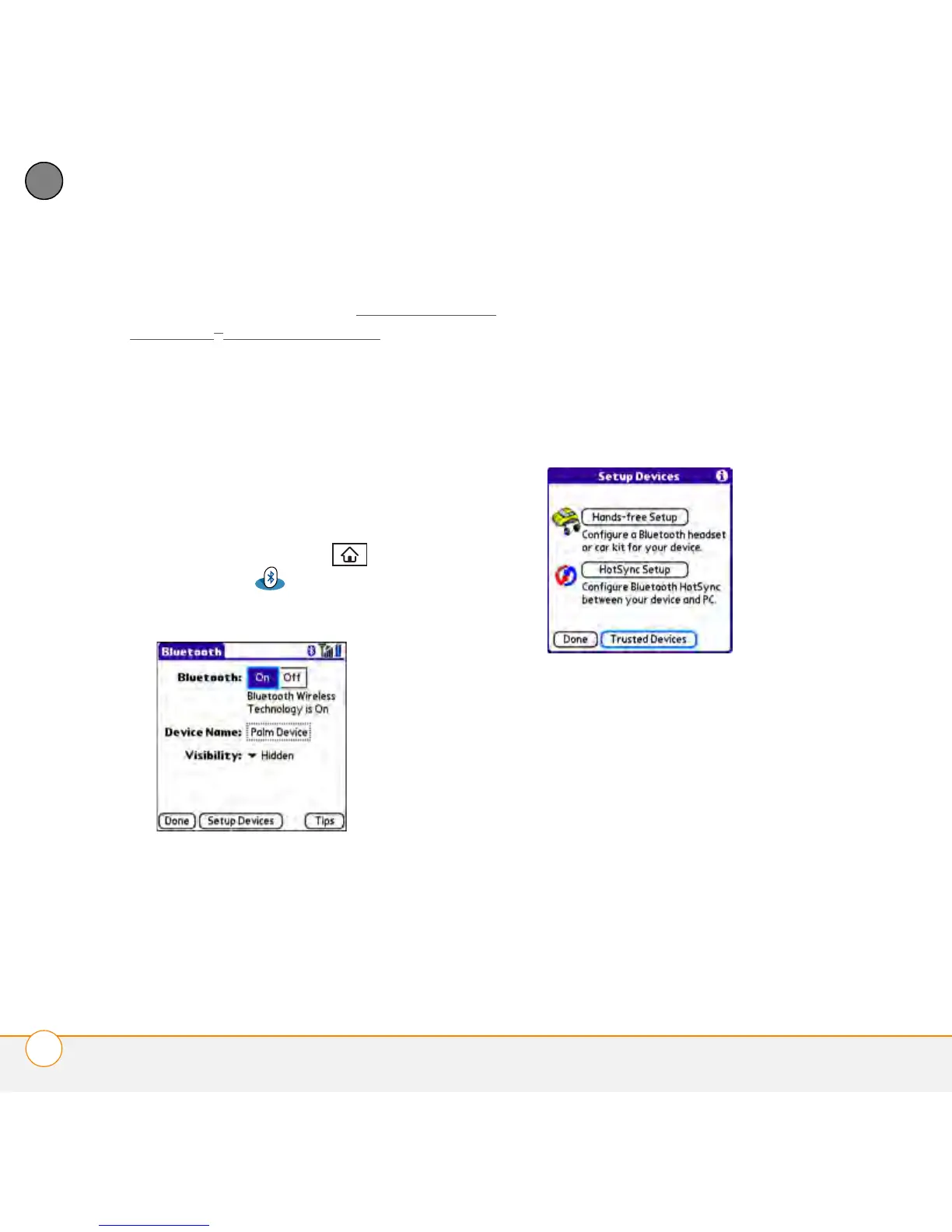
1 Press Applications and select
Bluetooth .
2 Select Bluetooth On.
3 (Optional) Enter a device name that
identifies your smartphone when it is
discovered by other Bluetooth devices.
NOTE Use the same device name for all
your Bluetooth connections. If you change
the device name, you need to re-create any
partnerships you’ve already created.
4 Select Setup Devices.
5 Select Tru s t e d D e v i c e s .
6 Select Add Device. The Discovery icon
appears, indicating that the discovery
process is active.
7 Select the Show pick list and select
Nearby devices.
8 If the device you want to add doesn’t
appear on the Discovery Results list,
make sure that the other device is ready
to receive a connection request (see the



 To Next Page