LifeDrive from palmOne 120
CHAPTER 8 Your Wireless Connection
MAC ONLY
0
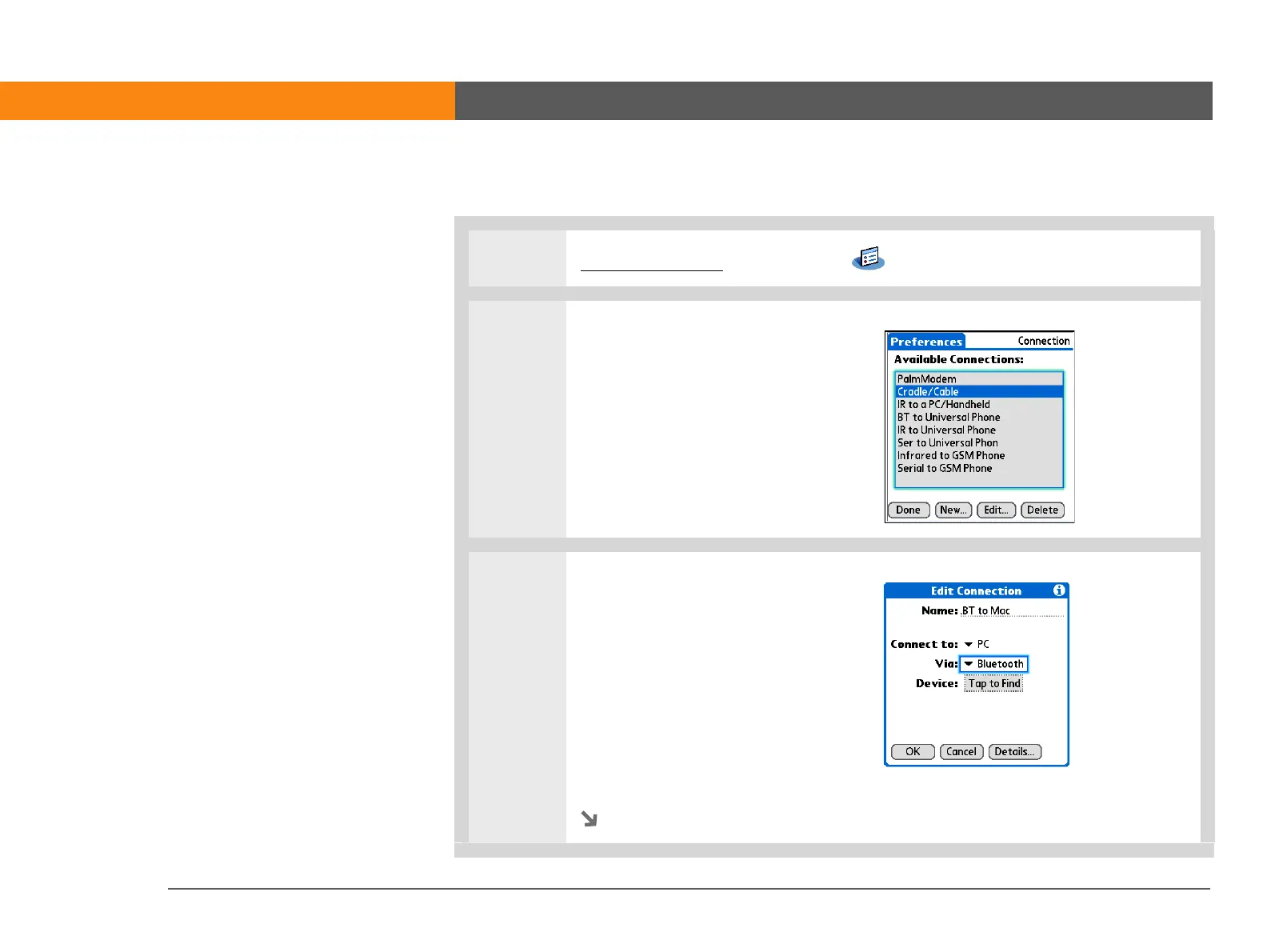
1 Go to Applications and select Prefs .
2 Open the Edit Connection screen:
a. From the Communications
Preferences list, select
Connection.
b. Tap New.
3 Set up the connection to your
computer:
a. Enter a name for the
connection, such as BT to Mac.
b. Select the Connect to pick list
and select PC.
c. Select the Via pick list and
select Bluetooth.
Continued



 To Next Page