LifeDrive from palmOne 26
CHAPTER 1 Your Mobile Manager
Entering information using desktop software
Use Palm Desktop or Microsoft Outlook to enter information on your computer in applications
such as Calendar, Contacts, Tasks, and Memos. The info is transferred to the corresponding device
application when you synchronize. Information entered in these applications on the device is
likewise synchronized with the application in the desktop software.
4
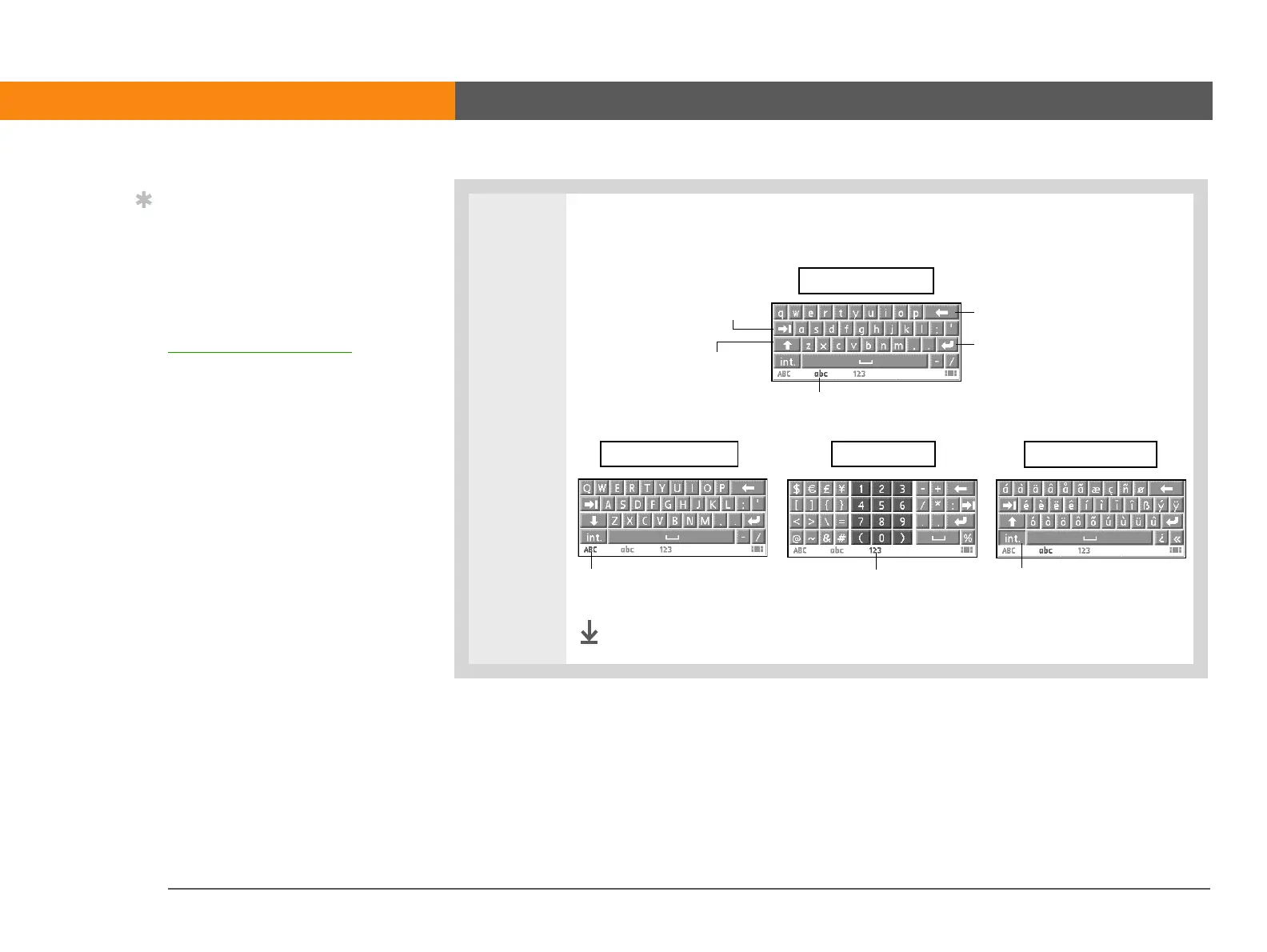
[ & ] OPTIONAL Select from among four separate keyboards.
Done
Tip
If you have a lot of
information to enter, a
portable wireless
keyboard accessory
makes data entry fast and
easy. Visit
www.palmOne.com/intl
for more information.
Backspace
Carriage return
Tab
Caps shift
Tap here to display
lowercase keyboard
Tap here to display
uppercase keyboard
Tap here to display
international keyboard
abc - lowercase
ABC - uppercase
int. - international
123 - numeric
Tap here to display
numeric keyboard



 To Next Page