LifeDrive from palmOne 130
CHAPTER 9 Your Email
3
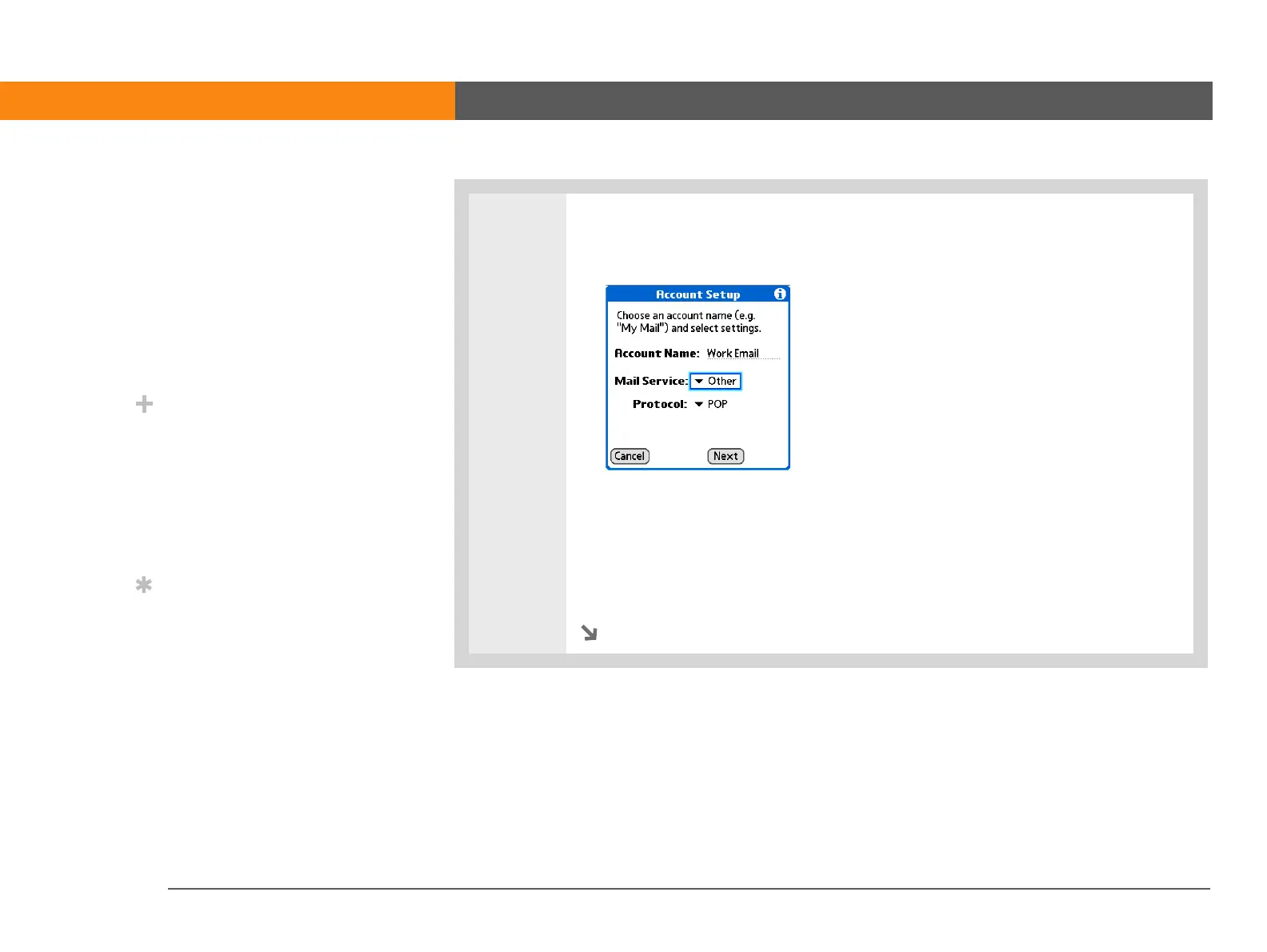
Enter the basic account information:
a. In the Account Name field, enter a descriptive name.
b. Select the Mail Service pick list, and then select your email provider. Select
Other if your provider is not listed.
c. If you chose Other, select the Protocol pick list, and then select POP or IMAP.
d. Select Next.
Continued
»
Key Term
Protocol Settings your
email provider uses to
receive email messages.
Most providers use the
Post Office Protocol
(POP); a few use the
Internet Message Access
Protocol (IMAP).
Did You Know?
Some service providers
such as Yahoo! require
you to pay for a POP
account in order to
download email
messages from your
account to your device.
Tip
If your email provider
appears on the Mail
Service pick list, you don’t
need to select a protocol.
The correct protocol is
automatically displayed.



 To Next Page