26
25
E
N
G
L
I
S
H
CQ-C5403U/C5303U
Function Settings
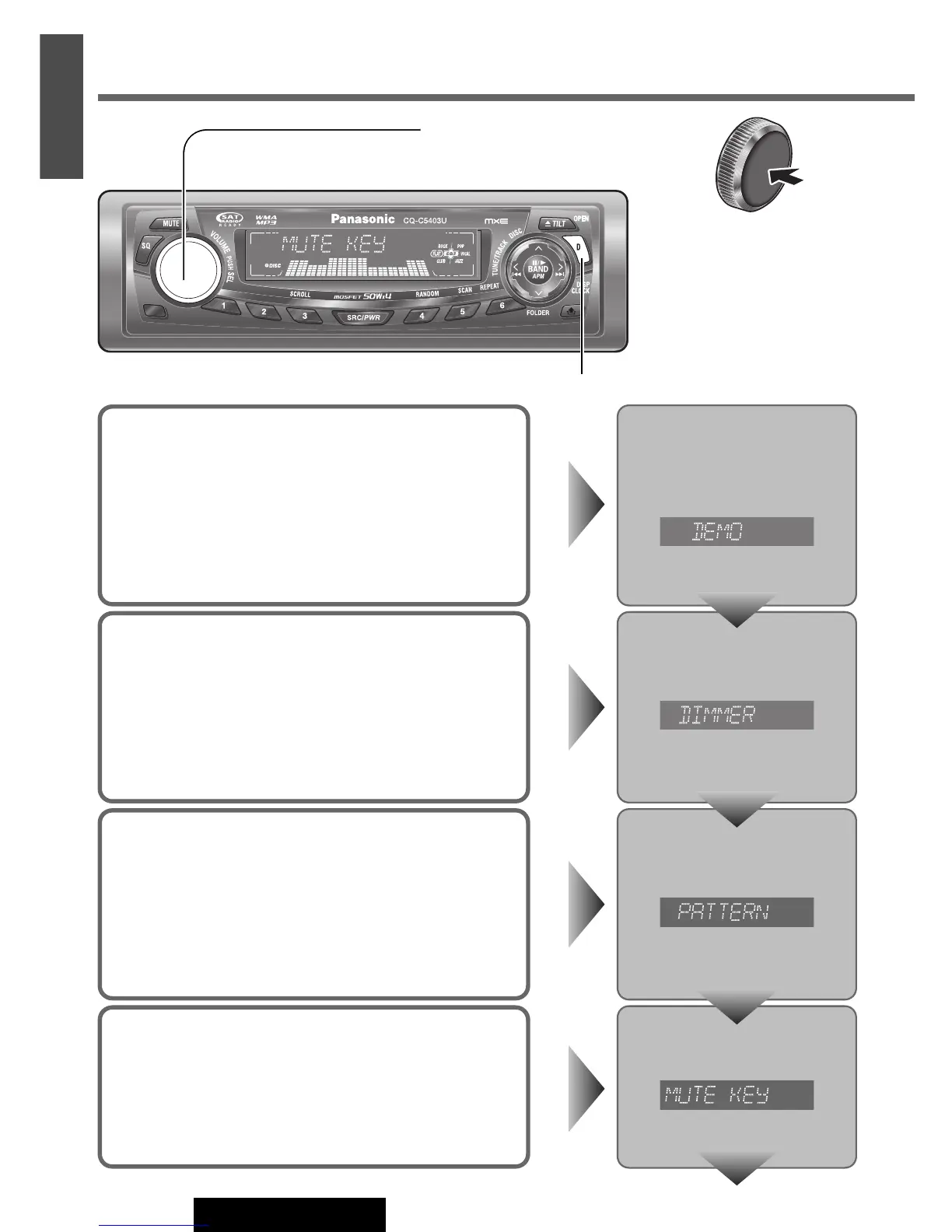
Demonstration
You can set up the monitor to display or hide the demonstration
screen.
Default: ON
Press and hold [VOLUME]
(PUSH SEL)
for more than 2 sec-
onds
to open the menu.
[D] (DISP) (Return to the regular mode)
Press and hold
[VOLUME] (PUSH
SEL: select) for more
than 2 seconds. (Press
and hold [SEL]
(MENU) for more
than 2 seconds on the
remote control unit.)
Dimmer (display brightness setting)
You can adjust the display brightness.
Default: DIMMER 3
Variety: DIMMER 1 – 3
Press [VOLUME] (PUSH SEL).
Spectrum Analyzer Display Patterns
(PATTERN)
Default: Pattern 1
Variety: 6 types, OFF
Press [VOLUME] (PUSH SEL).
Mute/Attenuation
You can select mute or attenuation. (a Page 10)
Default: MUTE
Press [VOLUME] (PUSH SEL).
(Page 28)
Turn [VOLUME]. (Press [8] (
}) or [0] (
{
)
on the remote control unit.)



 To Next Page