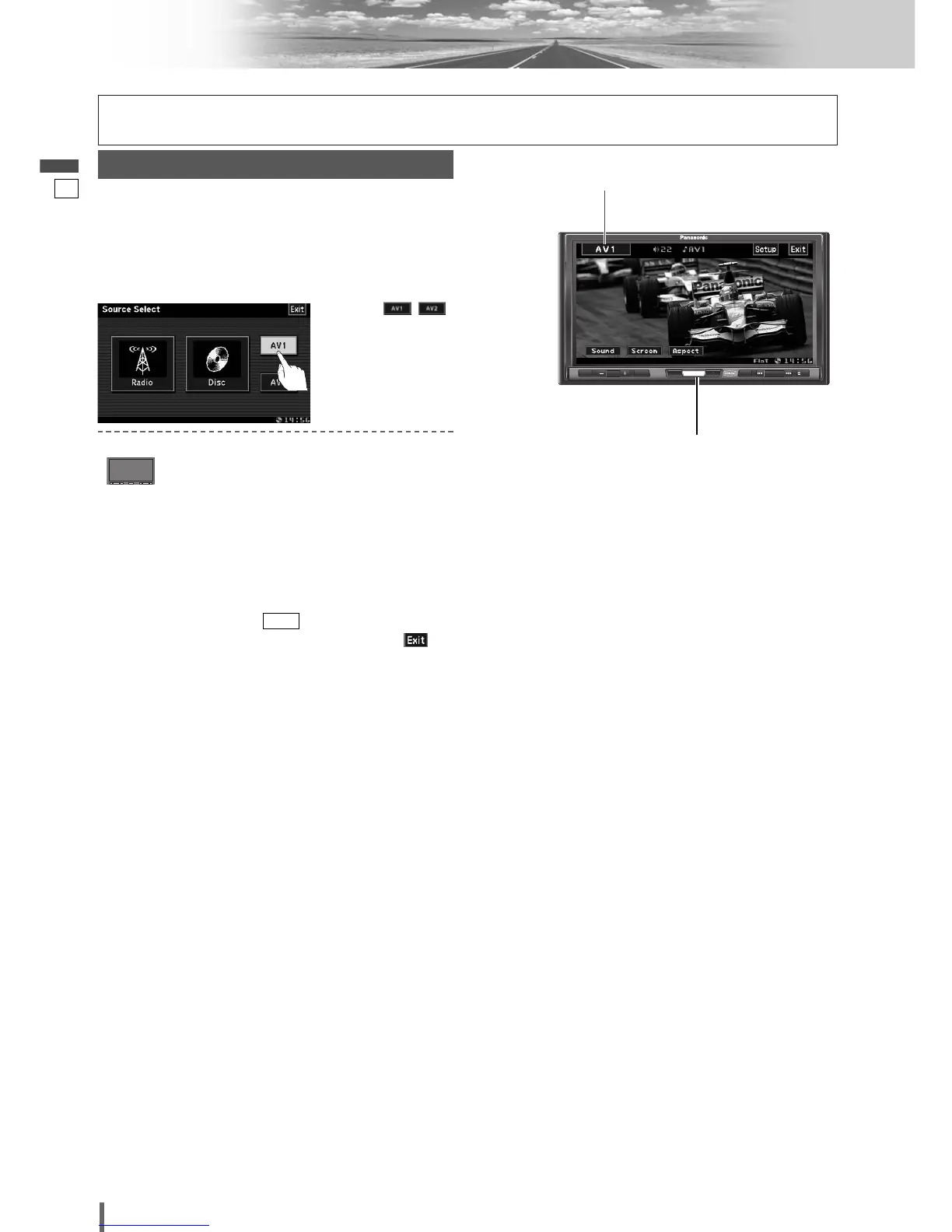
AV1/AV2
Note:
¡
You can set up the system so that the AV mode is not
selected (source skip). (
a
page 33)
¡
If no operation is performed for 10 seconds or is
touched, the operation buttons disappear.
Input
Preparation:
¡Connect an optional external device to the AV1/AV2.
You can view the images and listen to the sounds from
the connected external devices in the AV1/AV2 mode
respectively.
To switch Operation Screen ON, touch the center of
touch panel.
q
Touch
“
Source Button
”
.
d
w
Touch /
(AV1/AV2) on the
Source Selection
Screen.
Source Selection
Press
[SRC/PWR]
to change to the
desired mode.
[SRC/PWR]
Source Button





 To Next Page