22 ?
ICON MENU OPERATION
PICTURE
Note: Refer to page 18 for Icon Menu Navigation procedures.
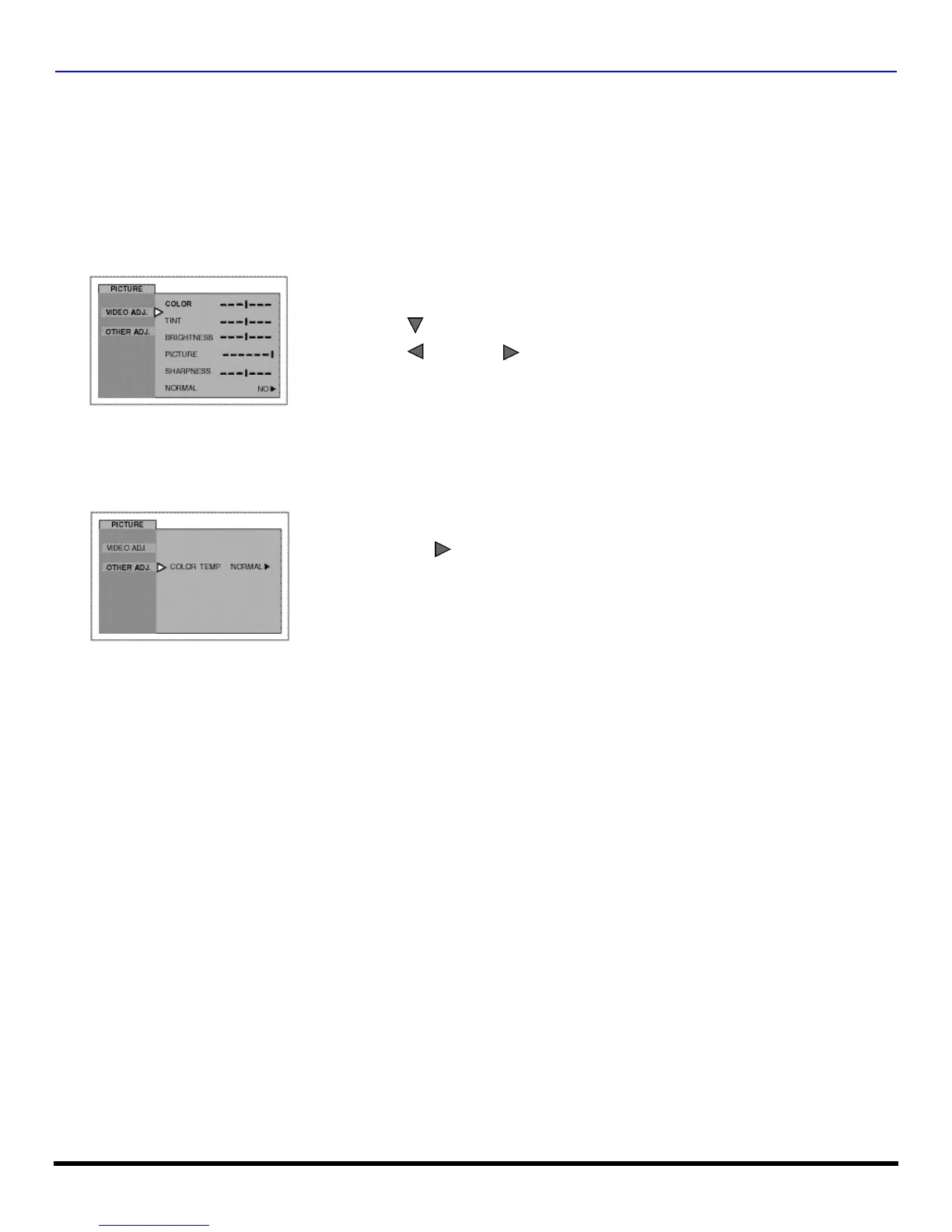
Video Adj.
In Picture menu under VIDEO ADJ. select:
? COLOR - Adjusts desired color intensity.
? TINT - Adjusts natural flesh tones.
? BRIGHTNESS - Adjusts dark areas of picture.
? PICTURE - Adjusts white areas of picture.
? SHARPNESS - Adjusts clarity of outline detail.
? NORMAL - Reset all picture adjustments to factory default settings.
Other Adj.
In Picture menu under OTHER ADJ. select:
? COLOR TEMP - To increase and decrease WARM (red) and COOL (blue) colors to suit personal preferences.
? Press to select desired picture adjustment.
? Press or to adjust.
Video Input Memory
? Video adjustments can be individually set for each video input mode.
VOL
? Press to select WARM, COOL or NORMAL.
VOL



 To Next Page