- 39 -
Preparation
• When it is set to [ON], you can set/cancel favourites by pressing 4
during playback. You can also set favourites from the playback menu.
For details, refer to P176.
• Use a battery with sufficient battery power or the AC adaptor (optional) and DC coupler
(optional) when formatting. Do not turn the camera off during formatting.
• If a card has been inserted, only the card is formatted. To format the built-in memory, remove
the card.
• If the card has been formatted on a PC or other equipment, format it on the camera again.
• It may take longer to format the built-in memory than the card.
• If you cannot format, contact the dealer or your nearest Service Centre.
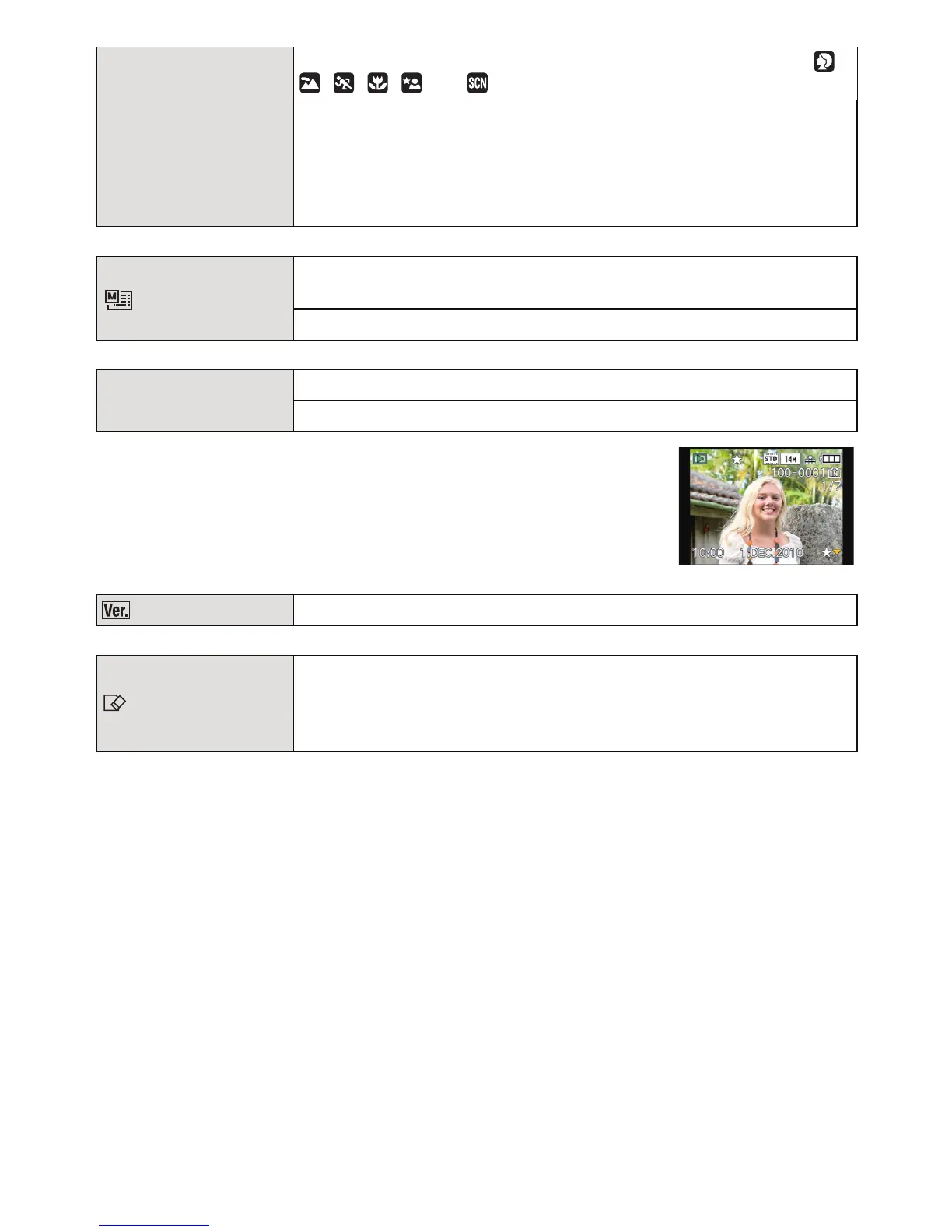
} [SCENE MENU]
Set the screen that is displayed when the mode dial is set to ,
, , , and .
[OFF]: The recording screen in the currently selected
Advanced Scene Mode (P91) or Scene Mode (P96)
appears.
[AUTO]: The Advanced Scene Mode or Scene Mode menu
screen appears.
[MENU RESUME]
The last operated menu position is saved even if the camera is
turned off.
[OFF]/[ON]
Ü [FAVORITE]
Marks can be added to pictures, and set up as favourites.
[OFF]/[ON]
[VERSION DISP.]
It is possible to check which version of firmware is on the camera.
[FORMAT]
The built-in memory or card is formatted.
Formatting permanently deletes all data on your memory
card. Please be sure all pictures and motion pictures are
saved elsewhere before using this feature.






 To Next Page