447
DP-2330/3030
MAR 2005
Ver. 2.1
DP-2310/3010
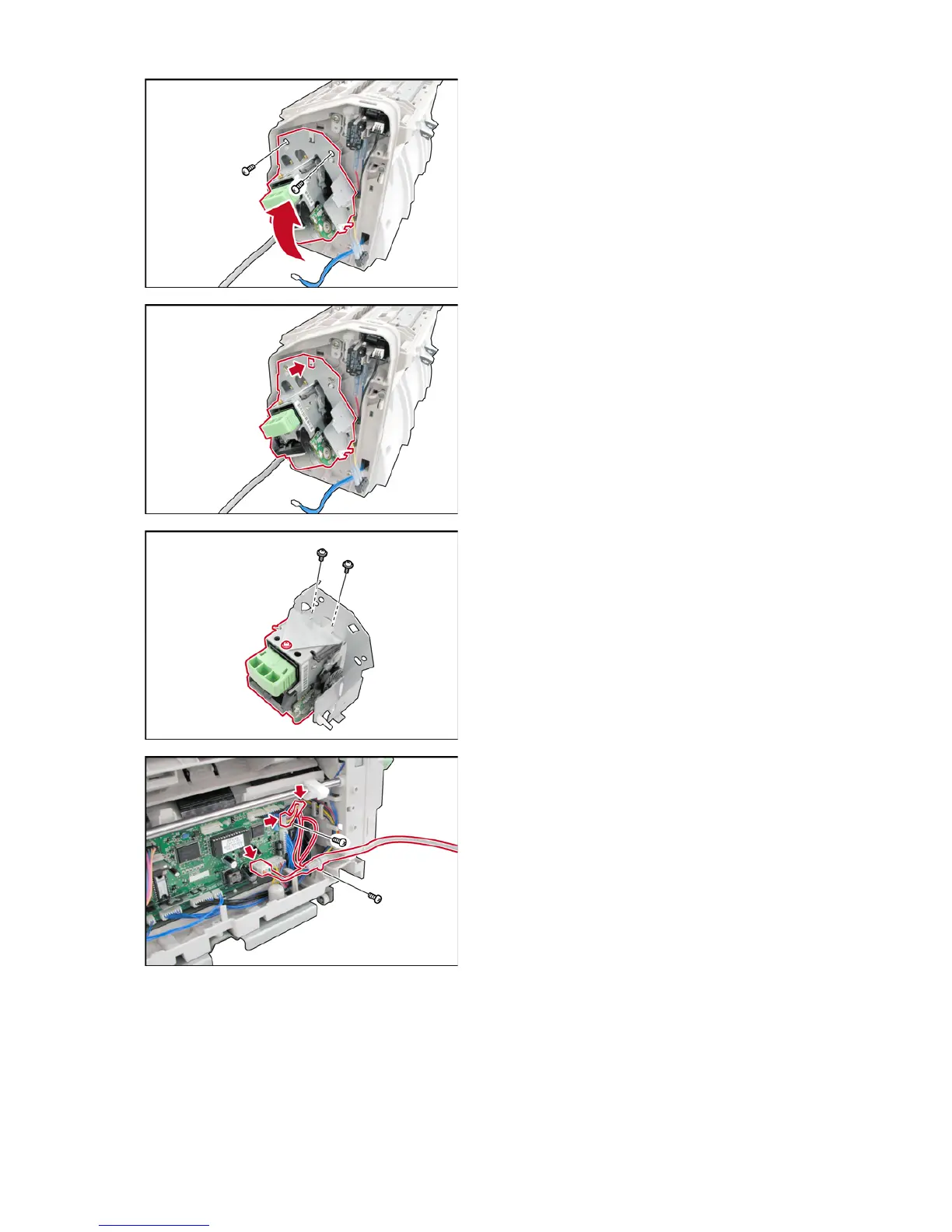
(46) Remove 2 Screws (2521).
(47) Remove the Staple Unit (2938) Assembly.
Note:
When reinstalling, ensure that Staple Unit
Assembly is installed (hooked) correctly as
illustrated.
(48) Remove 2 Screws (2736).
(49) Loosen 1 Screw.
(50) Remove the Staple Unit (2938).
<Removing the Finisher Interface Cable>
(51) Remove 2 Screws (2633).
(52) Release the Harness from the Harness Clamps.
(53) Disconnect 2 Harnesses and remove the
Finisher Interface Cable.












 To Next Page