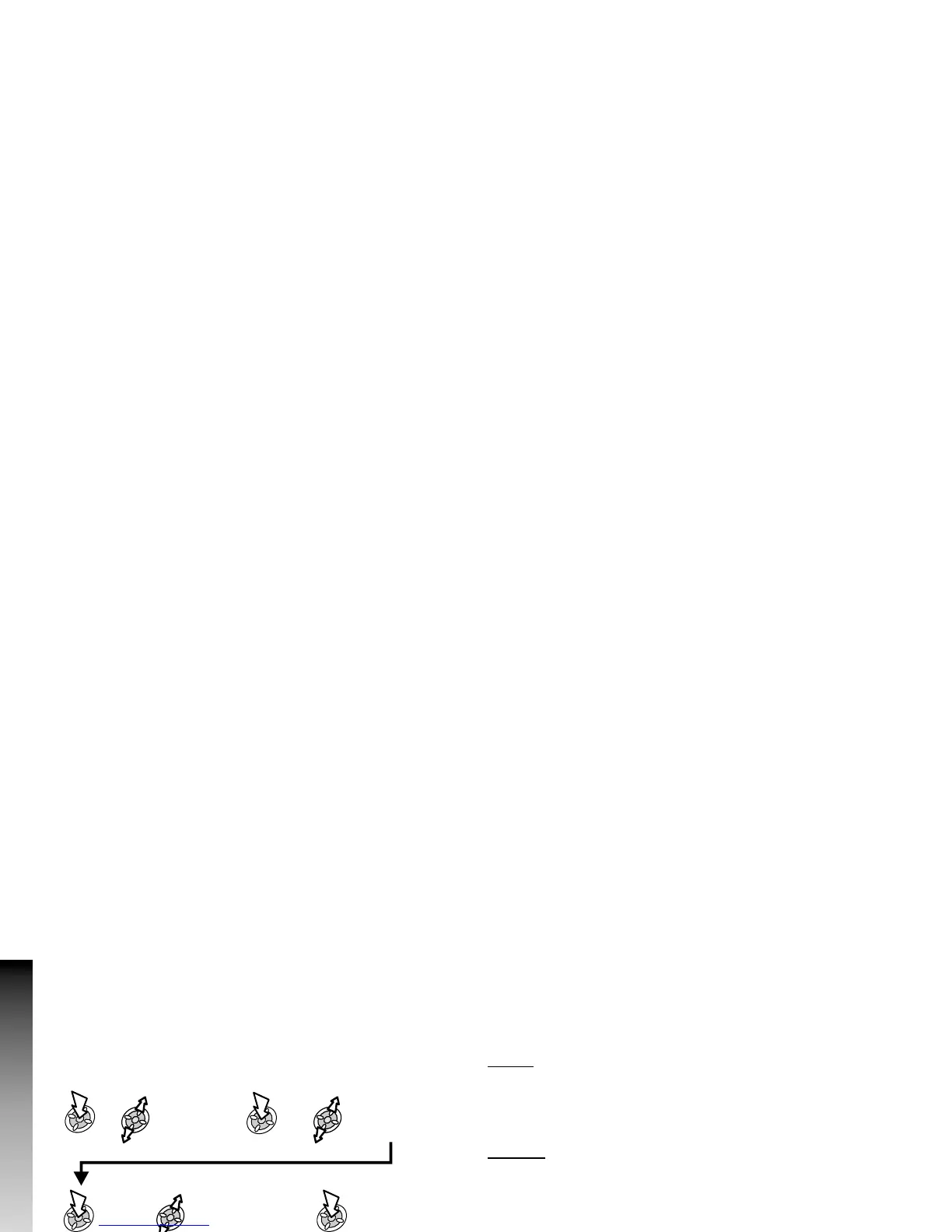
Cut, Copy & Paste Message Text
This function allows the user to cut or copy message text from a
user defined message or a user created message, into a new or
existing message. It can also be used to paste text to a
previously sent message.
With a message displayed:
Note: The cut or copied text will remain in the phone memory
until other text is cut or copied.
To cut or copy text from a received message, select Forw’d
and repeat above as necessary.
Managing Message Lists
All messages will be stored on the SIM until they are deleted. A
stored message can be replied to, edited or deleted.
Inbox
Received messages are stored in the Inbox. A N in the
receive list indicates an unread message.
Outbox
When a message has been sent or edited, it is stored in the
Outbox.
Create
This allows you to create a new message or reply to a
message.
Template
Template allows the creation of a message template, which can
be inserted into an outgoing message.
50
Messages
Messages
Select Cut /
Copy
Put cursor at start of
text to edit
Highlight text
to edit
Select text screen
where text is to be
placed
Select
Paste











 To Next Page