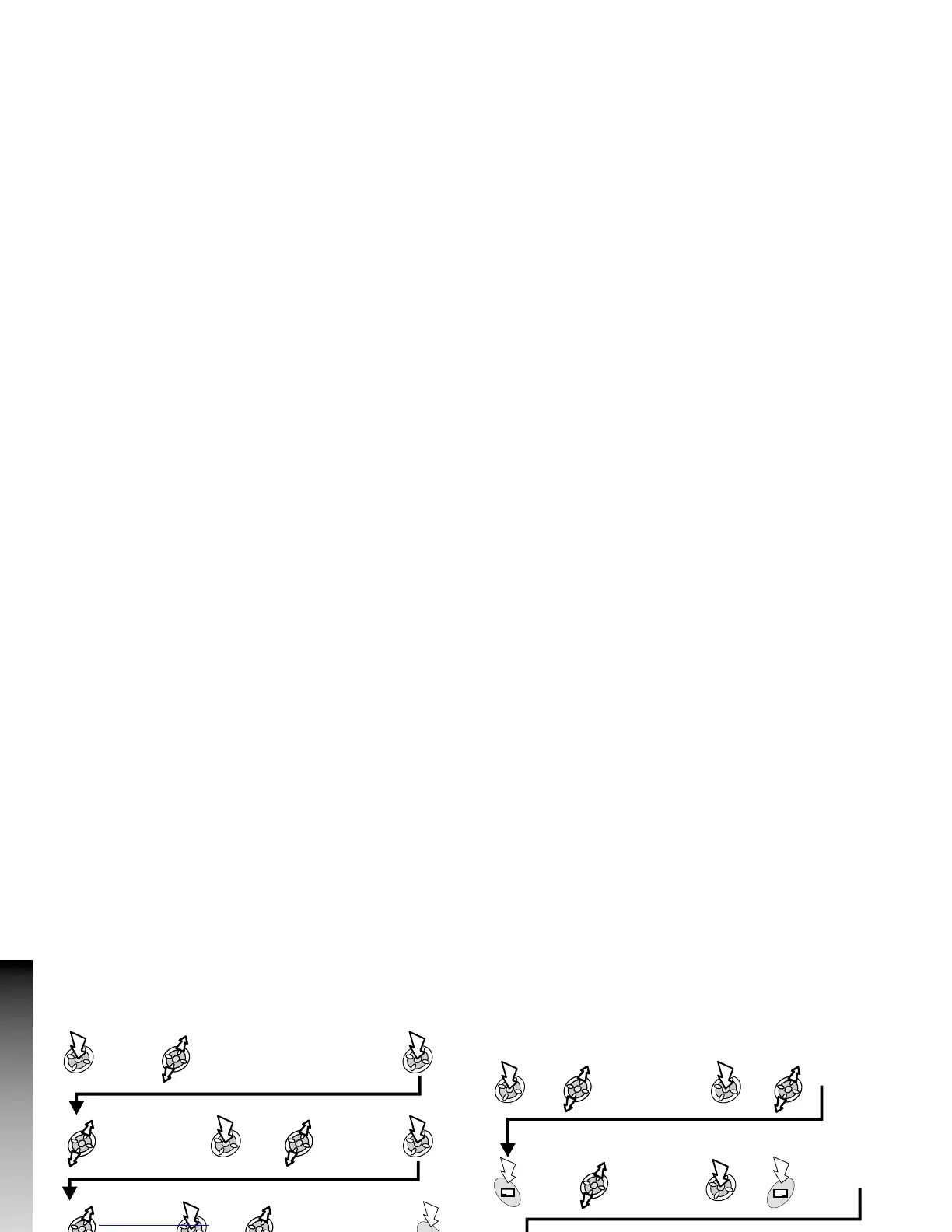
Copy & Paste and Move Files
From Idle mode:
Ø
You cannot:
- copy a file that cannot be forwarded or saved;
- move or paste a file into a folder defined for a different file
type.
- move files in Phonebook.
Ø
You can :
- move or paste a file into the folder it is copied from;
- to select Copy or Move while the file is displayed.
Customise Folders
You can customise and rename the folders User1 to User5.
From Idle mode:
Note: Do not use special characters in the new name.
72
Data Folder
Data Folder
Personalise >
Data Folder >
Browse
Select folder to
rename
Select
Rename
Type in new
name (max. 20
characters)
Delete
displayed name
Personalise >
Data Folder >
Browse
Select folder
where the file is
Select file
Select
option
Select folder where
the file will be pasted
or moved to
x2










 To Next Page