52 Installation Manual
Installing the SmartHub
Step 4.
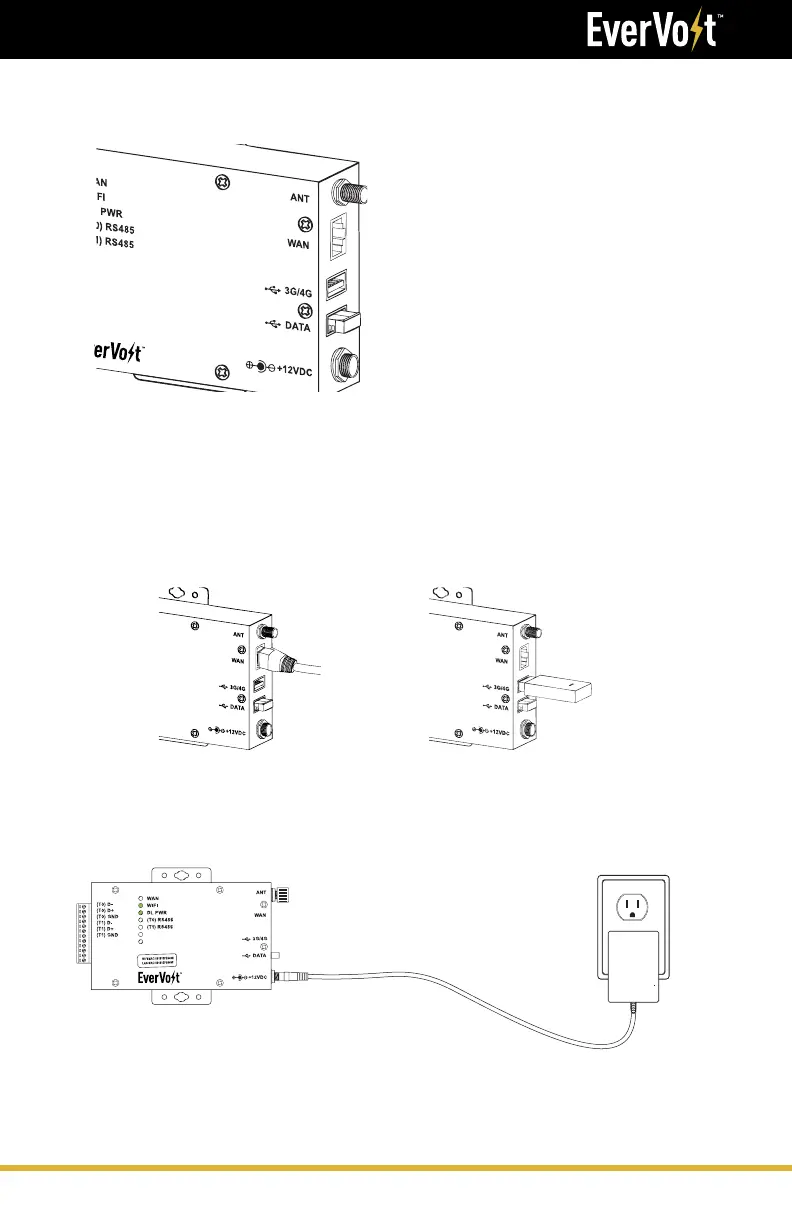
Insert the USB flash drive into the
SmartHub
Step 5.
Internet Connection. There are three ways to establish an internet
connection: LAN, PLC or Cellular (NOT INCLUDED).
LAN Connection (PREFERRED)
Connect the ethernet cable to the
SmartHub and to the network/router.
Cellular Connection (NOT INCLUDED)
Connect a non password protected
3G/4G dongle to the SmartHub.
Step 6.
Connect the power adapter into the SmartHub and then to the power outlet.
Note: The power outlet needs to be a backed up
so the SmartHub will still work when there is no grid.





 To Next Page