53 Installation Manual
Connecting the SmartHub to the Internet
ASSEMBLY (Continued)
8. Connecting the SmartHub to the Internet
Hardwire LAN
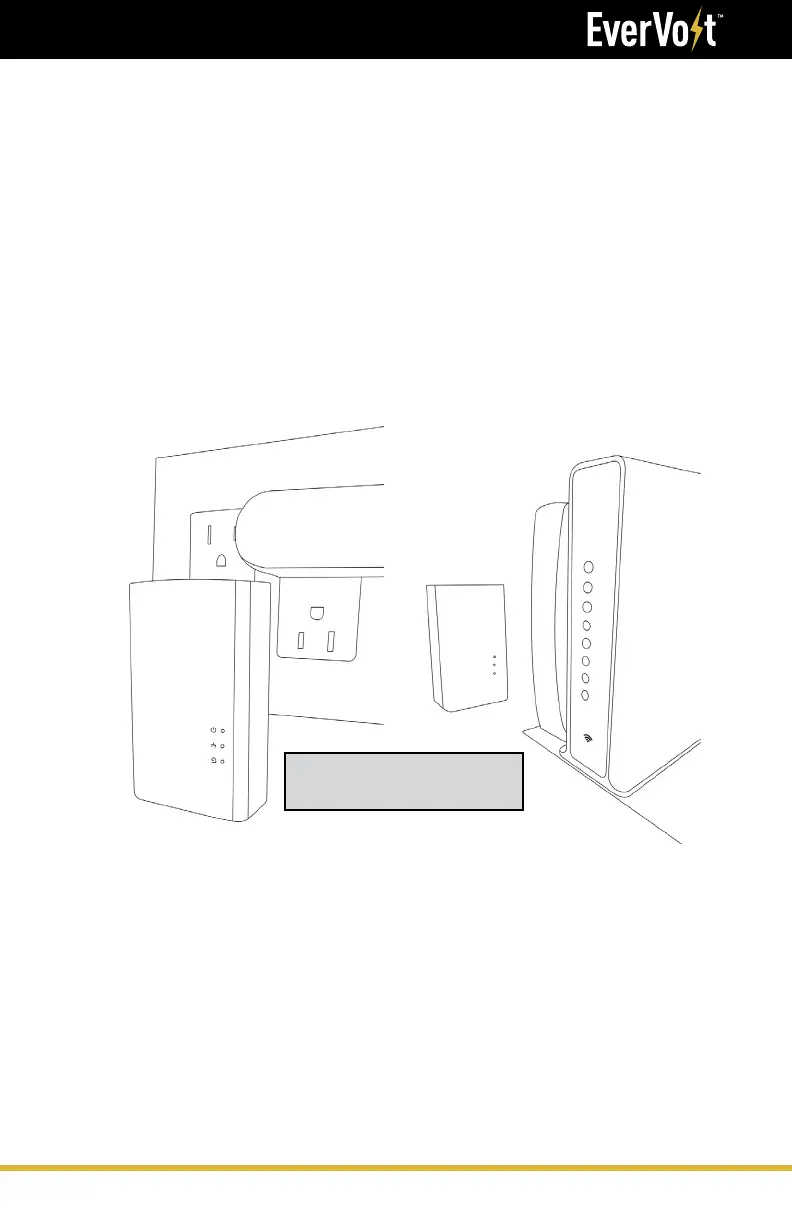
Connecting the Internet - Ethernet Powerline Adapter (PLC)
1. Unbox the Powerline Connector (PLC).
2. Plug the first PLC into an outlet
1
near the installed EverVolt.
3. Run a CAT5/6 cable from the SmartHub to the PLC.
4. Place the second PLC next to the customer's router.
5. Run a CAT5/6 from the PLC to the customer's router.
6. For full installation instructions, refer to 'Quick Start' booklet located
in the PLC box.
Run a CAT5/6 cable from the RJ45 router to the RJ45 SmartHub connector.
Ethernet Powerline
Adapter (PLC)
1
Ensure PLC power supply and the internet connection's is fed from essential loads panel.





 To Next Page