73 Installation Manual
Configuring the Hardware
14. CONFIGURING THE HARDWARE
Connecting to the Hardware
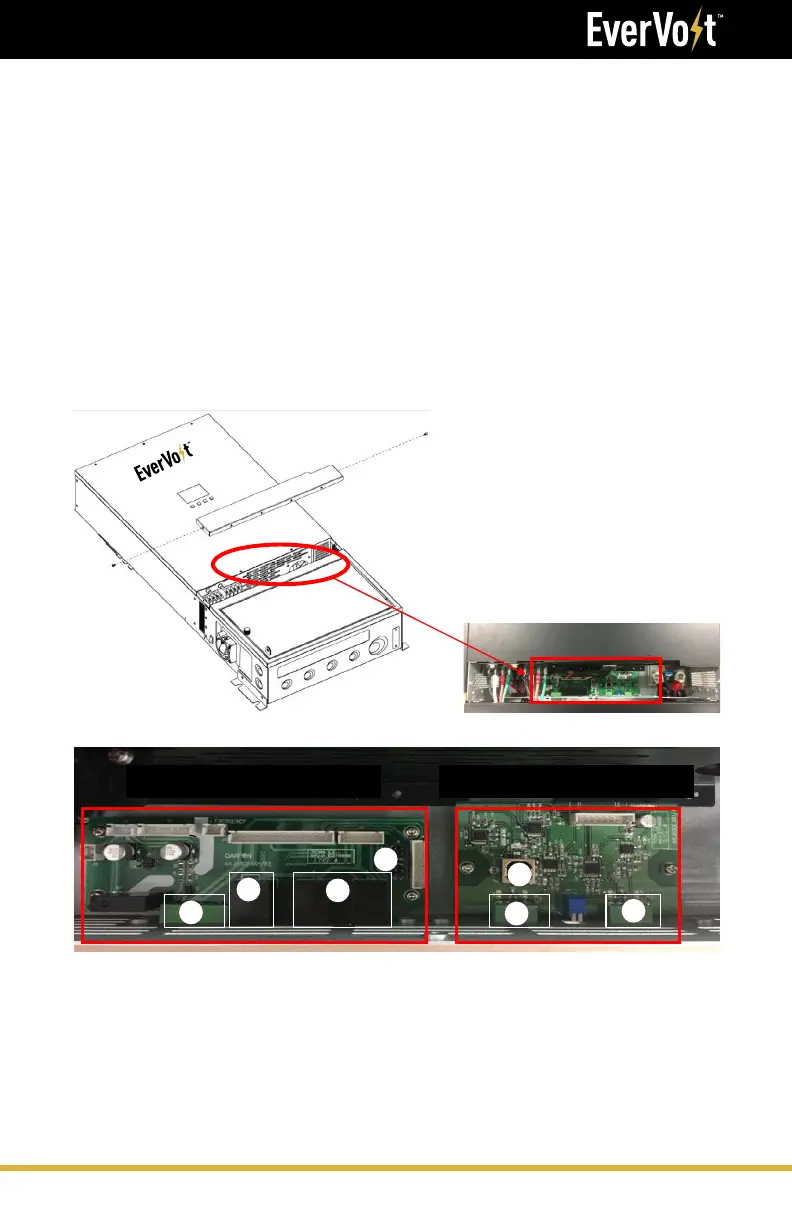
Step 1: Remove the eleven screws on the bottom sides of the inverter.
There are two PCB boards,
1. Left side: Communication board is used for parallel and
display communication.
2. Right side: External RS485 board is used for primary RS485
(communicated with battery) and secondary RS485
(communicated with application software & HEMS unit).
Communication Board External RS485 board
1
2
3
4
5
6
7





 To Next Page