64 Installation Manual
Operation and Display Panel
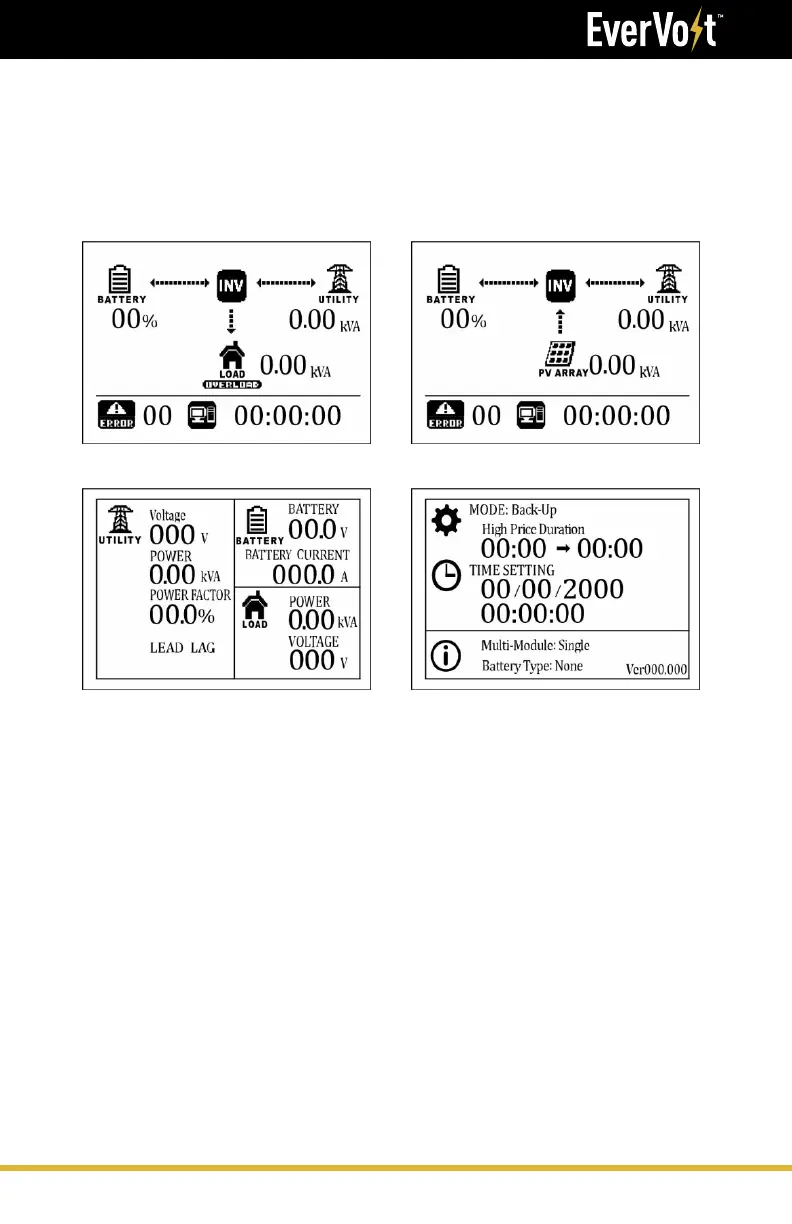
LCD Screen – Icons and Pages
The LCD screen will display three different pages: “Power Flows”, “Power
Information” and “System Settings”. Use the <-- or --> keys to toggle
between the various pages. The screen will default to the “Power Flows”
page.
Power Flow Page w/Load Output
Power Information Page
Power Flow Page w/AC-Couple Input
System Settings Page





 To Next Page