Basic Operations
Setting the Present Time
A
// //
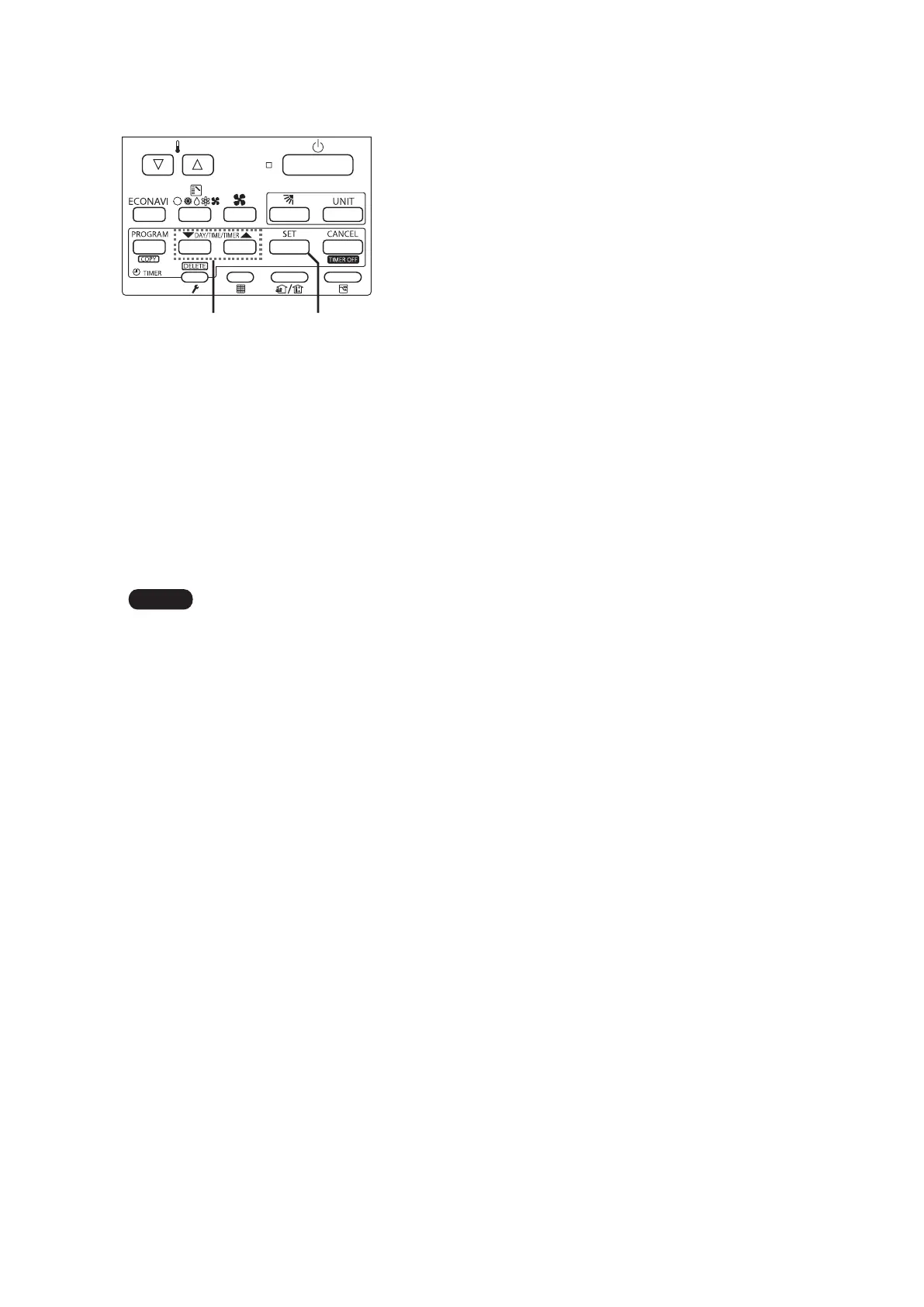
Press and hold [SET] for more than 2 seconds to enter the present day and time setting mode.
Once you enter the setting mode, “SETTING”, “▼”(day) and “time” ash.
Set “▼” to today’s day of the week.
Press [▲] to move “▼” ( ashing on the display) in the order of: Su → Mo → Tu → ....
Press [▼] to move it in the order of: Su → Sa → Fr → ....
Press [SET] to store.
Press [▼/▲] to change the present “hour” in the range of 0 to 23
*1
.
Set the present hour and press [SET].
The “hour” digits light up, and the “minute” digits start ashing.
*1
If the clock uses the 12 hours AM/PM setting, the hour is displayed in the range of AM 1 to 12 / PM 1 to 12.
Press [▼/▲] to change the present “minute” in the range of 0 to 59.
Set the present minute and press [SET]. The day and time are set and the unit nishes the setting mode.
If the present time is invalid, “– – : – –” is displayed. If the power failure occurs, check if the set data of day and
time are valid.






 To Next Page