EasyManua.ls Logo

Panasonic HC-V808 - User Manual

Panasonic HC-V808
288 pages
Print Icon
To Next Page IconTo Next Page
Loading...
Operating Instructions
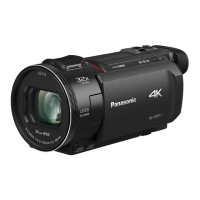
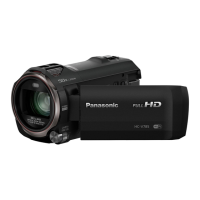
High Definition Video Camera 4K Video Camera
Model No.
HC-V800
Model No.
HC-WXF1
HC-V808 HC-WXF1M
HC-VXF1
HC-VXF11
HC-VX1
HC-VX11
Please read these instructions carefully before using this product, and save this manual for future
use.
DVQP1585ZA
F0218SQ0
until
2018/03/30
HC-WXF1-VXF1-VX1-V800EBEP-DVQP1585_eng.book 1 ージ 018年2月22日 木曜日 午後12時30

Table of Contents

Other manuals for Panasonic HC-V808

Questions and Answers

  • M
    Mary AllenSep 4, 2025
    Why does my Panasonic HC-V808 battery run down so quickly?
    • M
      Mary HerreraSep 4, 2025
      If your Panasonic Camcorder battery is running down quickly, try these steps: First, fully charge the battery, keeping in mind that cold environments can shorten battery life. If the operating time remains short after a full charge, the battery may be worn out and require replacement. If charging doesn't solve the issue, remove the battery or AC adapter, wait about a minute, reconnect, and then turn the unit on again. If the issue persists, disconnect the power and consult the dealer from whom you purchased the unit.
  • E
    Elizabeth CrawfordSep 18, 2025
    Why does the color or brightness change on my Panasonic Camcorder, or why do I see horizontal bars?
    • J
      Jacqueline BaileySep 18, 2025
      Changes in color or brightness, horizontal bars, or LCD flickering can occur due to shutter speed settings. In Motion Picture Recording Mode, use Intelligent Auto Mode/Intelligent Auto Plus Mode, or adjust the shutter speed. When [REC FORMAT] is set to [24p]: Set to 1/50 seconds (50 Hz power areas) or 1/60 seconds (60 Hz power areas). For other [REC FORMAT] settings: Set to 1/100 seconds (50 Hz) or 1/60 seconds (60 Hz). Setting the shutter speed to 1/120 seconds reduces the intensity of the problem in FULL HD Slow Motion Mode and Slow & Quick Video Mode. Note that these settings do not affect Still Picture Recording Mode.
  • R
    ritterwilliamSep 16, 2025
    What to do if my Panasonic Camcorder cannot be operated even when it is turned on?
    • N
      Nicole FernandezSep 16, 2025
      If your Panasonic camcorder is on but not operating correctly, try removing the battery or AC adapter, wait about a minute, and then reconnect it. Wait another minute before turning the unit on again. If this doesn't restore normal operation, detach the power connected, and consult the dealer who you purchased this unit from.
  • D
    Dave ThomasSep 14, 2025
    What to do if Panasonic Camcorder displays “ERROR OCCURRED. PLEASE TURN UNIT OFF, THEN TURN ON AGAIN.”?
    • S
      Sandra Cooper MDSep 14, 2025
      This message indicates that the unit has automatically detected an error. You should restart the unit by turning it off and then on again. If the error message continues to appear even after restarting, repair is needed. In that case, detach the power and consult the dealer from whom you purchased the unit. Do not attempt to repair the unit by yourself.
  • F
    florescorySep 12, 2025
    How to use Remote Ctrl on my Panasonic HC-V808 Camcorder with a smartphone?
    • A
      Alexandria OlsenSep 12, 2025
      To operate your Panasonic Camcorder from a smartphone using [Remote Ctrl], install the smartphone app “Image App” on your smartphone.
  • C
    clarkmelindaSep 12, 2025
    Why is the color off when recording with my Panasonic HC-V808 Camcorder indoors?
    • T
      Taylor HallSep 12, 2025
      If the color balance of images appears strange when recording with your Panasonic Camcorder in places like a gymnasium, set the White Balance setting to (Indoor mode 2). If you still cannot record clearly, set it to (Manual adjustment mode).
  • R
    Ricardo CollinsSep 9, 2025
    How to fix the auto focus on my Panasonic HC-V808?
    • J
      Joshua KleinSep 9, 2025
      If the Auto Focus function on your Panasonic Camcorder is not working, switch to Intelligent Auto Mode or Intelligent Auto Plus Mode. If you are trying to record a scene that is difficult to focus on in Auto Focus Mode, switch to Manual Focus Mode and adjust the focus manually.
  • J
    julie71Sep 7, 2025
    Why does my Panasonic HC-V808 keep stopping recording?
    • A
      Alexa HoodSep 7, 2025
      If your Panasonic Camcorder is arbitrarily stopping recording, ensure you are using an SD card suitable for motion picture recording. If the data writing speed has deteriorated, or after repeated recording and deletion, format the SD card or the built-in memory using the unit. Also, if [AGS] is [ON], record in the normal horizontal position or set [AGS] to [OFF].
  • G
    Gregory JohnsonSep 5, 2025
    Why is the battery indicator wrong on my Panasonic Camcorder?
    • S
      Sandra RodriguezSep 6, 2025
      If the remaining battery indication on your Panasonic Camcorder is not displaying correctly, fully charge the battery, discharge it completely, and then charge it again. Keep in mind that the remaining battery capacity indication is only an approximation.
  • R
    Robert KentAug 20, 2025
    How to fix a Panasonic HC-V808 Camcorder that won't operate?
    • H
      Heather Franco PhDAug 21, 2025
      If your Panasonic Camcorder is not operating correctly or is unresponsive even when turned on, try removing the battery or AC adapter, waiting about a minute, and then reconnecting it. Wait another minute before turning the unit on again. If the problem persists, disconnect the power and consult the dealer from whom you purchased the camcorder.

Panasonic HC-V808 Specifications

General IconGeneral
BrandPanasonic
ModelHC-V808
CategoryCamcorder
LanguageEnglish

Related product manuals