- 23 -
∫ About the operation icons
///:
Touch when changing a page or performing settings.
:
Touch to return to the previous screen.
≥ (For the series/ )
When the viewfinder is in use, on-screen icons will be displayed but disabled.
Open the LCD monitor to touch them.
∫ Diopter adjustment
Adjust to make the image clear by
rotating the diopter adjustment dial.
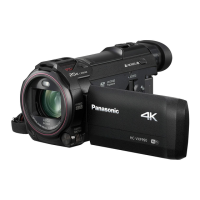
≥ Extend the viewfinder and close the LCD
monitor to turn on the viewfinder.
≥ The viewfinder can be raised up to
approximately 60 o A.
≥ When moving the viewfinder, be careful not to
catch your fingers.
Viewfinder adjustment
[WXF990] series/[VXF990]



 To Next Page
