EasyManua.ls Logo

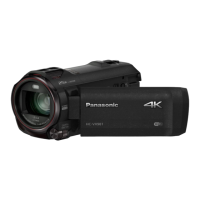
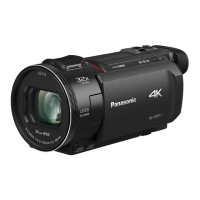
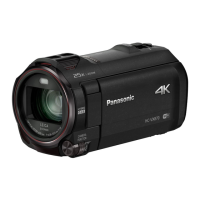
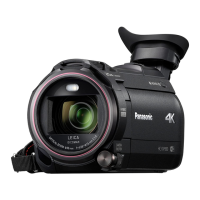
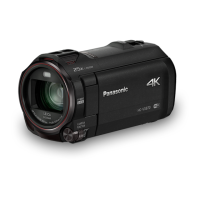
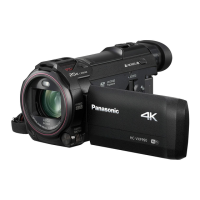
Panasonic HC-VX981 - User Manual

Panasonic HC-VX981
262 pages
Print Icon
To Next Page IconTo Next Page
Loading...
Owners Manual
4K Video Camera
Model No.
HC-WXF991
HC-VX981
Please read these instructions carefully before using this product,
and save this manual for future use.
SQW0527
until
2016/2/29
Register online at http://shop.panasonic.com/support (U.S. customers only)

Table of Contents

Other manuals for Panasonic HC-VX981

Questions and Answers

  • L
    Linda GomezAug 22, 2025
    What to do if my Panasonic Camcorder displays 'Error occurred'?
    • T
      tracyjohnsonAug 22, 2025
      If your Panasonic Camcorder displays the message “ERROR OCCURRED. PLEASE TURN UNIT OFF, THEN TURN ON AGAIN”, try restarting the unit by turning it off and then on again. If the error persists after restarting, disconnect the power and consult the dealer from whom you purchased the unit. Do not attempt to repair the unit yourself.
  • J
    jeffrey16Sep 4, 2025
    Why does my Panasonic HC-VX981 Camcorder image flicker indoors?
    • J
      Justin WalkerSep 4, 2025
      If the color or brightness of the image changes, or horizontal bars appear when recording with your Panasonic Camcorder under fluorescent, mercury, or sodium light, try recording in Intelligent Auto Mode/Intelligent Auto Plus Mode. Alternatively, adjust the shutter speed. When [REC FORMAT] is set to [24p]: Set to 1/50 seconds in areas where the power supply frequency is 50 Hz, or 1/60 seconds in areas where the frequency is 60 Hz. When [REC FORMAT] is set to a setting other than [24p]: Set to 1/100 seconds in areas where the power supply frequency is 50 Hz, or 1/60 seconds in areas where the frequency is 60 Hz. Setting the shutter speed to 1/120 seconds reduces the intensity of the problem in FULL HD Slow Motion Mode or Slow & Quick Video Mode (For the WXF991).
  • J
    jason91Sep 2, 2025
    Why does my Panasonic HC-VX981 battery drain so fast?
    • S
      Scott AlvaradoSep 2, 2025
      If your Panasonic Camcorder battery drains quickly, especially in cold environments, try fully recharging it. If the operating time remains short after a full charge, the battery may be worn out and require replacement.
  • B
    Brittany MannSep 1, 2025
    Why isn't my Panasonic HC-VX981 Camcorder detected by my computer?
    • A
      Aaron PalmerSep 1, 2025
      If your Panasonic Camcorder is not detected by your PC when connected via USB, re-insert the SD card into the unit and reconnect the supplied USB cable. Try using a different USB terminal on your PC. Check the operating environment. Restart your PC and turn on the camcorder before reconnecting the USB cable.
  • C
    Christopher SmithAug 30, 2025
    Why can't I copy files from my Panasonic HC-VX981 Camcorder SD card?
    • T
      Tina ObrienAug 31, 2025
      If you cannot copy scenes from the SD card of your Panasonic Camcorder when connecting to other equipment via USB, the other equipment might not have recognized the SD card. Try unplugging and reconnecting the USB cable.
  • T
    turnerlarryAug 29, 2025
    Why is the battery indicator wrong on my Panasonic Camcorder?
    • B
      Barbara SotoAug 29, 2025
      The remaining battery capacity indication on your Panasonic Camcorder is an approximation. If it's not displaying correctly, fully charge the battery, discharge it completely, and then charge it again.
  • N
    Nicole DavisAug 27, 2025
    How to fix auto focus on Panasonic HC-VX981 Camcorder?
    • A
      Angela SmithAug 28, 2025
      If the Auto Focus function on your Panasonic Camcorder isn't working, switch to Intelligent Auto Mode or Intelligent Auto Plus Mode. If you're recording a scene that's difficult to focus on in Auto Focus Mode, switch to Manual Focus Mode and adjust the focus manually.
  • K
    Kevin FlynnAug 27, 2025
    What to do if my Panasonic HC-VX981 Camcorder is not operating normally?
    • Y
      ymillsAug 27, 2025
      If your Panasonic Camcorder is on but not responding, remove the battery or AC adapter, wait about a minute, and then reconnect it. Wait another minute before turning the unit back on. If normal operation is still not restored, detach the power connected, and consult the dealer who you purchased this unit from.
  • B
    Bobby DickersonAug 25, 2025
    Why is there no sound or picture when connecting my Panasonic Camcorder to the TV?
    • M
      michaeltownsendAug 25, 2025
      If your Panasonic Camcorder is connected to a TV but you are not getting any image or sound output, or the image appears squeezed, ensure you have selected the correct input channel on your TV as described in your TV's operating instructions. You may also need to adjust the [TV ASPECT] setting on your camcorder to match the TV's aspect ratio. Note that audio during playback is output from the TV, not the camcorder, so adjust the sound on the TV.
  • R
    rachel82Aug 23, 2025
    Why does my Panasonic HC-VX981 Camcorder keep stopping recording?
    • J
      Julie WrightAug 23, 2025
      If your Panasonic Camcorder stops recording unexpectedly, ensure you are using an SD card suitable for motion picture recording. If the card's data writing speed has deteriorated, format the SD card using the unit. Also, if [AGS] is [ON], record in the normal horizontal position or set [AGS] to [OFF].

Summary

Preparation

Names and Functions of Main Parts

Identifies and describes the key external components and buttons of the camera.

Power supply

Details on compatible batteries, inserting/removing, and charging the unit.

Recording to a card

Information on using SD cards, including speed class ratings and insertion/removal.

Basic

Recording motion pictures

Step-by-step instructions for starting, pausing, and stopping motion picture recording.

Recording still pictures

Details on how to take still pictures, including focus indications.

Motion picture;Still picture playback

Explains how to select and play back recorded motion pictures and still pictures.

Advanced (Recording)

HDR Movie Mode

Explains how to use HDR Movie Mode to minimize gradation loss in bright and dark areas.

Recording with the Sub Camera (Twin Camera) [WXF991]

Details on using the Sub Camera for simultaneous recording and twin camera setups.

Changing the Recording Mode

Explains how to select different recording modes like Intelligent Auto and Manual.

Manual recording

Covers manual adjustments for focus, white balance, shutter speed, and iris.

Advanced (Playback)

Copy;Dubbing

Copying;playing back with a USB HDD

Instructions for connecting a USB HDD to copy and play back recorded content.

Wi-Fi

Wi-Fi function

Overview of Wi-Fi capabilities, safety precautions, and connection requirements.

Setting Up a Wi-Fi Connection

Details on connecting the unit to a wireless access point or smartphone.

Wireless Twin;Multi-Camera

Wireless Twin;Multi-Camera function

Enables display and simultaneous recording of images from smartphones in Sub Windows.

Using a Smartphone as a Wireless Sub Camera

Steps for connecting a smartphone as a Wireless Sub Camera for Twin Camera.

With a PC

What you can do with a PC

Overview of PC functionalities using HD Writer AE 5.3 software.

Connecting to a PC

Steps to connect the camera to a PC for data transfer and software interaction.

Others

Troubleshooting

Common problems and their solutions related to power, recording, and auto focus.

Cautions for use

Important safety and usage guidelines to prevent damage or malfunction.

Panasonic HC-VX981 Specifications

General IconGeneral
Sensor TypeBSI MOS Sensor
Sensor Size1/2.3-inch
Effective Pixels (Motion Image)8.29 megapixels
LensLeica Dicomar Lens
Optical Zoom20x
Recording MediaSD/SDHC/SDXC Memory Card
Wi-FiYes
HDMIYes (micro HDMI)
Focal Length4.08 - 81.6mm
FocusAuto/Manual
SpeakerDynamic type
Touch ScreenYes
Digital Zoom60x / 1500x
Display3.0-inch LCD (460, 800 dots)
Video Resolution4K (3840 x 2160)
USBYes (Micro USB)
Weight (w/o battery)351g
ApertureF1.8
White BalanceAuto/Indoor
Recording FormatMP4
Video Recording Mode4K: 3840 x 2160 30p
Audio Recording FormatAAC (2ch)
MicrophoneStereo
External Microphone InputYes
Headphone JackYes
Battery TypeLithium-ion
Image StabilizationHYBRID O.I.S.+ (Optical Image Stabilization)
Dimensions (W x H x D)65 x 73 x 139 mm (2.56 x 2.87 x 5.47 inch)

Related product manuals