93
VQT1T90
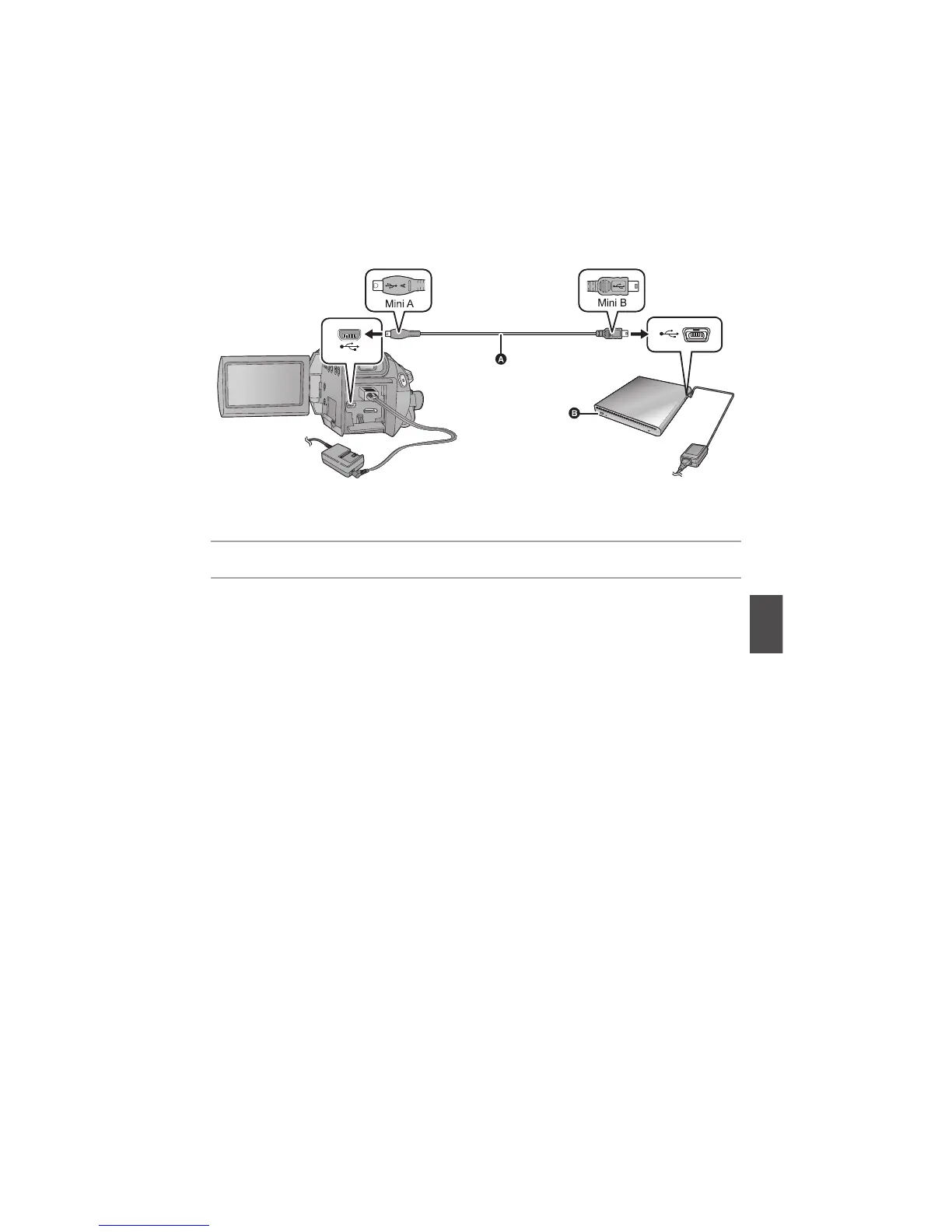
3 Connect this unit to the DVD burner with the Mini AB USB Connection
Cable (supplied with VW-BN1).
Mini AB USB Connection Cable (supplied with VW-BN1)
! DVD burner (optional)
Insert the plugs as far as they will go.
4 Insert the disc in the DVD burner.
5 (When copying)
Select [BURN DISC] and press the cursor button.
Refer to page 94 for how to copy discs.
(When playing back)
Select [PLAY DISC] and press the cursor button.
Refer to page 97 for how to play back the copied discs.
To terminate the connection with the DVD burner
Select [EXIT] and press the cursor button.
Disconnect the Mini AB USB Connection Cable from this unit.















 To Next Page