70
VQT1T90
Playback
1
Motion picture playback
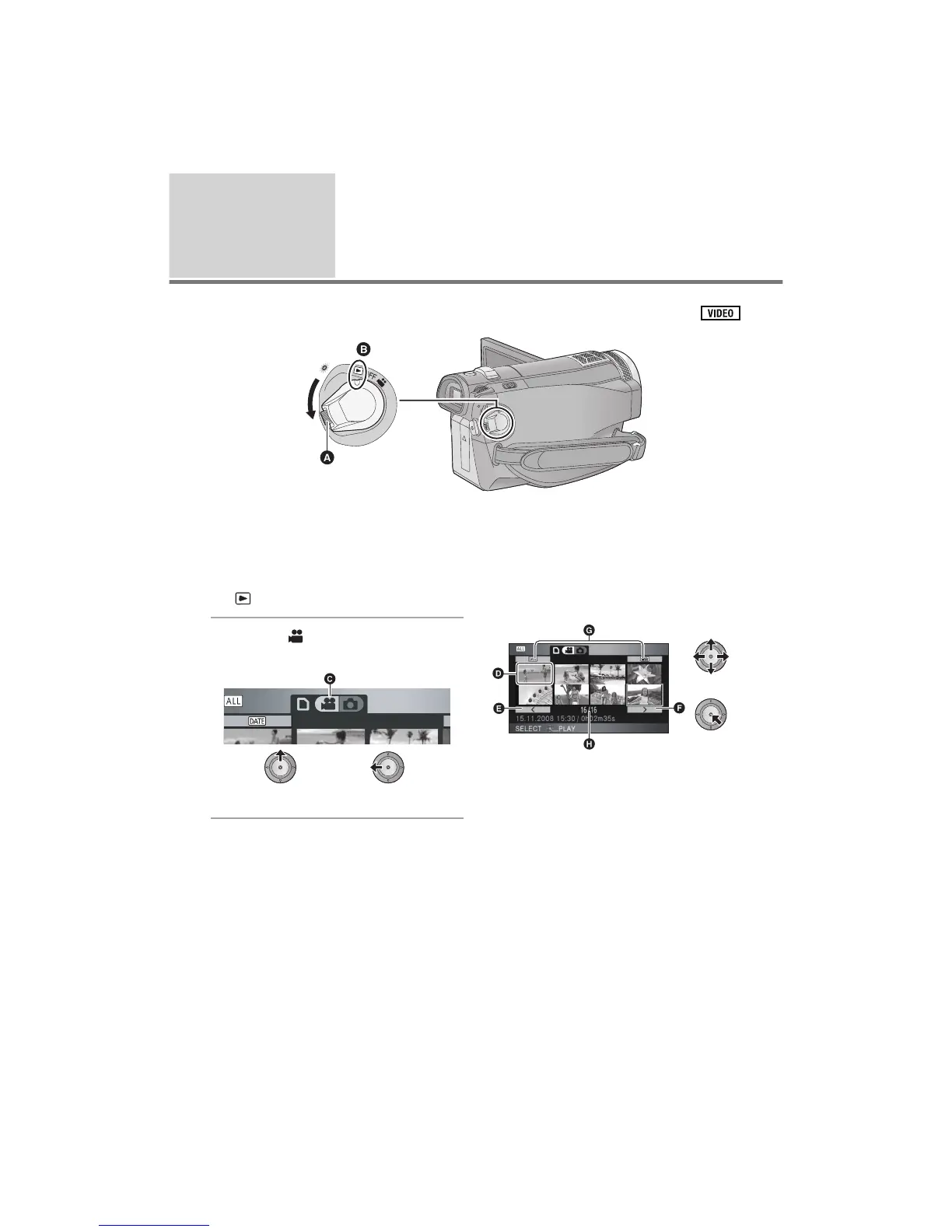
Lock release button
! Align with the mark.
Rotate the mode dial while at the same time pressing in the lock release button if changing from OFF
to another mode.
1 Rotate the mode dial to select
.
2 Select [ ] (motion picture
playback) with the cursor button.
" Motion picture playback
3 Select the scene to be played
back and press the cursor
button.
# Thumbnail display
$ Previous page
% Next page
& Play mode select button
' Scene number
The selected scene is played back on the full
screen, and the operation icon is automatically
displayed on the screen.















 To Next Page