14
VQT3J56
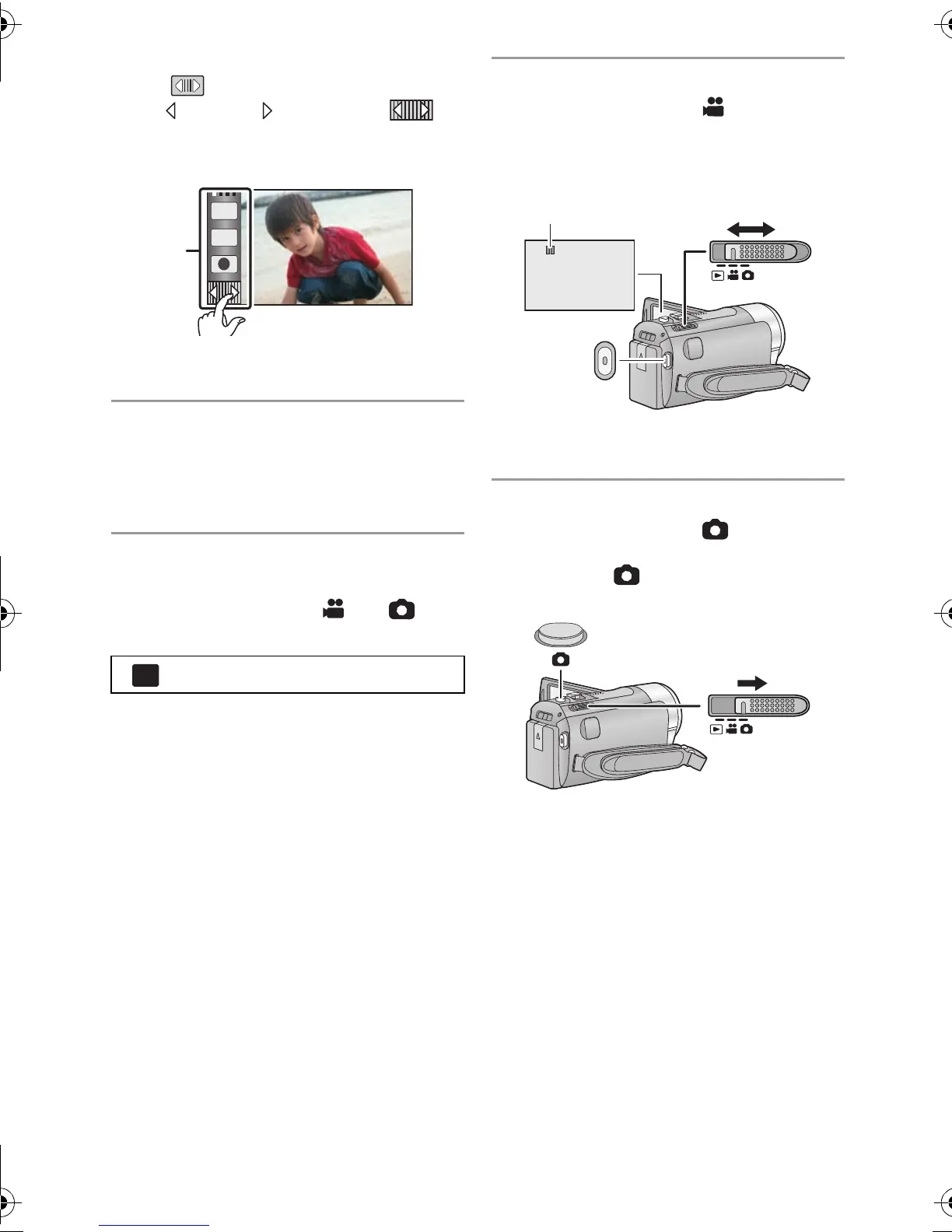
Touch Menu
Touch to display the Touch Menu.
Touch (left side)/ (right side) of on
the Touch Menu to switch the operation
icons.
A Touch Menu
∫ Language selection
1) Touch [MENU], then touch [SETUP] #
[LANGUAGE].
2) Touch desired language.
∫ Selecting a media to record
[HDC-TM90]
1) Change the mode to
or .
2) Select the menu.
3) Touch the media to record motion
pictures or still pictures.
≥ Touch [VIDEO/SD CARD] or [PICTURE/
SD CARD] to record to the SD card.
Touch [VIDEO/Built-inMemory] or
[PICTURE/Built-inMemory] to record to
the built-in memory.
≥ The media is selected separately to
motion pictures or still pictures is
highlighted in yellow.
4) Touch [ENTER].
∫ Recording motion pictures
1) Change the mode to .
2) Open the LCD monitor.
3) Press the recording start/stop button to
start recording.
A When you begin recording, ; changes
to ¥.
∫ Recording still pictures
1) Change the mode to .
2) Open the LCD monitor.
3) Press the button fully to take the
picture.
: [MEDIA SELECT]
T
W
HDC-SD90&TM90-P-VQT3J56_mst.book 14 ページ 2011年1月13日 木曜日 午前9時18分















 To Next Page