30 VQT3A10
Press the button, then select [DELETE] while playing
back the motion picture/still picture.
≥ The scene/still picture on playback will be deleted.
∫ To delete the selected scenes/still pictures or delete all
1 Press the button during pausing of the motion
picture recording or while the thumbnail view screen
is displayed.
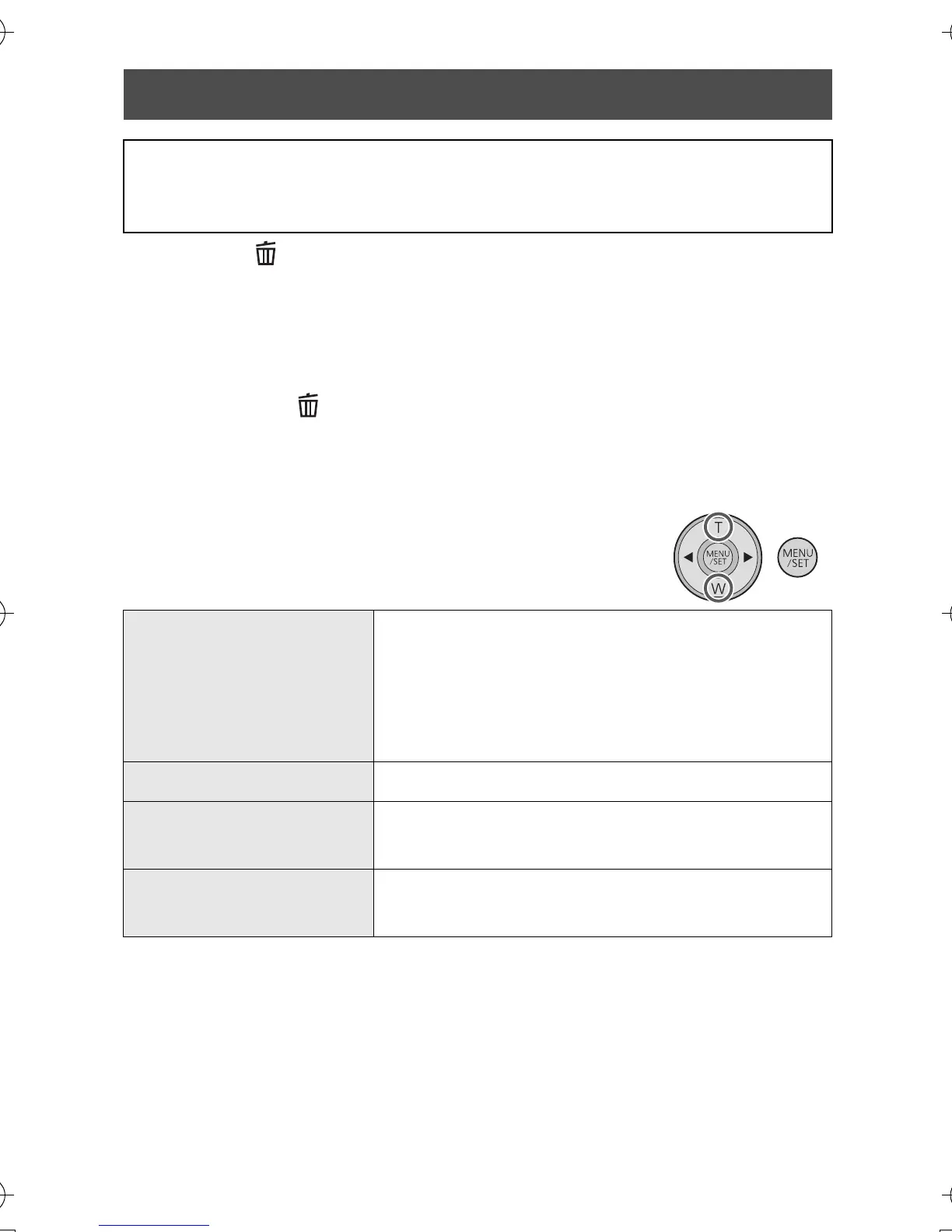
2 Select the item to delete using the
cursor button, then press the MENU/
SET button.
Deleting motion pictures/still pictures
Deleted scenes/still pictures cannot be restored, so perform
appropriate confirmation of the contents before proceeding with
deletion.
[DELETE SINGLE]
Scene or still picture selected in the
thumbnail display is deleted.
≥ Press 1 (2) to go to the scene/still picture
you wish to delete, and then press the
MENU/SET button.
[DELETE SELECTED] Proceed to step 3.
[DELETE ALL]
All the scenes/still pictures on the SD card
will be deleted.
[EXIT]
Deleting is cancelled and it will switch to the
thumbnail display.
HM-TA1EP_EB_GC-VQT3A10_mst.book 30 ページ 2010年7月14日 水曜日 午後5時5分





 To Next Page