32 VQT3A10
Recording/Playback
Using the menu screen
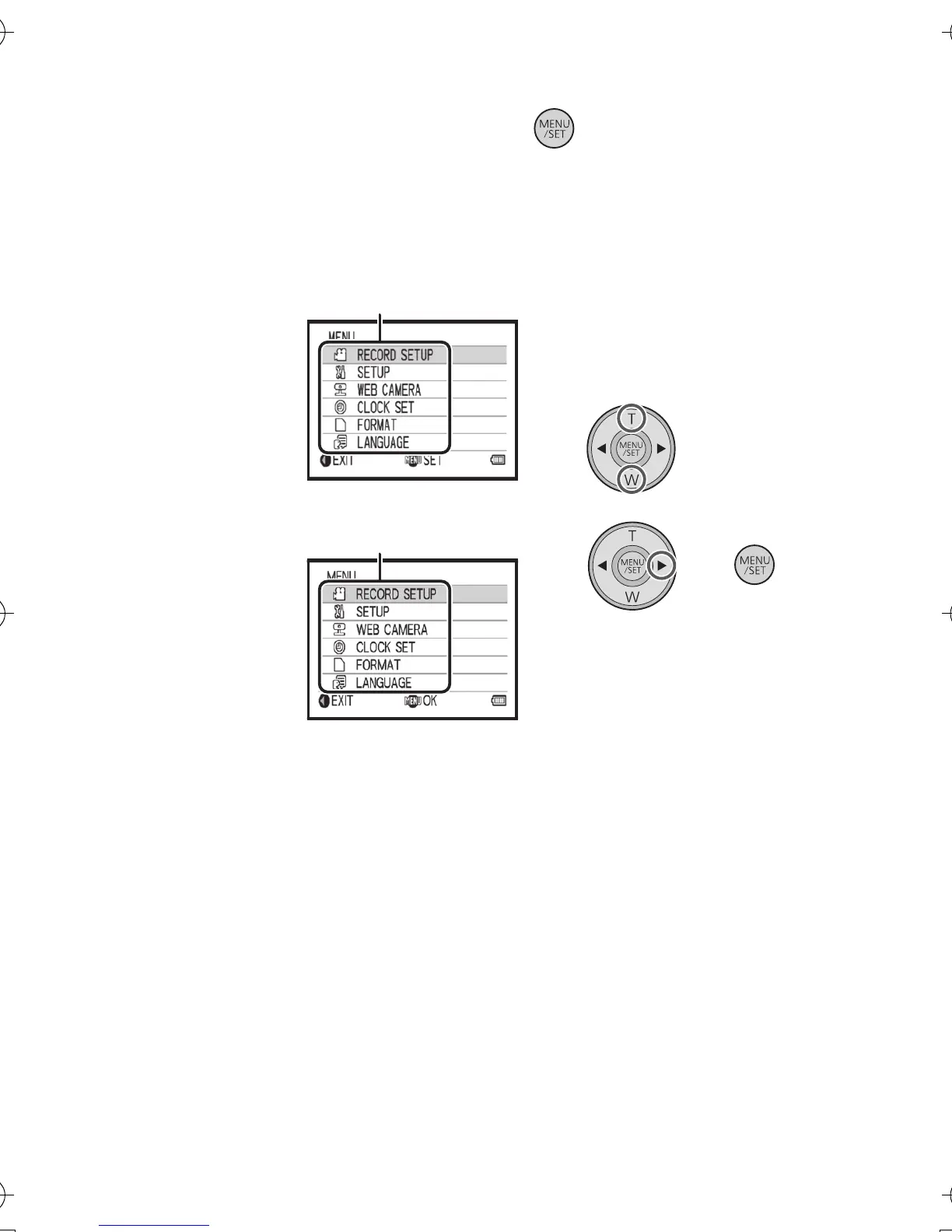
1 Press the MENU/SET button.
2 Select the top menu A using the cursor button, and
press 1 or the MENU/SET button.
≥ It will return to the recording screen when 2 is pressed.
3 Select the submenu by pressing T or W and press 1
or the MENU/SET button.
≥ It will return to the previous screen when 2 is pressed.
4 Select the desired item, and set by pressing the
MENU/SET button.
≥ Complete the menu setting by pressing the motion picture button/
photoshot button. It will return to the recording screen.
HM-TA1EP_EB_GC-VQT3A10_mst.book 32 ページ 2010年7月14日 水曜日 午後5時5分





 To Next Page