8 VQT3A10
Preparation
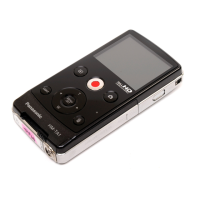
Parts identification and handling
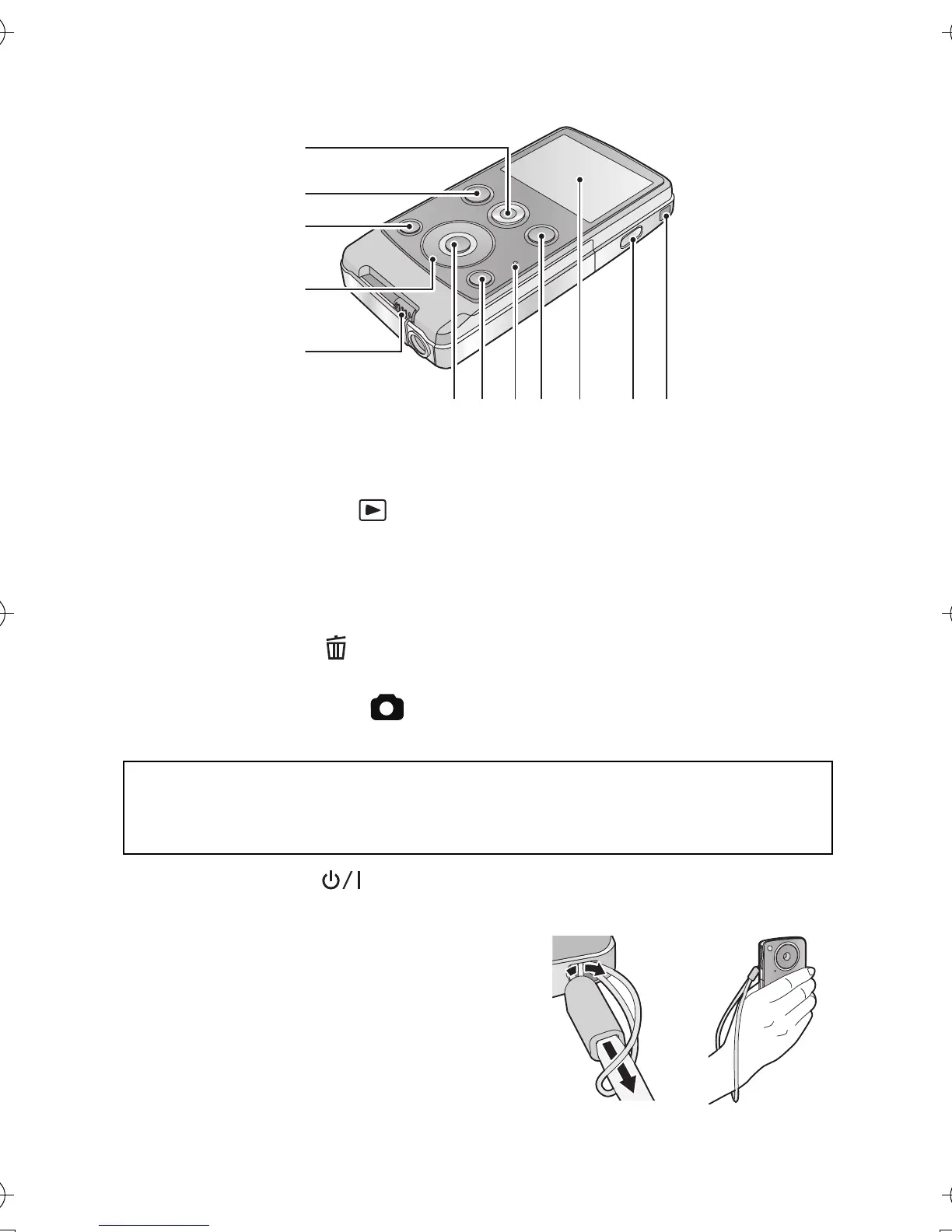
1 Motion picture button (l 21)
2 Playback button [ ] (l 25)
3 Light button [LIGHT] (l 23)
4 Cursor button [T, W, 2, 1]
5 USB terminal slide lever (l 11)
6 MENU/SET button [MENU/SET] (l 32)
7 Delete button [ ] (l 30)
8 Status indicator (l 11, 16, 36)
9 Photoshot button [ ] (l 22)
10 LCD monitor
11 Power button [ ] (l 18)
12 Hand strap fixture
≥ Do not cover the microphones.
Due to limitations in LCD production technology, there may be some tiny
bright or dark spots on the LCD monitor screen. However, this is not a
malfunction and does not affect the recorded picture.
HM-TA1EP_EB_GC-VQT3A10_mst.book 8 ページ 2010年7月14日 水曜日 午後5時5分



 To Next Page