VQT3A10 37
∫ To watch images on a regular TV (4:3) or when both
sides of the images do not appear on the screen
Change the menu setting to display the images correctly. (Check the TV
setting.)
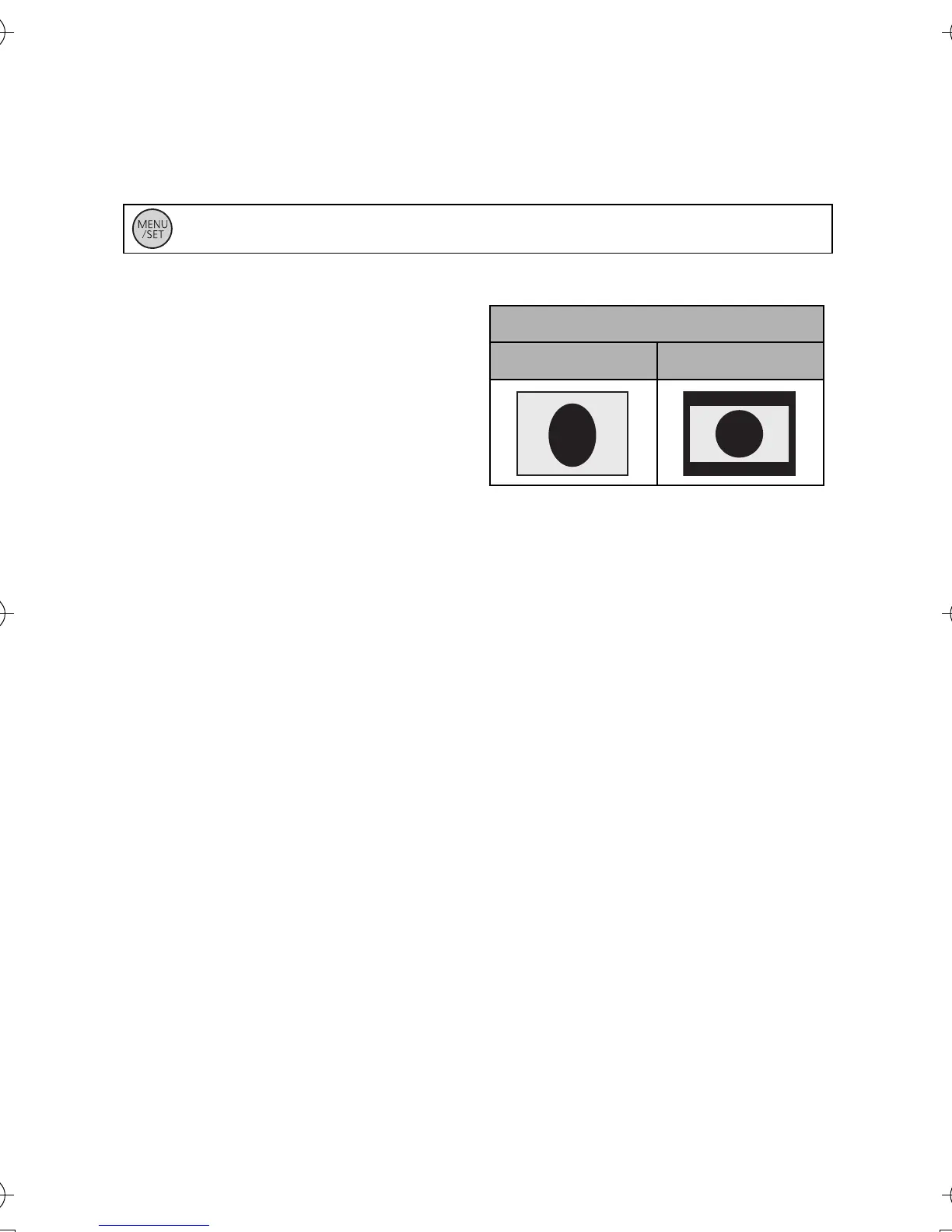
Example of images with a 16:9 aspect ratio on a regular TV (4:3)
≥ If a wide-screen TV is
connected, adjust the aspect
setting on the TV. (Refer to the
operating instructions of the TV
for details.)
: [SETUP] # [TV ASPECT] # [4:3]
[TV ASPECT] setting
[16:9] [4:3]
HM-TA1EP_EB_GC-VQT3A10_mst.book 37 ページ 2010年7月14日 水曜日 午後5時5分


 To Next Page