EasyManua.ls Logo

Panasonic HX-A1M - User Manual

Panasonic HX-A1M
58 pages
Print Icon
To Next Page IconTo Next Page
Loading...
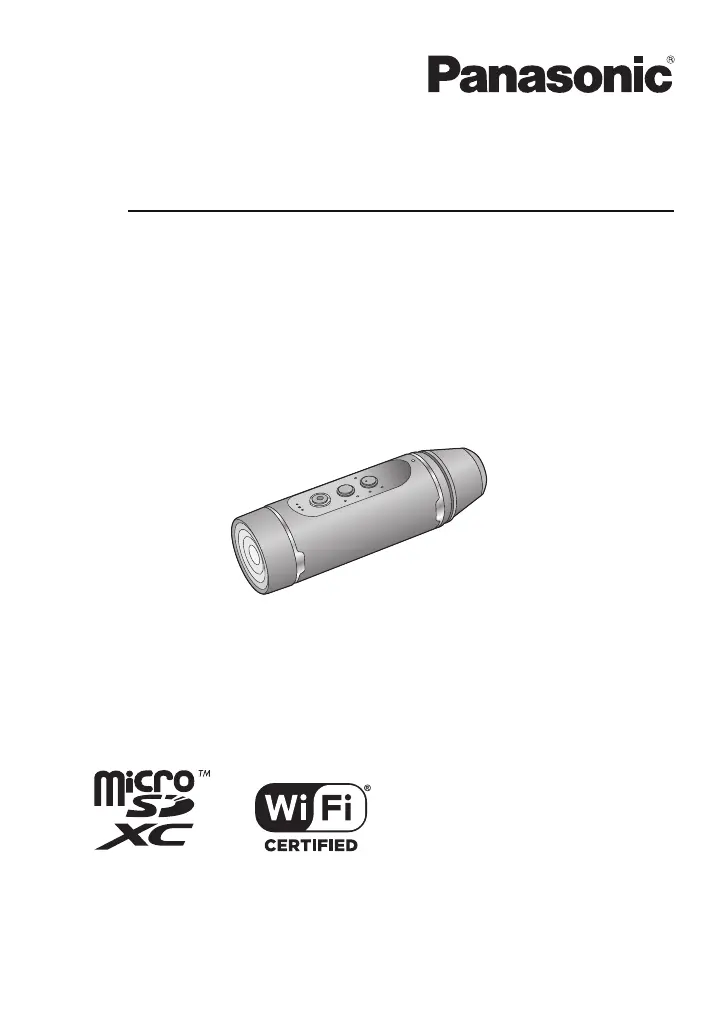
Operating Instructions
Wearable Camera
Model No.
HX-A1M
Please read these instructions carefully before using this product, and save this manual for
future use.
SQW0379
until
2015/4/20

Table of Contents

Other manuals for Panasonic HX-A1M

Questions and Answers

  • J
    Julie WilkersonSep 6, 2025
    What to do if the power lamp flashes fast and my Panasonic Action Camera turns off?
    • T
      Tommy HessSep 6, 2025
      If the power lamp on your Panasonic Action Camera flashes rapidly and the unit shuts down, the battery is likely depleted. Charge the battery.
  • X
    xhughesAug 22, 2025
    What to do if the Wi-Fi connection is not possible between my Panasonic Action Camera and a smartphone?
    • R
      Robert WalkerAug 22, 2025
      If you're having trouble connecting your Panasonic Action Camera to a smartphone via Wi-Fi, check these points: Verify that the smartphone is correctly connected to the unit in the smartphone's Wi-Fi settings. Ensure you've entered the correct SSID and Password. Also, make sure the smartphone isn't connected to a wireless access point; if it is, change the Wi-Fi access point in the smartphone's Wi-Fi settings.
  • J
    jerrywadeSep 3, 2025
    What to do if the microSD card is inserted in my Panasonic Action Camera, but it is not recognised?
    • D
      Dana PayneSep 4, 2025
      If your Panasonic Action Camera doesn't recognize the microSD card, especially if it was formatted on a PC, use the camera itself to format the card.
  • A
    ashley75Sep 2, 2025
    What to do if my Panasonic Action Camera files cannot be played back?
    • C
      Chad YoungSep 2, 2025
      If you cannot play back files from your Panasonic Action Camera, it may be because high-quality motion pictures copied to a smartphone might not be playable on that device.
  • J
    jlopezSep 1, 2025
    What to do if my Panasonic Action Camera does not turn off, even after closing 'Image App'?
    • J
      Joshua BrownSep 1, 2025
      If your Panasonic Action Camera remains on even after you close the 'Image App', you can turn it off by tapping # [Camera function] # [Camera power off] on the “Image App” screen.
  • Z
    Zachary TorresAug 30, 2025
    Why does it take long time to connect my Panasonic Action Camera to a smartphone?
    • F
      fsheppardAug 30, 2025
      The connection time between your Panasonic Action Camera and a smartphone may vary depending on the smartphone's Wi-Fi connection settings. This is not a malfunction.
  • G
    georgerodriguezAug 29, 2025
    What to do if my Panasonic Action Camera is not displayed in the Wi-Fi setting screen of the smartphone?
    • V
      vherreraAug 29, 2025
      If your Panasonic Action Camera isn't showing up in your smartphone's Wi-Fi settings, try toggling the Wi-Fi function off and on again in your smartphone's Wi-Fi settings.
  • W
    William FlynnAug 27, 2025
    What to do if my Panasonic Action Camera arbitrarily stops recording?
    • M
      Mark ElliottAug 27, 2025
      If your Panasonic Action Camera stops recording unexpectedly, ensure you are using a microSD card suitable for motion picture recording.
  • A
    Alison BuckleyAug 27, 2025
    What to do if my Panasonic Action Camera is not detected by PC?
    • B
      Barry KnightAug 27, 2025
      If your PC doesn't detect your Panasonic Action Camera when connected via USB, try the following: Ensure the unit is turned on (as the PC only charges it when off). Re-insert the microSD card and reconnect the USB cable. Try a different USB port on your PC. Restart your PC and the camera, then reconnect the USB cable. If using Wi-Fi, disconnect it before connecting the USB cable. If you are using the unit as a card reader, set [Select USB mode] of the “Image App” to [PC]. If you are using the unit as a web camera, set [Select USB mode] of the “Image App” to [Web camera]. Finally, check the operating environment.
  • T
    Thomas MitchellAug 25, 2025
    Why does my Panasonic Action Camera battery run down quickly?
    • R
      Richard TranAug 25, 2025
      If your Panasonic Action Camera's battery drains rapidly or the unit doesn't stay on long, ensure the battery is fully charged by charging it again.

Summary

Preparation

Waterproof;Dustproof and Anti-shock Performance

Details the unit's IP68 rating and MIL-STD 810F shock test compliance.

Names and Functions of Main Parts

Identifies and explains the unit's buttons, lamps, lens, and terminals.

Charging, Storage Media, and Battery

Covers battery charging, microSD card usage, and battery level indications.

Wi-Fi and Smartphone Connectivity

Guide to Wi-Fi function, app installation, and smartphone connection setup.

Recording

Recording Modes and Settings

Explains different recording modes, menus, and options like Slow Motion and White Balance.

Recording in Dark Locations (Night Mode)

Instructions for using the unit in low light conditions with an IR glasscover.

Playback

Playback via Smartphone and TV

How to play back content using a smartphone or connecting to a TV.

Wireless Twin Camera

Using as a Wireless Sub Camera

How to use the unit as a wireless sub camera connected to a main camera.

With a PC

PC Connectivity and File Transfer

Using the unit with a PC for charging, card reading, and copying files.

Using as a Web Camera

Instructions for using the unit as a web camera for live broadcasting.

Others

Troubleshooting and Cautions

Solutions for common problems and important usage warnings and care.

Disposal, Maintenance, and Copyright

Info on microSD card, firmware, battery disposal, cleaning, and copyright.

Panasonic HX-A1M Specifications

General IconGeneral
Video Resolution1920 x 1080
Wi-FiYes
NFCNo
Focal Length2.8 mm
ApertureF2.8
Recording FormatMP4
SensorMOS
TypeAction Camera
Image SensorMOS
WaterproofYes
ShockproofYes
Freeze ProofYes, -10°C / 14°F
Memory Card SupportmicroSD/microSDHC/microSDXC
Weight45g

Related product manuals