EasyManua.ls Logo

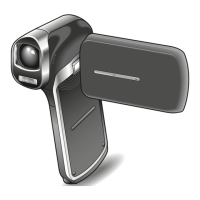
Panasonic HX-DC10 - User Manual

Panasonic HX-DC10
178 pages
Print Icon
To Next Page IconTo Next Page
Loading...
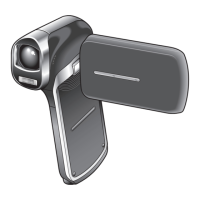
Owner’s Manual
Dual Camera
Model No.HX-DC10
HX-DC1
Before connecting, operating or adjusting this product, please read the instructions completely.
VQT3P12-1

Table of Contents

Other manuals for Panasonic HX-DC10

Questions and Answers

  • D
    Dr. Steve DavisSep 12, 2025
    What to do if Panasonic HX-DC10 Camcorder doesn't capture image?
    • P
      Phillip HunterSep 12, 2025
      If your Panasonic Camcorder isn't capturing images when you press the [O] or [@] button, ensure the power is on. If the camera is in sleep mode, turn it on. If it's off, press the power button. The maximum number of images may have been reached, so install a new card, or delete unnecessary images. Check if the flash does not operate and set the flash mode to k or m. Also, the battery pack might be dead, so recharge or replace it, or connect the AC adapter.
  • P
    philipthorntonSep 12, 2025
    Why is my Panasonic HX-DC10 image not in focus?
    • J
      Jennifer PopeSep 12, 2025
      If your Panasonic Camcorder images are not in focus, it could be that the subject is too close; capture the image within the appropriate distance and select the correct focus setting. Hold the camera correctly and slowly press the [O] button halfway to lock focus before fully pressing it. Also, the lens might be dirty, so clean it.
  • S
    Samantha MarshallSep 12, 2025
    How to delete a protected file on Panasonic HX-DC10 Camcorder?
    • A
      Aaron FieldsSep 12, 2025
      If the “This file is protected” message appears and the file cannot be deleted on your Panasonic Camcorder, set the protect setting for the file to UNLOCK.
  • M
    mbeasleySep 9, 2025
    Why can't I edit images on my Panasonic Camcorder?
    • D
      deansingletonSep 9, 2025
      If you cannot edit or rotate an image on your Panasonic Camcorder, the protect mode may be set. Cancel the protect mode.
  • C
    Caitlin BrownSep 8, 2025
    Why is there no sound during playback on my Panasonic HX-DC10?
    • K
      Kevin StoneSep 8, 2025
      If there is no sound during audio playback on your Panasonic Camcorder, the play volume setting on the camera may be too low. Adjust the play volume.
  • K
    Kimberly ReedSep 7, 2025
    Why is there no playback image on my Panasonic HX-DC10 Camcorder?
    • T
      Tiffany BradySep 8, 2025
      If no playback image appears on your Panasonic Camcorder, the camera is likely not set to the playback mode. Set the camera to the playback mode.
  • S
    Savannah PhillipsAug 23, 2025
    How to fix a Panasonic Camcorder that won't turn on?
    • G
      George CarrollAug 23, 2025
      If your Panasonic Camcorder isn't powering on, there are several possible reasons. The battery pack might be dead, so try recharging it, replacing it with a fully charged one, or connecting the AC adapter. Ensure the battery pack is inserted correctly. If the battery pack is too hot, wait for it to cool down. Also, the camera may have switched to sleep mode; try turning it on again.
  • W
    William CarrSep 6, 2025
    Why is part of my Panasonic HX-DC10 image cut off?
    • S
      Sandy JohnsonSep 6, 2025
      If a part of the image is missing when using your Panasonic Camcorder, the hand strap or a finger may be blocking the lens. Hold the camera correctly, ensuring the lens is not obstructed.
  • T
    theresa30Sep 4, 2025
    What does the icon mean on my Panasonic HX-DC10 Camcorder?
    • B
      bateskaitlinSep 5, 2025
      If the icon appears on your Panasonic Camcorder and shooting is not possible, the camera’s internal temperature is likely high. Discontinue shooting and wait for the camera to cool down before using it again.
  • S
    Stephanie Roberson MDSep 3, 2025
    How do I enable digital zoom on my Panasonic HX-DC10?
    • J
      Jacob JonesSep 4, 2025
      If the digital zoom does not work on your Panasonic Camcorder, the digital zoom setting may be set to . Set the digital zoom setting to .

Panasonic HX-DC10 Specifications

General IconGeneral
BrandPanasonic
ModelHX-DC10
CategoryCamcorder
LanguageEnglish

Related product manuals