1.
Follow steps 1 and 2 on page 58.
2. Press + or - to select “ON”.
3. Press w.
4. Enter your code from 2 to 4 digits,
using 0–9 and :.
5. Press w.
6. Press p.
●
Do not enter “0000”.
Features Summary
59
A, B, C, D
OFF
#31
Setting the Distinctive Ring pattern
RING DETECTION
MODE=B [±]
See page 44 for details.
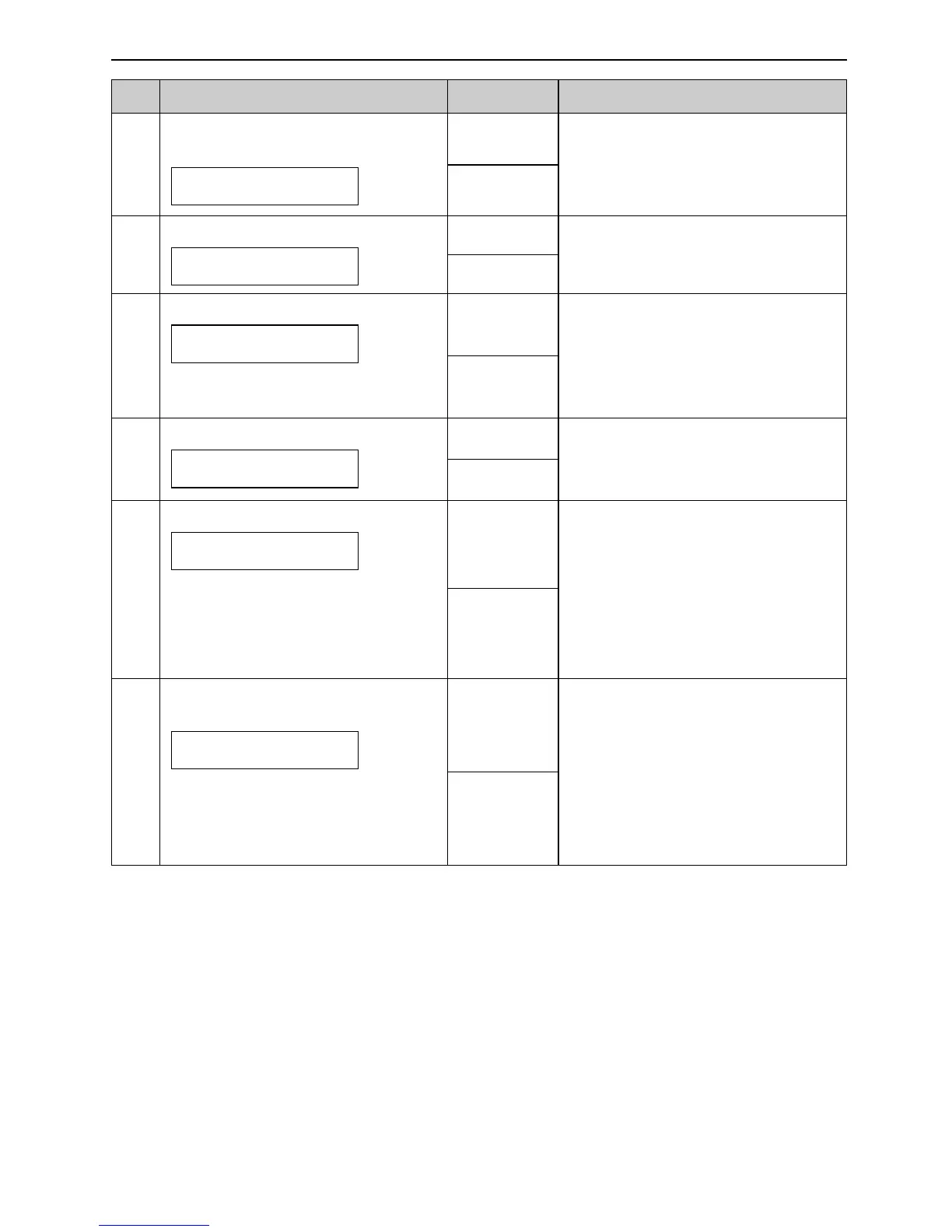
Code Feature & Display Settings How the unit operates
(The default setting is in bold type.)
#39
Changing the display contrast
LCD CONTRAST
MODE=NORMAL [±]
NORMAL
DARKER
“NORMAL”: For normal contrast
“DARKER”: Used when the display
contrast is too light.
ON
OFF
“ON”: The unit will fit a received
document onto your recording
paper.
“OFF”: The unit will print the
original size.
#37
Receiving other size documents
To receive a fax document that is
longer than your recording paper.
AUTO REDUCTION
MODE=ON [±]
#41
Changing the fax activation code
If you use an extension telephone
and wish to use it to receive a fax,
activate this feature, and enter the
code (p. 43).
FAX ACTIVATION
MODE=ON [±]
ON /
CODE=?9
OFF
#44
Setting the memory reception
alert
To alert you with a beeping sound
when a document which has been
received is stored into memory due
to some existing problem.
RECEIVE ALERT
MODE=ON [±]
ON
OFF
If you are alerted by a slow
beeping sound, clear the printing
problem and make sure the unit is
supplied with enough paper to print
the stored document. The beeps
will stop.
#26
Setting the Caller ID list to print
automatically
AUTO CALL. LIST
MODE=ON [±]
ON
OFF
“ON”: The unit will print the Caller
ID list automatically after every 30
new calls (p. 26).




 To Next Page