Function Keys
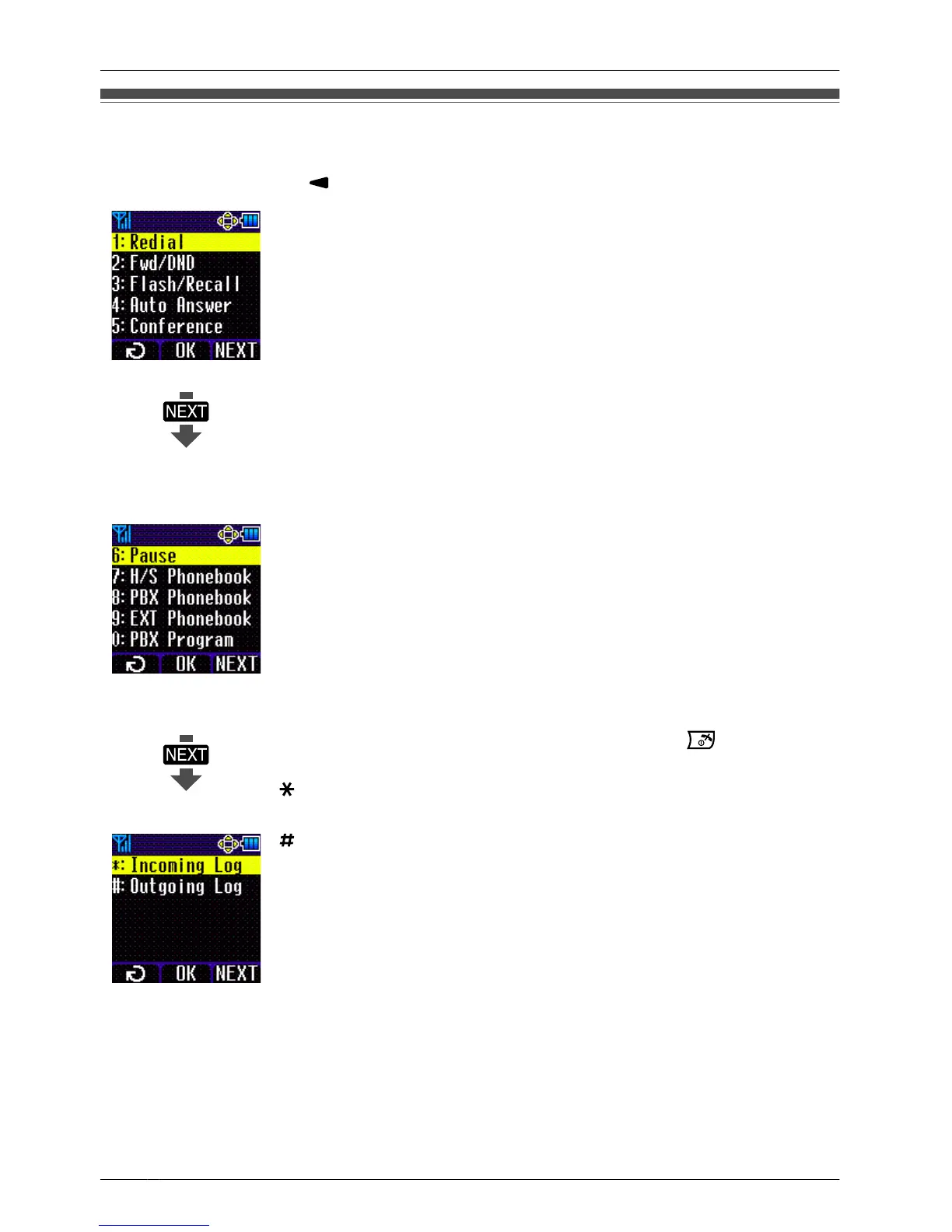
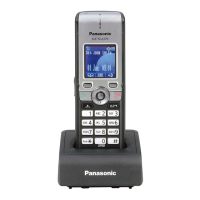
Handset functions can be activated through the display key list.
Press the Navigator Key to display the function key list.
1: Redial
Redials the last dialled number.
2: Fwd/DND
Displays and/or sets Call Forwarding and Do Not Disturb.
3: Flash/Recall
Disconnects the current call and allows you to make another call
without hanging up.
4: Auto Answer
Answers an incoming call automatically in hands-free mode.
"A.Ans" is displayed in standby mode.
5: Conference
Establishes a multiple-party conversation.
6: Pause
Inserts a dialling pause.
7: H/S Phonebook
Makes a call using the Handset Phonebook.
8: PBX Phonebook
Makes a call using the PBX System Phonebook.
9: EXT Phonebook
Makes a call using the PBX Extension Phonebook.
0: PBX Program
Enters PBX Personal Programming mode. Press
to exit PBX
Personal Programming mode.
: Incoming Log
Makes a call using the Incoming Call Log.
: Outgoing Log
Makes a call using the Outgoing Call Log.
• For PBX Personal Programming, refer to the user documentation for your PBX.
22
Before Operating the Handset




 To Next Page