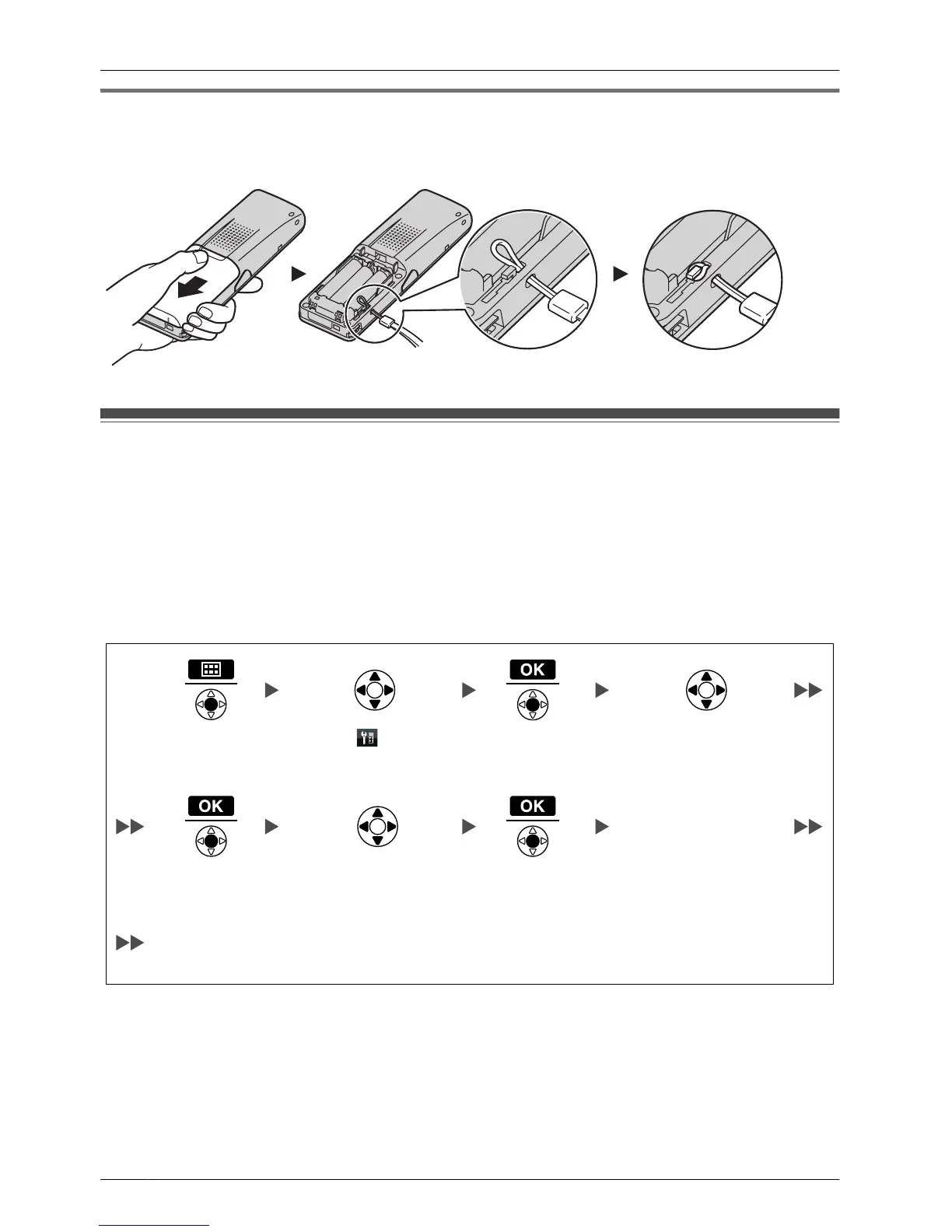
Attaching the Phone Strap
Open the battery cover, run the strap through the strap hole, and then loop it around the
hook.
Setting the Password
The
handset password is not set by default. You must register a handset password (4 digits)
before use.
You cannot use the following features without setting a password:
– Phonebook lock (See page 57.)
– "Manual&Password" or "Auto&Password" for Key lock type (See "Key Option" on
page 65.)
– Reset Handset (See "Other Option" on page 71.)
*1 To avoid unauthorised access to this product:
– Set a password that is random and cannot be easily guessed.
– Change the password regularly.
*2
Make a note of the password so that you will not forget it.
8
Before Initial Use









 To Next Page