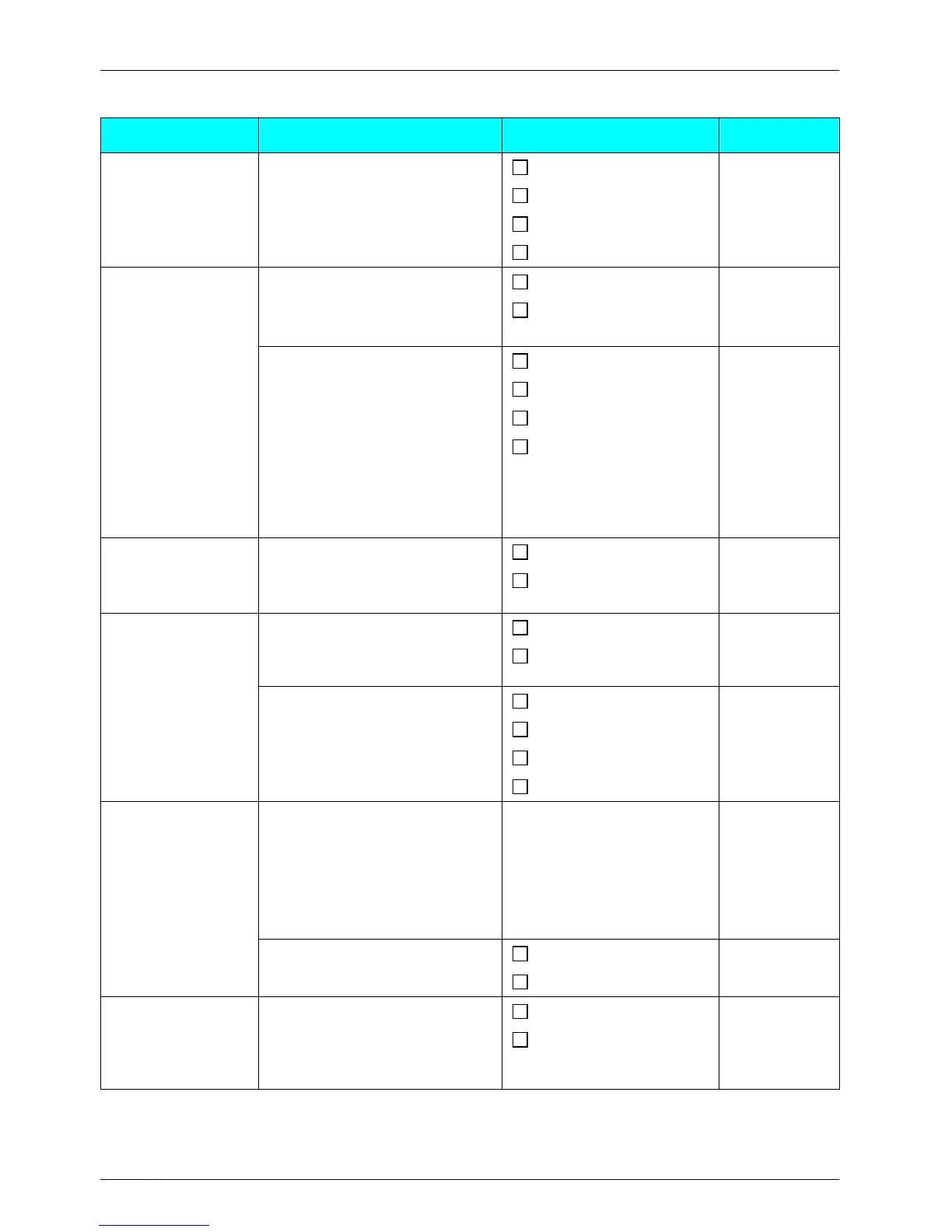
Incoming Option
Sub Item Description Setting Default
Ringer Volume
Adjusts the ringer volume.
Step Up
Level 3
Step Down
Level 1-6
Off
Ringer Type Ringer Pattern
Selects the ringer pattern for
each type of call.
Bell 1-10
Bell 1
– Intercom
Ring
Melody 1-10
– Ext Ring
LED Pattern
Selects the LED pattern for
each type of call.
Red
Ext Ring:
Red
Intercom
Ring/
Private Ring:
Green
Group Ring:
Orange
– Group Ring
Green
– Private Ring
(Category 1-9)
Orange
R® G® O
Ring On
Charger
Selects the ringing mode (On
or Off) while a handset is set
on the charger.
*1
On
On
Off
Memo Alarm Ringer Pattern
Selects the ringer pattern for
each Memo Alarm.
Bell 1-10
Bell 1
Melody 1-10
LED Pattern
Selects the LED pattern for
each Memo Alarm.
Red
Green
Green
Orange
R® G® O
Power Save Power Save Time
Selects the number of
seconds
before automatically
turning off the Power Save
Items below when receiving a
call.
0 s-60 s 30 s
Power Save Item
Selects the items to turn off.
Ringer
Not selected
Backlight
Headset
Ringer
Selects whether a tone is
heard from the attached
headset while receiving a
call.
On
Off
Off
*1 When "Ring
On Charger" is set to "On" but "Ringer Volume" is set to "Off", the handset rings
at level 1.
64
Configuring Handset Settings



 To Next Page