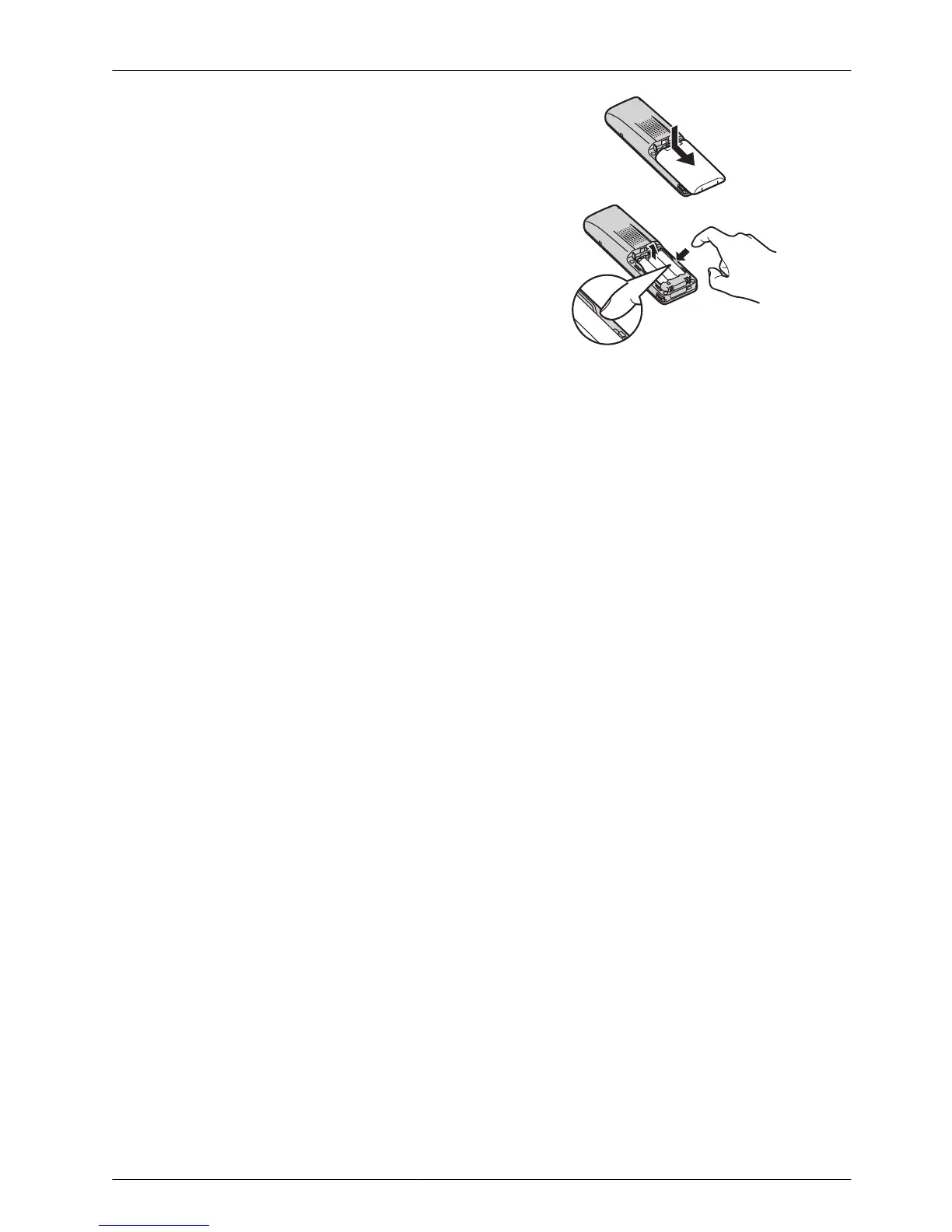
1. Turn the power off to prevent memory loss.
2. Press the notch on the cover firmly and slide it
as indicated by the arrow (A).
3. Open the cover and replace the batteries.
• Insert
a finger into the side gap to remove the
batteries easily (B).
4. Close the cover and charge the handset.



 To Next Page