EasyManua.ls Logo

Panasonic KX-TG2512CX - User Manual

Panasonic KX-TG2512CX
44 pages
Print Icon
To Next Page IconTo Next Page
Loading...
Thank you for purchasing a Panasonic product.
Please read these operating instructions before using the unit and save
them for future reference.
This unit is compatible with Caller ID. You must subscribe to the appropriate
service offered by your service provider/telephone company.
Before initial use, see “Getting
Started” on page 8.
Operating Instructions
Model No.
KX-TG2521CX
Digital Cordless Answering System
Model No.
KX-TG2511CX
KX-TG2512CX
Digital Cordless Phone
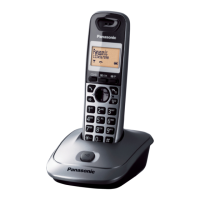
Model shown is KX-TG2511.
TG2511_2521CX(e-e).book Page 1 Thursday, March 11, 2010 10:34 AM

Other manuals for Panasonic KX-TG2512CX

Questions and Answers

  • M
    mary91Sep 10, 2025
    Why I cannot operate the answering system remotely on my Panasonic KX-TG2512CX Cordless Telephone?
    • J
      Jacob TranSep 10, 2025
      If you cannot operate the answering system remotely on your Panasonic Cordless Telephone, ensure that the remote access code is set. If you are entering the wrong code, check your current code in the remote access code setting. Press each key firmly. Also, make sure the answering system is turned on.
  • J
    jillian88Aug 22, 2025
    Why does my Panasonic KX-TG2512CX Cordless Telephone beep and flash 7 times?
    • A
      Alexander ButlerAug 23, 2025
      If your Panasonic Cordless Telephone handset beeps and/or flashes 7 times, it means the battery charge is low. You should fully charge the batteries.
  • J
    Janet HolmesAug 25, 2025
    How to fix Panasonic KX-TG2512CX Cordless Telephone when I cannot hear a dial tone?
    • E
      Elijah RhodesAug 25, 2025
      If you cannot hear a dial tone on your Panasonic Cordless Telephone, ensure you are using the supplied telephone line cord, as older cords may have different wiring. Check that the base unit’s AC adapter and telephone line cord are properly connected. You can also test the telephone line by disconnecting the base unit and connecting the line to a known working telephone. If the working telephone operates correctly, the unit may need repair. If not, contact your service provider.
  • C
    Chase GibsonAug 27, 2025
    What to do if my Panasonic KX-TG2512CX unit does not work?
    • J
      Jacob JonesAug 27, 2025
      If your Panasonic Cordless Telephone unit does not work, make sure the batteries are installed correctly and fully charged. Check all connections. Unplug the base unit’s AC adapter to reset the unit, turn off the handset, reconnect the adapter, and turn the handset back on. Also, ensure the handset is registered to the base unit; if not, register it.
  • P
    pagerobertAug 28, 2025
    How to fix Panasonic Cordless Telephone when the handset does not ring?
    • T
      Thomas VaughnAug 28, 2025
      If the handset does not ring on your Panasonic Cordless Telephone, the ringer volume may be turned off. Adjust the ringer volume to a suitable level.
  • G
    gouldcharlesAug 29, 2025
    Why is the handset display blank on my Panasonic KX-TG2512CX Cordless Telephone?
    • J
      jonesantonioAug 29, 2025
      If the handset display is blank on your Panasonic Cordless Telephone, turn the power on.
  • J
    Jimmy MoralesSep 18, 2025
    What to do if liquid entered my Panasonic Cordless Telephone?
    • K
      Kimberly WilliamsSep 18, 2025
      If liquid or moisture has entered your Panasonic Cordless Telephone handset or base unit, disconnect the AC adapter and telephone line cord from the base unit. Remove the batteries from the handset and let it dry for at least 3 days. After it is completely dry, reconnect the AC adapter and telephone line cord, insert the batteries, and charge fully before use.
  • A
    Audrey SmithSep 12, 2025
    What to do if Panasonic KX-TG2512CX handset does not automatically turn on?
    • T
      timothy45Sep 12, 2025
      If the handset does not automatically turn on even after installing charged batteries in your Panasonic Cordless Telephone, place the handset on the base unit or charger to turn it on.
  • J
    Joe GuzmanSep 8, 2025
    Why does my Panasonic Cordless Telephone still flash after fully charging the batteries?
    • L
      Lindsey GallowaySep 8, 2025
      If you have fully charged the batteries but the Panasonic Cordless Telephone still flashes or the operating time seems shorter, clean the battery ends and the charge contacts with a dry cloth and charge again. If the problem persists, it may be time to replace the batteries.
  • R
    Roy SharpSep 5, 2025
    Why is caller information slow to display on my Panasonic KX-TG2512CX Cordless Telephone?
    • A
      Amanda SanchezSep 5, 2025
      If caller information is slow to display on your Panasonic Cordless Telephone, it may be due to your service provider displaying the information at the 2nd ring or later. Also, try moving closer to the base unit.

Summary

Product Introduction and Setup

Model Composition

Details the different models and their components.

Accessory Information

Lists supplied accessories and their quantities for each model.

Getting Started and Initial Setup

Initial Setup and Connections

Steps for connecting the base unit, AC adaptor, and phone line.

Battery Installation and Charging

Guide for correctly installing and charging handset batteries.

Controls and Display Overview

Identifies handset buttons, base unit controls, and display items.

Core Phone Functions

Making and Answering Calls

Steps for initiating and receiving calls using the handset or speakerphone.

Handset Phonebook Management

Adding, finding, calling, editing, and erasing phonebook entries.

Advanced Features and Services

Programmable Settings

Navigating menus to customize various unit features and settings.

Caller ID Service Usage

How Caller ID displays information, logs calls, and manages the caller list.

Answering System Operations

Turning the system on/off, setting greetings, and listening to messages.

Troubleshooting and Installation

Error Messages and Solutions

Lists common display messages and their causes or solutions.

General Troubleshooting

Solutions for common issues like no dial tone, battery problems, or display blank.

Handset Registration

Step-by-step guide to pair a new handset with the base unit.

Panasonic KX-TG2512CX Specifications

General IconGeneral
TypeCordless Telephone
Number of Handsets2
Frequency1.9 GHz
DECTYes
GAP compatibleYes
Caller IDYes
Phonebook Capacity50
Talk Time10 hours
DisplayLCD
Battery TypeNi-MH
Call WaitingYes
SpeakerphoneYes
IntercomYes
Answering MachineNo
Backlit DisplayYes
Power SourceAC Adapter
RangeUp to 300m outdoors, 50m indoors

Related product manuals