EasyManua.ls Logo

Panasonic KX-TG2621C - User Manual

Panasonic KX-TG2621C
52 pages
Print Icon
To Next Page IconTo Next Page
Loading...
This unit is compatible with Call Display. To use this feature, you must subscribe
to the appropriate service offered by your service provider.
Please read these Operating Instructions before using the unit and save for
future reference.
For assistance, please call 1-800-561-5505 or visit us at www.panasonic.ca
Charge the handset battery for 6 hours before initial use.
Operating Instructions
2.4 GHz Digital Cordless Phone
Model No.
KX-TG2621C
2.4 GHz Digital Cordless Phone
with Two Handsets
Model No.
KX-TG2622C
Model No. KX-TG2624C
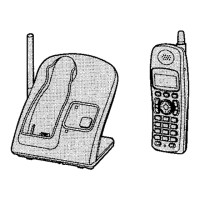
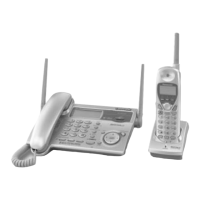
Model shown is KX-TG2621C.
TG262xC(e).book Page 1 Tuesday, January 24, 2006 6:03 PM

Questions and Answers

  • A
    ashleygloverAug 20, 2025
    What to do if my Panasonic KX-TG2621C Cordless Telephone does not work?
    • C
      Charles SmithAug 20, 2025
      If your Panasonic Cordless Telephone is not working, make sure the battery is installed correctly and fully charged. Check the connections. You can also try unplugging the base unit’s AC adaptor to reset the unit, then reconnect it. Also, ensure the handset has been registered to the base unit.
  • J
    James ThomasAug 22, 2025
    What to do if my Panasonic Cordless Telephone battery won't charge?
    • S
      Shane WeberAug 22, 2025
      If you have fully charged the battery of your Panasonic Cordless Telephone, but 7 continues to flash, or 8 is displayed, clean the charge contacts and charge again. If the issue persists, the battery may need to be replaced with a new one.
  • D
    Donna SandersAug 25, 2025
    Why can't I hear a dial tone on my Panasonic Cordless Telephone?
    • T
      Tammy MitchellAug 25, 2025
      If you cannot hear a dial tone on your Panasonic Cordless Telephone, first confirm the telephone line cord is properly connected. If it is, disconnect the unit and connect a known working telephone. If the working telephone operates properly, contact service personnel to have the unit repaired. If the working telephone does not operate properly, contact your telephone company.
  • C
    Connie CurtisAug 26, 2025
    What to do if the Panasonic KX-TG2621C Cordless Telephone handset does not ring?
    • T
      tylersethAug 26, 2025
      If the handset on your Panasonic Cordless Telephone does not ring, the ringer volume may be turned off. Adjust the ringer volume.
  • R
    Rebecca WilliamsAug 27, 2025
    Why is there static on my Panasonic KX-TG2621C?
    • B
      Beth PetersonAug 28, 2025
      Static and sound cutting in and out on your Panasonic Cordless Telephone can be due to interference from other electrical units. Try moving the handset and the base unit away from other electrical appliances. Other possible solutions include moving closer to the base unit, raising the base unit antenna, or turning on the clarity booster feature. If you have DSL service, consider using a noise filter between the base unit and the telephone line jack.
  • M
    Michael WolfAug 29, 2025
    Why is my Panasonic KX-TG2621C Cordless Telephone handset display blank?
    • C
      Craig BarkerAug 29, 2025
      If the handset display of your Panasonic Cordless Telephone is blank, confirm that the battery is properly installed and fully charged.
  • T
    Tina TurnerAug 31, 2025
    What to do if my Panasonic KX-TG2621C Cordless Telephone does not display caller ID?
    • S
      stephaniemillerAug 31, 2025
      If your Panasonic Cordless Telephone does not display the caller’s name and/or phone number, first ensure you have subscribed to Call Display service with your telephone company. Also, disconnect any additional telephone equipment like a Call Display box or cordless telephone jack and plug the unit directly into the wall jack. If you have DSL, use a noise filter. Note that the name display service may not be available in some areas, or the caller may have requested not to send caller information. Caller information is also not displayed if a call is being transferred to you, or other telephone equipment may be interfering with the unit.
  • H
    heathergarciaSep 2, 2025
    Why can't I make a call on my Panasonic KX-TG2621C Cordless Telephone?
    • L
      Laura FletcherSep 2, 2025
      If you cannot make a call on your Panasonic Cordless Telephone, the dialing mode may be set incorrectly, so change the setting. Also, the base unit or another handset might already be in use, so try again later.
  • J
    Jeffrey OsbornSep 4, 2025
    Why can't I make long distance calls on my Panasonic Cordless Telephone?
    • A
      Ashley RamirezSep 4, 2025
      If you cannot make long distance calls on your Panasonic Cordless Telephone, make sure that you have long distance service.
  • W
    wadejoelSep 6, 2025
    What to do if copying stopped with an item displayed on Panasonic KX-TG2621C?
    • J
      Jane BakerSep 6, 2025
      If copying stopped with an item displayed on your Panasonic Cordless Telephone, the destination handset may have lost communication with the base unit, or the destination unit user may have pressed {C} or {s}. The displayed phonebook item was not copied to the unit. Press {OFF}. Confirm that the destination unit is not in use and try again.

Summary

Product Introduction and Setup

Owner Information and Setup Guide

Record essential product purchase details for future reference.

Instruction Symbols and Guidelines

Explains symbols and conventions used in the operating instructions for clarity.

Included and Additional Accessories

Lists all accessories provided with the unit and optional replacement parts.

Important Safety Instructions

Outlines critical safety precautions to reduce the risk of fire, shock, or injury.

Device Operation and Controls

Base Unit Setup and Connections

Step-by-step guide for connecting the base unit to power and the telephone line.

Handset and Charger Setup

Instructions for setting up the handset and connecting its charger.

Battery Installation and Charging

Details on how to install and initially charge the handset battery.

Base Unit and Handset Controls

Identifies and explains the buttons and indicators on the base unit and handsets.

Navigator Key and Soft Keys

Explains the function of the navigator key and soft keys for menu navigation and operations.

Basic Call Functions

Making and Answering Calls

Step-by-step instructions for initiating and receiving phone calls.

Speakerphone and Redial Features

How to use the speakerphone and access the redial list for calls.

Call Hold and Mute Functions

Explains how to put calls on hold and mute the microphone during conversations.

Auto Talk and Temporary Ringer Off

Describes automatic call answering and temporarily silencing the ringer.

Advanced Call Features

Call Waiting and Clarity Booster

Features for managing incoming calls during an active call and improving sound clarity.

Voice Enhancer and Tone Dialing

Enhances voice quality and enables temporary tone dialing for service access.

Call Share and Transferring Calls

How to join existing calls and transfer calls between handsets.

Phonebook and Contact Management

Adding, Finding, and Editing Entries

Guides on adding new contacts, searching, and modifying existing phonebook entries.

Phonebook Operations and Chain Dial

Details on searching by initial, erasing, and using chain dial for quick access.

Copying Phonebook Items

Instructions on how to copy phonebook entries between handsets.

Call Display and Caller ID

Using Call Display Service

Explains how to view caller information and manage missed calls.

Call Waiting Deluxe Service

Details on configuring and using Call Waiting Deluxe service options.

Caller List Management

Guides on viewing, editing, storing, and erasing caller information.

Editing Caller Information

Steps for editing caller phone numbers and storing information to the phonebook.

Programming and Customization

Programmable Settings Overview

Introduces the methods for customizing unit features via menus and commands.

Programming via Menus and Commands

Detailed steps for programming settings using display menus and direct codes.

Feature Code Reference

A table listing feature codes for direct command programming.

Voice Mail Service

Using Voice Mail and Access Numbers

Guides on accessing and setting up the voice mail service provider.

Message Alerts and Tone Detection

How to configure message alerts and VM tone detection for new messages.

Multi-unit and Intercom Features

Handset Locator and Intercom Calls

Functions for locating handsets and making internal calls between units.

Call Transfer and Conference Calls

Procedures for transferring calls and setting up conference calls.

Registering Additional Handsets

Steps to register new or replacement handsets to the base unit.

Installation and Accessories

Wall Mounting Guide

Instructions for mounting the base unit and charger on a wall.

Optional Headset Usage

Guidance on connecting and using an optional headset with the phone.

Troubleshooting Common Issues

Error Messages and Solutions

Lists common error messages and their corresponding troubleshooting steps.

General Unit Troubleshooting

Covers common problems with the unit and provides step-by-step solutions.

Call and Phonebook Troubleshooting

Addresses issues related to making calls, intercom, phonebook, and call display.

Important Notices and Specifications

Regulatory and Safety Information

Includes industry compliance, safety, and connection guidelines.

RF Exposure and Device Warnings

Provides information on RF exposure limits and device operation warnings.

Product Specifications

Technical details including dimensions, power, and operating environment.

Warranty and Support

Product Warranty Details

Outlines the limited warranty coverage and terms for the product.

Warranty Service and Assistance

Provides contact information for product operation assistance and repairs.

Panasonic KX-TG2621C Specifications

General IconGeneral
Number of Handsets1
Frequency2.4 GHz
Caller IDYes
Talk TimeUp to 10 hours
DisplayLCD
Number of Handsets SupportedUp to 6
Call WaitingYes
Answering MachineNo
RedialYes
TypeCordless Phone
Phonebook Capacity50
SpeakerphoneYes (Handset)
IntercomYes (Handset to Handset)
Power SourceAC adapter (Base Unit), Rechargeable batteries (Handset)

Related product manuals