EasyManua.ls Logo

Panasonic KX-TG2511FX - User Manual

Panasonic KX-TG2511FX
44 pages
Print Icon
To Next Page IconTo Next Page
Loading...
Thank you for purchasing a Panasonic product.
Please read these operating instructions before using the unit and save
them for future reference.
This unit is compatible with Caller ID. You must subscribe to the appropriate
service offered by your service provider/telephone company.
To use this unit in your country, first change the unit’s region setting
to match your country (page 22). Change the unit’s display language
as needed (page 13).
(For Czech and Slovakia)
This cordless telephone is possible to use according to General licence
No.: VO-R/8/08.2005-23 (for Czech), VPR-7/2001 (for Slovakia).
Before initial use, see “Getting
Started” on page 10.
Operating Instructions
Model No.
KX-TG2521FX
Digital Cordless Answering System
Model No.
KX-TG2511FX
KX-TG2512FX
KX-TG2513FX
Digital Cordless Phone
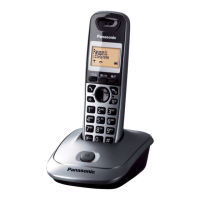
Model shown is KX-TG2511.
TG2511_21FX(e).book Page 1 Tuesday, February 2, 2010 3:08 PM

Questions and Answers

  • V
    vvelasquezSep 4, 2025
    Why is my Panasonic KX-TG2511FX Cordless Telephone not recording new messages?
    • E
      Erin AcostaSep 4, 2025
      If your Panasonic Cordless Telephone unit does not record new messages, ensure the answering system is turned on. Check if the message memory is full and erase unnecessary messages. The recording time may be set to “Greeting Only”; change the setting. If your greeting message is not recorded properly, re-record it. If you subscribe to a voice mail service, messages are recorded by your service provider, not your telephone. Change the unit’s number of rings setting or contact your service provider.
  • R
    rrobertsSep 18, 2025
    What to do if liquid entered my Panasonic Cordless Telephone?
    • R
      Riley SmithSep 18, 2025
      If liquid or moisture has entered the Panasonic Cordless Telephone handset/base unit, disconnect the AC adapter and telephone line cord from the base unit. Remove the batteries from the handset and leave to dry for at least 3 days. After the handset/base unit are completely dry, reconnect the AC adapter and telephone line cord. Insert the batteries and charge fully before use. If the unit does not work properly, contact an authorized service center.
  • L
    larry22Sep 16, 2025
    How to turn on Panasonic KX-TG2511FX handset?
    • M
      melissanobleSep 16, 2025
      Place the handset on the base unit or charger to turn on the Panasonic Cordless Telephone handset.
  • B
    Bobby PhillipsSep 14, 2025
    Why I cannot operate the answering system on my Panasonic KX-TG2511FX?
    • K
      khoodSep 14, 2025
      If you cannot operate the answering system on your Panasonic Cordless Telephone, wait for the caller to finish leaving a message. Also, ensure the handset is not too far from the base unit.
  • L
    leebarbaraSep 12, 2025
    How to fix phonebook name display on Panasonic Cordless Telephone?
    • S
      Samantha StewartSep 13, 2025
      If the name stored in the phonebook is not fully displayed while an outside call is being received on your Panasonic Cordless Telephone, edit the phonebook entry name to fit on one line of text.
  • C
    christopherwalkerSep 12, 2025
    Why my greeting message cannot be properly heard on Panasonic Cordless Telephone?
    • K
      Keith GarciaSep 12, 2025
      If your own greeting message cannot be properly heard on your Panasonic Cordless Telephone, record your own greeting message again.
  • X
    xcrossSep 9, 2025
    Why I cannot activate the eco mode on my Panasonic KX-TG2511FX Cordless Telephone?
    • K
      Kyle SmithSep 9, 2025
      You cannot set eco mode on your Panasonic Cordless Telephone when you set the repeater mode “On”. If required, set the repeater mode to “Off”.
  • D
    Daniel RossSep 7, 2025
    Why is caller information slow to display on my Panasonic Cordless Telephone?
    • T
      Taylor BrooksSep 7, 2025
      If caller information is slow to display on your Panasonic Cordless Telephone, the unit may display the caller’s information at the 2nd ring or later, depending on your service provider. Also, try moving closer to the base unit.
  • H
    Heather BoltonSep 5, 2025
    Why I cannot operate the answering system remotely on my Panasonic KX-TG2511FX?
    • L
      llynchSep 5, 2025
      If you cannot operate the answering system remotely on your Panasonic Cordless Telephone, ensure the remote access code is set. Verify you are entering the correct remote access code. Press each key firmly. Also, check that the answering system is turned on.
  • Z
    zimmermanbrandonAug 21, 2025
    Why I cannot hear a dial tone on my Panasonic Cordless Telephone?
    • N
      Nicole FieldsAug 21, 2025
      If you cannot hear a dial tone on your Panasonic Cordless Telephone, ensure you are using the supplied telephone line cord, as older cords may have different wiring. Also, check that the base unit’s AC adapter and telephone line cord are properly connected. If the issue persists, disconnect the base unit from the telephone line and connect the line to a known working telephone. If the working telephone operates properly, contact service personnel to have the unit repaired. If the working telephone does not operate properly, contact your service provider/telephone company.

Summary

Important Information

Safety Precautions

Critical warnings for safe operation.

Getting Started

Initial Setup and Connections

Connecting base unit, handset, and power.

Battery Installation and Charging

Guide for battery setup and charging process.

Making and Answering Calls

Basic Call Operations

Making, answering, and ending calls.

Phonebook Management

Handset Phonebook Operations

Adding, finding, editing, and erasing contacts.

Programming Settings

Handset Configuration

Detailed settings for the handset.

Base Unit Configuration

Detailed settings for the base unit.

Caller ID Service

Using Caller ID Features

How caller information is displayed.

Answering System

Answering System Operation

Turning on/off, call screening, greetings.

Message Management

Recording, playing, and listening to messages.

Intercom and Locator Features

Useful Information and Troubleshooting

Error Messages and General Troubleshooting

Diagnosing and resolving common issues.

Panasonic KX-TG2511FX Specifications

General IconGeneral
TypeDECT telephone
Answering machineNo
Number of melodies16
Mounting typeDesk
Product colorBlack
SpeakerphoneYes
Dialer locationHandset
Phonebook capacity50 entries
Redial list capacity10
Call list capacity phonebook50
Volume controlDigital
Backlight colorOrange
Display diagonal1.4 \
Display number of lines3 lines
Display number of colorsMonochrome
Battery typeAAA
Standby time170 h
Battery recharge time7 h
Power consumption (typical)0.45 W
Number of batteries supported2
Number of handsets included1
Weight and Dimensions IconWeight and Dimensions
Weight240 g
Base weight110 g
Handset weight130 g
Base dimensions98 x 121 x 54 mm
Handset dimensions (WxDxH)48 x 32 x 159 mm

Related product manuals