EasyManua.ls Logo

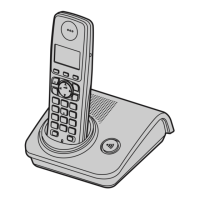
Panasonic KX-TG7212E - User Manual

Panasonic KX-TG7212E
44 pages
Print Icon
To Next Page IconTo Next Page
Loading...
This unit is Caller ID compatible. To display the caller’s
phone number, you must subscribe to Caller ID service.
Charge the batteries for about 7 hours before initial use.
Please read these operating instructions before using the unit and save
them for future reference.
Operating Instructions
Model No. KX-TG7230E
KX-TG7232E
Digital Cordless Answering System
Model No. KX-TG7210E
KX-TG7212E
KX-TG7213E
KX-TG7214E
Digital Cordless Phone
KX-TG7233E
KX-TG7234E
KX-TG7210
TG7210-7230E(e).book Page 1 Tuesday, October 16, 2007 12:59 PM

Other manuals for Panasonic KX-TG7212E

Questions and Answers

  • D
    Daniel MckenzieSep 6, 2025
    What does it mean if '7' still flashes after fully charging the batteries on my Panasonic KX-TG7212E Cordless Telephone?
    • G
      Gina BakerSep 6, 2025
      If the '7' continues to flash on your Panasonic Cordless Telephone even after fully charging the batteries: * Clean the charge contacts and charge again. * It may be time to replace the batteries.
  • R
    rdoyleAug 22, 2025
    What to do if I cannot make or receive calls on my Panasonic KX-TG7212E?
    • J
      Jesus EdwardsAug 22, 2025
      If you are unable to make or receive calls on your Panasonic Cordless Telephone, there might be a few reasons: * Check if the base unit AC adaptor or telephone line cord is properly connected. * If you're using a splitter, remove it and connect the unit directly to the wall socket to see if that resolves the issue. If it does, the splitter may be faulty. * Disconnect the base unit from the telephone line and connect the line to a known working telephone. If the working telephone operates properly, contact our service personnel to have the unit repaired. If the working telephone does not operate properly, contact your service provider/telephone company. * Ensure the key lock feature is turned off.
  • C
    Christie LawrenceSep 3, 2025
    Why is the 'w' flashing on my Panasonic KX-TG7212E?
    • S
      Shelley LaneSep 4, 2025
      The 'w' flashing on your Panasonic Cordless Telephone indicates a problem. It could be due to several reasons: * The handset is not registered to the base unit. You should register it. * The handset is too far from the base unit. Try moving closer. * The base unit AC adaptor is not connected. Check the connections. * You are using the handset or base unit in an area with high electrical interference. Place the handset and base unit away from interference sources, such as antennas and mobile phones.
  • A
    Andrea McclureSep 2, 2025
    Why does my Panasonic KX-TG7212E Cordless Telephone handset beep intermittently and/or flash '7'?
    • V
      veronicagarciaSep 2, 2025
      If your Panasonic Cordless Telephone handset beeps intermittently and/or flashes '7', fully charge the batteries.
  • S
    sarahgreenSep 1, 2025
    Why do I hear a busy tone when pressing {C} on my Panasonic Cordless Telephone?
    • E
      Emily CraigSep 1, 2025
      Hearing a busy tone when you press {C} on your Panasonic Cordless Telephone can occur if: * The handset is too far from the base unit. Move closer and try again. * Another handset is in use or the answering system is being used. Wait and try again later.
  • B
    Brian AndersonAug 30, 2025
    Why is there noise during calls on my Panasonic KX-TG7212E Cordless Telephone?
    • D
      Deanna RamseyAug 30, 2025
      If you are experiencing noise during calls on your Panasonic Cordless Telephone, it is likely due to using the handset or base unit in an area with high electrical interference. Try placing the handset and base unit away from interference sources, such as antennas and mobile phones.
  • R
    reedjamesAug 29, 2025
    What to do if my Panasonic KX-TG7212E Cordless Telephone handset will not turn on?
    • S
      Sarah DyerAug 29, 2025
      If your Panasonic Cordless Telephone handset will not turn on: * Make sure that the batteries are installed correctly. * Fully charge the batteries. * Clean the charge contacts and charge again.
  • M
    Melanie ParkAug 27, 2025
    Why is there static or cutting out sound on my Panasonic KX-TG7212E Cordless Telephone?
    • T
      Timothy CamposAug 27, 2025
      If you are experiencing static or sound cutting in and out on your Panasonic Cordless Telephone, it could be due to: * Interference from other electrical units. Place the handset and the base unit away from other electrical appliances. * Being too far from the base unit. Move closer to the base unit.
  • S
    Shannon BrownAug 27, 2025
    What to do if my Panasonic Cordless Telephone handset or base unit stops working?
    • H
      Heather GarciaAug 27, 2025
      If your Panasonic Cordless Telephone handset/base unit stops working while being used, disconnect the base unit AC adaptor and turn off the handset. Connect the base unit AC adaptor, turn on the handset and try again.
  • T
    Tammy GatesAug 25, 2025
    Why is my Panasonic KX-TG7212E not recording new messages?
    • B
      Barbara ClarkAug 26, 2025
      If your Panasonic Cordless Telephone is not recording new messages, there are a few potential causes: * The answering system is turned off. Turn it on. * The recording time is set to “Greeting Only”. Select “1 Minute” or “3 Minutes”. * If you subscribe to the voice mail service, messages are recorded by your service provider/telephone company not your telephone. Change the unit’s “Number of Rings” setting or consult your service provider/telephone company.

Panasonic KX-TG7212E Specifications

General IconGeneral
BrandPanasonic
ModelKX-TG7212E
CategoryCordless Telephone
LanguageEnglish

Related product manuals