Programmable settings
Y
o
u can customize the unit by programming the following features using the handset.
To access the features, there are 2 methods:
– scrolling through the display menus (page 39)
– using the direct commands (page 43)
R Direct command is the main method used in these operating instructions.
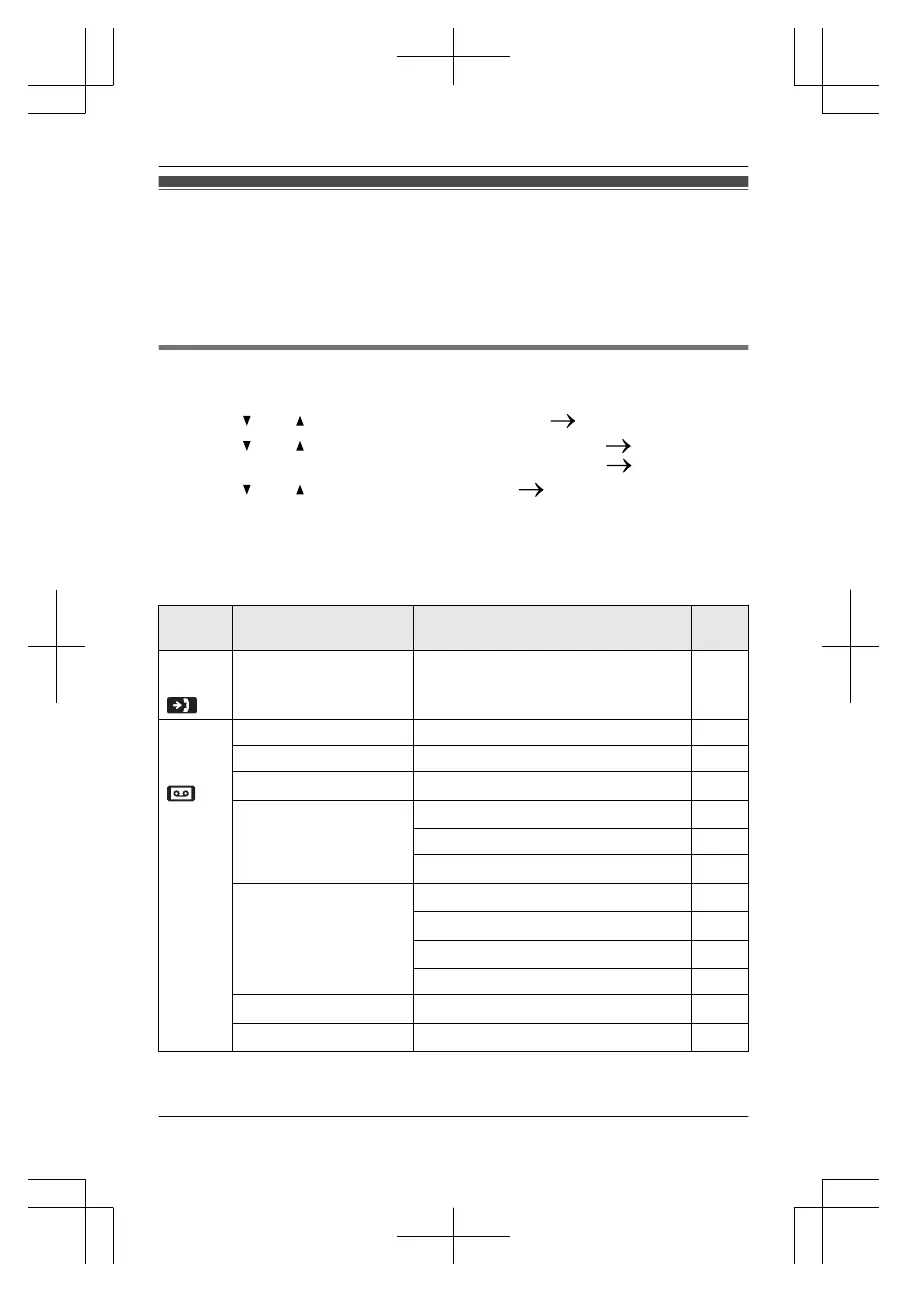
Programming by scrolling through the display menus
1 MME
NUN
2 Press M
N
or M
N
to select the desired main menu.
MS
ELECTN
3 P
ress M
N or M N to select the desired item in sub-menu 1. MSELECTN
R I
n some cases, you may need to select from sub-menu 2.
MSELECTN
4 P
ress M
N or M N to select the desired setting. MSAVEN
R T
his step may vary depending on the feature being programmed.
R To exit the operation, press MOFFN.
Note:
R See page 43 for the default settings.
Main
me
nu
Sub-menu 1 Sub-menu 2 Page
Caller
li
st
– – 54
Answer
ing
device
Play new msg.
– 62
Play all msg.
– 62
Erase all msg.
*
1
– 63
G
reeting
Record greeting
*1
61
C
heck greeting
61
Pre-recorded
*
1
61
S
ettings
Ring count
*1
65
R
ecording time
*1
65
R
emote code
*1
64
S
creen call
60
Answer on
*
1
– 60
A
nswer off
*1
– 60
For assistance, please visit http://www.panasonic.com/help
39
Programming





 To Next Page