Handset
1 Du
ring an outside call, pressMINTNto
put the call on hold.
2 M
N/M N: Select the desired unit.
MSELECTN
3 W
ait for the paged party to answer.
R If the paged party does not
answer, pressM
Nto return to
t
he outside call.
4 To complete the transfer:
PressMOFFN.
R The outside call is being routed to
the destination unit.
To establish a conference call:
PressMCONFN.
R To leave the conference,
pressMOFFN. The other 2 parties
can continue the conversation.
R To put the outside call on hold,
pressMHOLDN. To resume the
conference, pressMCONFN.
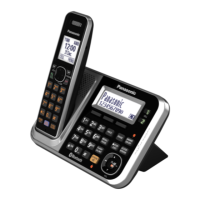
Base unit
Available for:
KX
-TG7641 series (page 4)
1 During an outside call,
p
ressMINTERCOMN.
When 2 or more handsets are
registered:
– To page a specific handset, enter
the handset number.
– To page all handsets, pressM0Nor
wait for a few seconds.
2 Wait for the paged party to answer.
R If paged party does not answer,
pressMINTERCOMNto return to
the outside call.
3 To complete the transfer:
PressM
N.
R Th
e outside call is being routed to
the handset.
To establish a conference call:
PressMCONFN.
R T
o leave the conference, pressM
N.
The other 2 parties can
c
ontinue the conversation.
R To put the outside call on hold,
pressMHOLDN. To resume the
conference, pressMCONFN.
Answering a transferred call
Handset
Pr
essM
Nto answer the page.
Base unit
Available for:
KX-TG7641 series (page 4)
PressM Nto answer the page.
70
F
or assistance, please visit http://www.panasonic.com/help
Intercom/Locator





 To Next Page