EasyManua.ls Logo

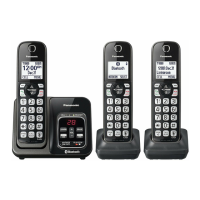
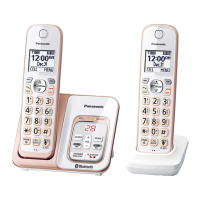
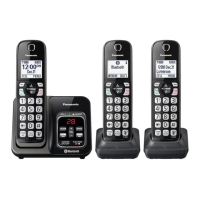
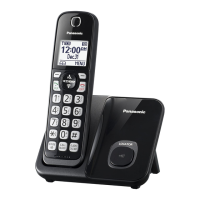
Panasonic KX-TGD533 - User Manual

Panasonic KX-TGD533
64 pages
Print Icon
To Next Page IconTo Next Page
Loading...
Operating Instructions
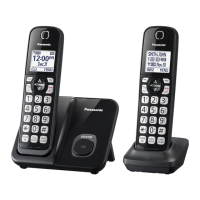
Cordless Telephone
Model No.
KX-TGD510
KX-TGD512
KX-TGD513
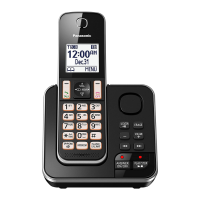
Cordless Telephone with
Digital Answering Machine
Model shown is KX-TGD510.
Model No.
KX-TGD530
KX-TGD532
KX-TGD533
KX-TGD534
KX-TGD535
Before initial use, see “Getting Started”
on page 10.
Thank you for purchasing a Panasonic product.
Please read these operating instructions before using the unit and save them for
future reference.
Consulte “Guía Rápida Española”, página 52.
For assistance, visit our Web site: http://shop.panasonic.com/support for
customers in the U.S.A.
Please register your product: http://shop.panasonic.com/support
TGD51x_OI(en)_1007_ver002.pdf 1 2016/10/07 10:05:45

Questions and Answers

  • C
    Charles NorrisSep 23, 2025
    What to do if liquid gets into my Panasonic Cordless Telephone?
    • J
      John WelchSep 23, 2025
      If liquid or moisture has entered your Panasonic Cordless Telephone handset or base unit, disconnect the AC adapter and telephone line cord from the base unit. Remove the batteries from the handset and leave to dry for at least 3 days. Reconnect the AC adapter and telephone line cord. Insert the batteries and charge fully before use. If the issue persists, contact an authorized service center.
  • M
    Michael SmithAug 25, 2025
    Why I cannot hear a dial tone on my Panasonic KX-TGD533?
    • J
      Justin MooreAug 25, 2025
      If you cannot hear a dial tone on your Panasonic Cordless Telephone, it might be because the base unit’s AC adaptor or telephone line cord is not connected properly. Check the connections to ensure they are secure.
  • S
    Shelly Mendoza MDAug 25, 2025
    What to do if Panasonic KX-TGD533 Cordless Telephone handset does not ring?
    • B
      Brian ClarkeAug 26, 2025
      If the handset of your Panasonic Cordless Telephone does not ring, ensure that the ringer volume is not turned off. Adjust the ringer volume as needed. Also, check if silent mode is turned on and turn it off if it is. Additionally, pressing and holding 0 can toggle the ringer on or off, so ensure it is turned on this way as well.
  • T
    Tina StantonAug 27, 2025
    Why is my Panasonic Cordless Telephone battery not charging properly?
    • W
      William JamesAug 27, 2025
      If you fully charged the batteries of your Panasonic Cordless Telephone, but the battery icon still flashes, displays a low battery symbol, or the operating time seems shorter, clean the battery ends and the charge contacts with a dry cloth and charge again. It may also be time to replace the batteries.
  • K
    Kristin CollinsAug 27, 2025
    What to do if my Panasonic KX-TGD533 does not work?
    • J
      Joseph BlackAug 27, 2025
      If your Panasonic Cordless Telephone isn't working, there are several things to try: * Ensure the batteries are correctly installed. * Fully charge the batteries. * Check all connections. * Unplug the base unit’s AC adapter to reset the unit. * Register the handset.
  • C
    Chelsea JohnsonSep 14, 2025
    What to do if liquid entered my Panasonic KX-TGD533?
    • W
      williamsronaldSep 14, 2025
      If liquid or other moisture has entered your Panasonic Cordless Telephone handset or base unit, disconnect the AC adaptor and telephone line cord from the base unit. Remove the batteries from the handset and let it dry for at least 3 days. After it is completely dry, reconnect the AC adaptor and telephone line cord. Insert the batteries and charge fully before use.
  • J
    Jason PriceSep 12, 2025
    Why is caller information late on Panasonic KX-TGD533?
    • K
      Kayla CarrollSep 12, 2025
      If caller information is displayed or announced late on your Panasonic Cordless Telephone, it may be due to your phone service provider. The unit may display or announce the caller’s information at the 2nd ring or later, depending on the provider.
  • C
    cherylfritzSep 13, 2025
    Why is caller information not announced on my Panasonic Cordless Telephone?
    • M
      michaelloweSep 13, 2025
      If caller information is not announced on your Panasonic Cordless Telephone, ensure that the handset or base unit’s ringer volume is not turned off by adjusting it. Also, confirm that the Talking Caller ID feature is turned on. Finally, check that the number of rings for the answering system is not set to “2 rings” or “Toll saver”; select a different setting if it is.
  • N
    Nicholas HansonSep 4, 2025
    How to fix Panasonic Cordless Telephone when I cannot make a call?
    • R
      Regina Bolton MDSep 5, 2025
      If you cannot make a call on your Panasonic Cordless Telephone, try changing the dialing mode setting.
  • B
    Brittany Crane DVMSep 2, 2025
    Why does my Panasonic Cordless Telephone have static and cut out?
    • M
      Monica LawrenceSep 2, 2025
      If you're experiencing noise or sound cutting in and out on your Panasonic Cordless Telephone: * The handset or base unit might be in an area with high electrical interference. Try re-positioning the base unit and using the handset away from sources of interference. * Move closer to the base unit. * You may need to contact your DSL/ADSL provider for details.

Summary

Important Information

Safety Precautions

Covers general safety, power, installation, operating safeguards, and medical advice.

Getting Started

Setup and Connections

Step-by-step guide for connecting the base unit, charger, and phone line.

Battery Installation and Charging

Instructions for installing and charging the handset batteries for initial use.

Making and Answering Calls

Basic Call Handling

Guides on making, answering, and ending calls, plus volume adjustment.

Call Block

Call Blocking Features

Explains how to block unwanted callers, single numbers, and ranges.

Phonebook and Speed Dial

Programming

Menu Navigation and Codes

Explains how to access features via menus or direct command codes.

Caller ID Service

Using Caller ID Service

Explains how to use Caller ID, view call lists, and handle missed calls.

Answering System

Answering System Basics

Covers memory, turning system on/off, greeting messages, and recording.

Message Playback and Management

Instructions for playing, erasing, and managing recorded messages.

Remote Operation and Settings

Guides on remote access, voice guidance, and configuring call screening, rings, and recording time.

Useful Information

Voicemail Service Configuration

Information on using voicemail service, access numbers, and tone detection.

Panasonic KX-TGD533 Specifications

General IconGeneral
TypeCordless Telephone
Number of Handsets3
Expandable Up To6
Caller IDYes
Call BlockingYes
Answering SystemYes
Answering System Recording Time17 Minutes
SpeakerphoneYes
Ringer IDYes
Silent ModeYes
Power Backup OperationNo
Call WaitingYes
IntercomYes
Backlit DisplayYes
Frequency1.9 GHz
RangeUp to 330 meters
Standby Time7 days
ScreenBacklit LCD
Battery TypeNiMH

Related product manuals