
 To Next Page
Y
yandersonSep 14, 2025
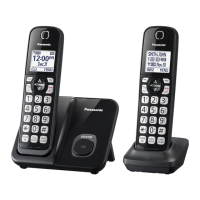
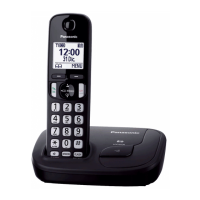
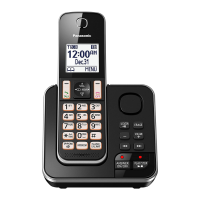
Why can't I switch cellular calls from the Panasonic KX-TGD58 M2 Cordless Telephone unit to the cellular phone?
- SSavannah HarringtonSep 14, 2025
Your cellular phone may not support this feature.

Why can't I switch cellular calls from the Panasonic KX-TGD58 M2 Cordless Telephone unit to the cellular phone?
Your cellular phone may not support this feature.
What to do if my Panasonic KX-TGD58 M2 does not work?
If your Panasonic Cordless Telephone isn't working, ensure the batteries are installed correctly. Fully charge the batteries. Check the connections. Unplug the base unit’s AC adaptor to reset the unit, then reconnect it and try again. Also, the handset may not be registered to the base unit; register the handset.
Why can't I hear a dial tone on my Panasonic KX-TGD58 M2 Cordless Telephone?
If you cannot hear a dial tone, the base unit’s AC adaptor or telephone line cord is not connected. Check the connections. Disconnect the base unit from the telephone line and connect the line to a known working telephone. If the working telephone operates properly, contact our service personnel to have the unit repaired. If the working telephone does not operate properly, contact your phone service provider.
Why I cannot connect a cellular phone to the Panasonic Cordless Telephone?
There might be several reasons why you can't connect a cellular phone to the base unit. First, confirm that your cellular phone is turned on and is within the base unit range. If the auto connection feature is not working, you can connect to the base unit manually. Ensure that the cellular phone is paired with the base unit. Disconnecting and reconnecting the device might also help. If your cellular phone is already registered on another Panasonic DECT phone, this function may not work properly, so it's recommended to remove the registration from both devices.
Why can't I make a call using a landline on my Panasonic KX-TGD58 M2 Cordless Telephone?
If you cannot make a call using a landline, the dialing mode may be set incorrectly. Change the setting.
How to turn on the Panasonic KX-TGD58 M2 Cordless Telephone handset?
Place the handset on the base unit or charger to turn on the handset.
Why can't I make or answer cellular calls with my Panasonic KX-TGD58 M2 Cordless Telephone handset?
Depending on the cellular phone’s compatibility, you may not be able to make or answer cellular calls even if the cellular phone is connected to the base unit. Make sure that the CELL indicator lights up and the cellular phone is connected to the base unit. Only 2 Bluetooth devices can be used with the unit at the same time (for example, 2 cellular lines, or the headset and 1 cellular line). The cellular phone may be being used separately from your system.
What to do if my Panasonic KX-TGD58 M2 Cordless Telephone batteries still flashes after fully charged?
If, after fully charging the batteries, the indicator still flashes, the display shows a specific symbol, or the operating time seems shorter, clean the battery ends and the charge contacts with a dry cloth and charge again. It may also be time to replace the batteries.
Why does my Panasonic KX-TGD58 M2 handset beep and/or flash?
If your Panasonic Cordless Telephone handset is beeping and/or flashing, the battery charge is likely low. Fully charge the batteries.
Why does my Panasonic KX-TGD58 M2 Cordless Telephone have noise and sound cutting in and out?
If you are experiencing noise or sound cutting in and out on your Panasonic Cordless Telephone, it could be due to electrical interference. Try repositioning the base unit and using the handset away from sources of interference. Also, move closer to the base unit. If you use a DSL/ADSL service, consider connecting a DSL/ADSL filter between the base unit and the telephone line jack.
 General
| DECT 6.0 Technology | Yes |
|---|---|
| Frequency | 1.9 GHz |
| Expandable Up To | 6 handsets |
| Caller ID | Yes |
| Talking Caller ID | Yes |
| Call Waiting | Yes |
| Silent Mode | Yes |
| Ringer IDs | Yes |
| Speakerphone | Yes |
| Intercom | Yes |
| Answering System | Yes |
| Keypad Lock | Yes |
| Wall Mountable | Yes |
| Type | Cordless Phone |
| Call Block | Yes |
| Power Backup | Yes |
| Battery Life | Up to 10 hours (talk), Up to 7 days (standby) |
| Display | Backlit LCD |
| Power Source | AC adapter |