EasyManua.ls Logo

Panasonic KX-TGE820E - User Manual

Panasonic KX-TGE820E
60 pages
Print Icon
To Next Page IconTo Next Page
Loading...
Operating Instructions
Digital Cordless Answering System
Model No.
KX-TGE820E
KX-TGE822E
KX-TGE823E
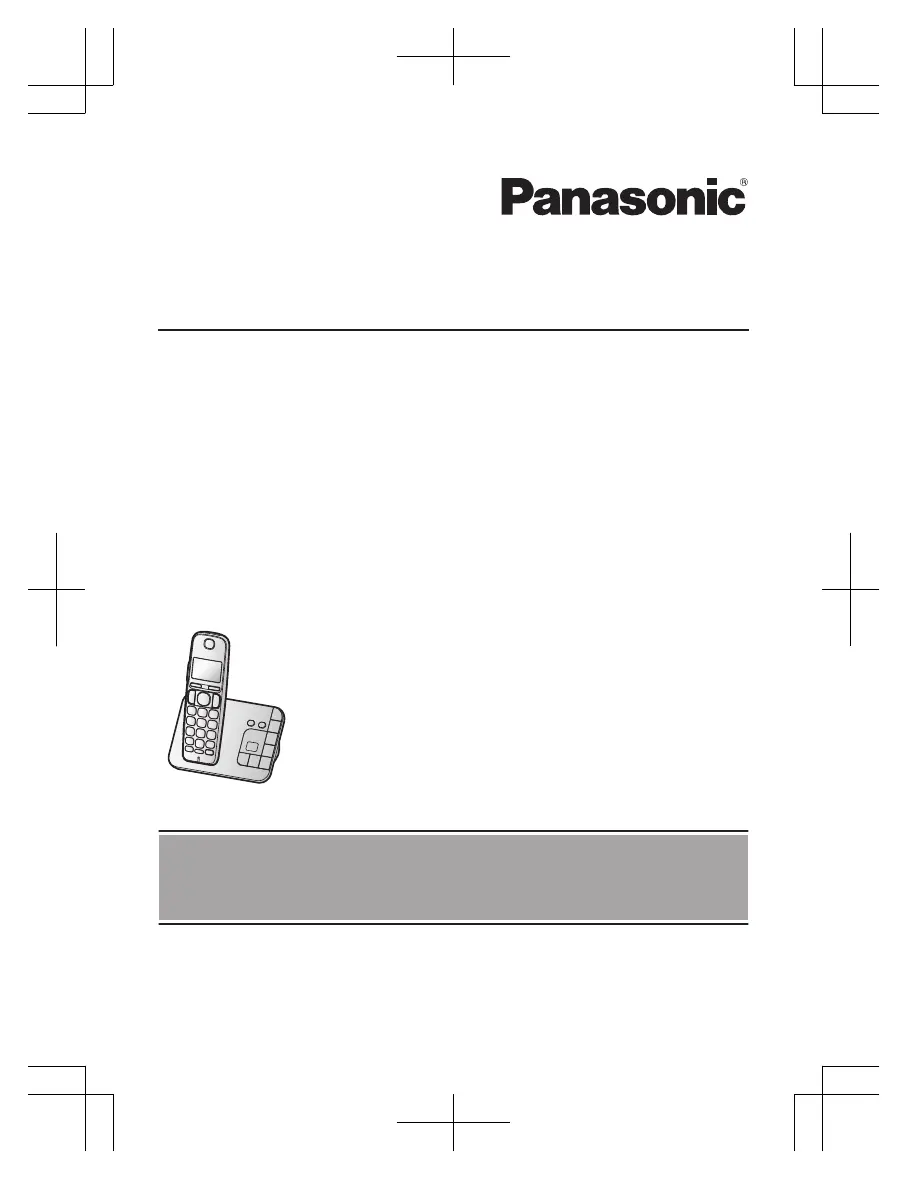
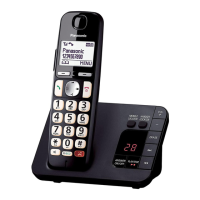
Model shown is KX-TGE820.
Before initial use, see “Getting Started”
on page 11.
Thank you for purchasing a Panasonic product.
Please read these operating instructions before using the unit and save them for
future reference.

Questions and Answers

  • J
    Jason WilliamsSep 23, 2025
    What to do if liquid or other form of moisture has entered the handset/base unit of my Panasonic KX-TGE820E?
    • J
      Jonathan JonesSep 23, 2025
      Disconnect the AC adaptor and telephone line cord from the base unit. Remove the batteries from the handset and leave to dry for at least 3 days. After the handset/base unit are completely dry, reconnect the AC adaptor and telephone line cord. Insert the batteries and charge fully before use. If the unit does not work properly, contact an authorised service centre.
  • K
    Kurt ThomasAug 23, 2025
    Why does my Panasonic Answering Machine handset beep and/or flash?
    • S
      Sarah HernandezAug 25, 2025
      This usually indicates that the battery charge is low. Fully charge the batteries.
  • D
    David BowersAug 25, 2025
    What to do if the handset does not ring on my Panasonic KX-TGE820E?
    • A
      Angela MorrisAug 26, 2025
      First, check if the ringer volume is turned off and adjust it if necessary. Also, ensure that 'do not disturb' mode is turned off. If the handset is registered to multiple base units, the handset may not be able to make or receive calls or communicate with the base unit when the following conditions are met: Eco mode is set to “Eco Plus”. Base unit selection is set to “Auto”. In this case, place the handset near the base unit, and change the setting to “Eco” or “Off”. Repeat for each base unit.
  • M
    Mark CruzAug 27, 2025
    Why is caller information not displayed on my Panasonic KX-TGE820E Answering Machine?
    • F
      Frances BakerAug 27, 2025
      You must subscribe to a Caller ID service. If you are already subscribed, and your unit is connected to additional telephone equipment, remove the equipment and plug the unit directly into the wall jack. If you use a DSL/ADSL service, connect a DSL/ADSL filter between the base unit and the telephone line jack. Also, other telephone equipment may be interfering with this unit, so disconnect the other equipment and try again.
  • S
    Sara MartinezAug 27, 2025
    What to do if my Panasonic KX-TGE820E Answering Machine handset does not turn on?
    • M
      mharperAug 28, 2025
      Place the handset on the base unit or charger to turn on the handset.
  • R
    Randy WrightSep 18, 2025
    Why does the Panasonic Answering Machine unit not emit the specified number of rings?
    • C
      Christine BriggsSep 18, 2025
      If the first ring is turned off, the number of rings decreases by 1 from the specified number of rings.
  • D
    Debra SmithSep 14, 2025
    Why can't I activate eco mode on my Panasonic KX-TGE820E?
    • L
      lisabrownSep 14, 2025
      You cannot set eco mode when you set the repeater mode “On”. If required, set the repeater mode to “Off”.
  • T
    Todd CastanedaSep 15, 2025
    Why can't I use the intercom feature on my Panasonic KX-TGE820E Answering Machine?
    • A
      Ashley JohnstonSep 16, 2025
      This feature is available between the handsets. Although the handset displays “Intercom”, or “Auto Intercom”, these features are not available for single handset models.
  • J
    Jay PhamSep 6, 2025
    What to do if my Panasonic Answering Machine unit does not work?
    • D
      David SolomonSep 6, 2025
      Make sure the batteries are installed correctly. Fully charge the batteries. Check the connections. Unplug the base unit’s AC adaptor to reset the unit and turn off the handset. Reconnect the adaptor, turn on the handset and try again. If the handset has not been registered to the base unit, register the handset.
  • R
    Regina BrownSep 3, 2025
    Why is there noise heard, and sound cuts in and out on my Panasonic Answering Machine?
    • A
      ambersimsSep 3, 2025
      This could be due to using the handset or base unit in an area with high electrical interference. Try re-positioning the base unit and using the handset away from sources of interference. Also, try moving closer to the base unit. If you use a DSL/ADSL service, consider connecting a DSL/ADSL filter between the base unit and the telephone line jack.

Summary

Introduction

Model composition

Details the components included for each model variation of the cordless answering system.

Accessory information

Lists the supplied accessories and their quantities for different product models.

General information

Provides general details about the equipment's design, intended use, and conformity.

Important Information

For your safety

Essential safety precautions to prevent injury and property damage during product use.

Important safety instructions

Detailed safety guidelines to reduce risks of fire, electric shock, and personal injury.

Battery

Information and precautions regarding the use, handling, and disposal of rechargeable batteries.

Getting Started

Setting up

Step-by-step instructions for connecting the base unit, charger, and telephone line.

Controls

Identifies and explains the functions of the base unit and handset controls and keys.

Display icons

Explains the meaning of various icons displayed on the handset screen for status indication.

Making;Answering Calls

Making calls

Instructions on how to initiate a voice call using the handset or speakerphone.

Answering calls

Steps to answer an incoming call and end a conversation, including any key answer.

Useful features during a call

Describes features like Hold, Mute, and Recall available during active calls.

Phonebook

Adding phonebook entries

How to store names and phone numbers for easy access and dialing.

Finding and calling from a phonebook entry

Steps to search for and initiate calls to stored contacts.

Speed dial

Assigning frequently used numbers to speed dial keys for quick dialing.

Programming

Menu list

Overview of accessing phone features via menu navigation or direct command codes.

Ringer Setup

Adjusting ringer volume and selecting ringtones for different call types.

Baby monitor

How to set up and use the baby monitor feature for remote listening.

Answering System

Turning the answering system on;off

How to enable or disable the answering system functionality on the base unit and handset.

Listening to messages

Methods to listen to recorded messages using the base unit or handset controls.

Remote operation

Accessing answering system functions remotely via phone using a touch-tone phone.

Useful Information

Error messages

Explains common error messages displayed by the unit and their possible solutions.

Troubleshooting

Guides users through common problems and their causes/solutions for general phone use.

Conditions of guarantee

Panasonic KX-TGE820E Specifications

General IconGeneral
Number of Handsets1
Caller IDYes
DisplayLCD
Battery Life (Talk Time)Up to 10 hours
Range Indoors50 meters
SpeakerphoneYes
Standby Time200 hours
Range Outdoors300 meters
Number of Mailboxes1
Remote AccessYes
Power SourceAC adapter
TypeCordless

Related product manuals