Menu list
T
o access the features, there are 2 methods.
Handset / Base unit
n S
crolling through the display menus
1 MMENUN
2 Handset: Press MCN, MDN, MEN, or MFN to select the desired main menu. a MOKN
Base unit: Press MCN, MDN, M
N,
or M
N
to select the desired main menu. a MOKN
3 Press MCN or MDN to select the desired item from the next sub-menus. a MOKN
4 Press MCN or MDN to select the desired setting. a MOKN
n Using the direct command code
1 MMENUNa Enter the desired code.
Example: Press MMENUN#101.
2 Select the desired setting. a MOKN
Note:
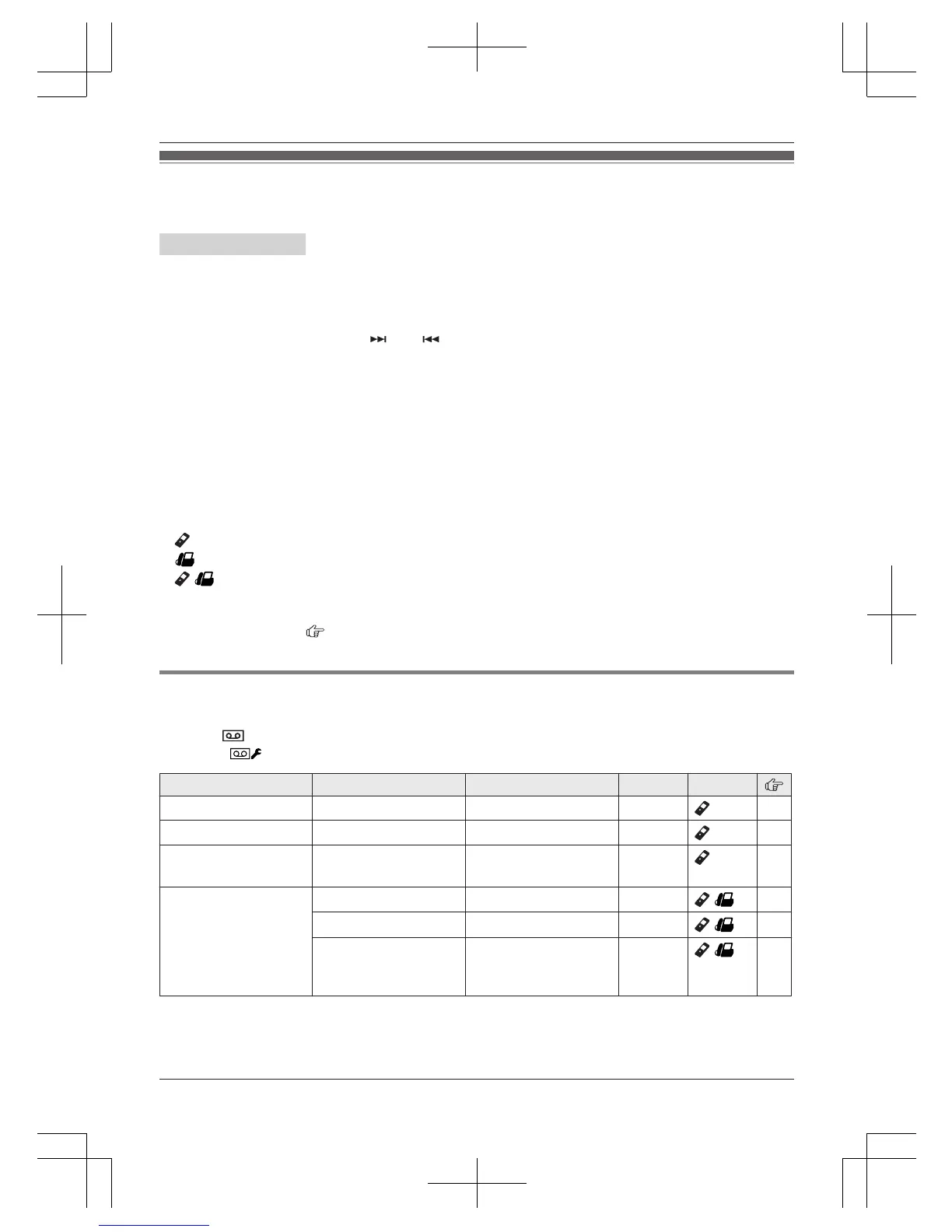
R The unit column shows the unit(s) that can be used to program the item.
: Only the handset can program the item.
: Only the base unit can program the item.
/ : Both the handset and base unit can program the item.
R T
o exit the operation, press MOFFN on the handset or MEXITN on the base unit.
R In the following table, < > indicates the default settings.
R In the following table,
indicates the reference page number.
R D
isplay menu order and sub-menu may vary depending on your model.
Display the menu tree and direct command code table
M
ain menu:
Handset:
“A
nswer System”
Base unit:
“A
nswer System”
Sub-menu 1 Sub-menu 2 Settings Code Unit
Play New Message
– – #323 43
Play All Message
– – #324
43
Erase All
M
essage
*1
– – #325
43
Greeting
Record Greeting
*
1
– #302
/
41
Play Greeting
– #303
/
42
Default
*
1
(Reset to pre-recorded
greeting)
– #304
/
41
28
Helpline Tel. No.: U.K. 0844 844 3899 Ireland 01289 8333
Programming




 To Next Page