The Panasonic Voice Processing System (VPS) is a device designed to handle incoming and outgoing calls, manage messages, and provide various automated services. It is available in three models: KX-TVS110, KX-TVS200, and KX-TVS300, each offering different capacities and expansion capabilities.
Function Description:
The VPS acts as an automated attendant and voice mail system, greeting callers with prerecorded messages, forwarding calls to extensions or mailboxes, and storing messages. It ensures message confidentiality through password protection and allows senders to review and edit messages before saving. Subscribers can send messages to individuals or groups and receive notifications via message waiting lamp, beeper, or a call from the system to another line. The system supports DPT (Digital Proprietary Telephone) Integration with compatible Panasonic KX-T series PBXs, which enhances call handling performance by providing information such as caller extension numbers, call forwarding reasons, and caller intentions. Without DPT Integration, the VPS operates as a standard single-line telephone interface (SLT).
Important Technical Specifications:
- Compression Rate: 32 Kbps
- Ports (maximum):
- KX-TVS110: 4 ports
- KX-TVS200: 12 ports
- KX-TVS300: 24 ports
- Voice Storage (approximate):
- KX-TVS110: 20 hours
- KX-TVS200: 32 hours
- KX-TVS300: 64 hours
- Custom Services: 100
- Message Retention: 1 to 30 days or unlimited
- Number of Mailboxes:
- KX-TVS110: 62 Subscriber and 2 Manager Mailboxes
- KX-TVS200 and KX-TVS300: 1022 Subscriber and 2 Manager Mailboxes
- Number of Messages per Mailbox: 100 maximum (programmable)
- Internal Modem (KX-TVS300 only): Maximum data transfer rate at 33600 bps.
- Dialing Method: Touchtone/Pulse (10/20 pps)
- Flash Time: 100/300/600/900 ms (programmable)
- CPC Detection: None/6.5/150/300/450/600 ms (programmable)
- Type of Line: Loop start minimum Loop Current: 20 mA, minimum Line Voltage: 7 V DC, minimum Ringing Voltage: 40 V AC
- Extension Numbering: 2 to 5 digits (programmable)
- Pause Time: 1 to 9 s (programmable)
- Main CPU: 16-bit microprocessor
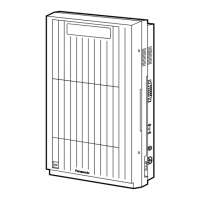
- Dimensions (H x W x D): 470 mm x 335 mm x 110 mm {18-1/2" x 13-3/16" x 4-21/64"}
- Mass (Weight):
- KX-TVS110: Approximately 5.2 kg {11.46 lb} (with 1 KX-TVS102 card installed at the factory)
- KX-TVS200: Approximately 5.0 kg {11.02 lb} (no port expansion card installed at the factory)
- KX-TVS300: Approximately 5.3 kg {11.68 lb} (no port expansion card installed at the factory)
- Power Source: 120 V AC, 60 Hz
- Power Consumption:
- KX-TVS110: Approximately 25 W
- KX-TVS200: Approximately 30 W
- KX-TVS300: Approximately 45 W
Usage Features:
- Custom Service: Allows creation of up to 100 customized menus with single-digit dialing options for callers to reach extensions, mailboxes, fax machines, or other services. Supports multilingual greetings.
- Automated Attendant: Greets callers and routes them to desired extensions. Offers options for leaving messages if the extension is busy or unanswered.
- Voice Mail Service: Enables non-subscribers to leave messages in mailboxes. Can be programmed independently for specific ports or trunks.
- Interview Service: Allows subscribers to record up to 10 questions for callers, with answers recorded in the mailbox.
- Mailbox Groups: Enables delivery of a single message to multiple mailboxes simultaneously, activating message waiting lamps on all associated telephones.
- Extension Groups: Places several extensions into a single mailbox, allowing group members to share information and receive message waiting notifications.
- Live Call Screening (DPT Integration Only): Subscribers can monitor incoming messages via speakerphone or handset and intercept calls if desired. Password protection prevents unauthorized listening.
- Two-Way Recording (DPT Integration Only): Allows subscribers to record conversations into their own mailboxes by pressing a dedicated button.
- Two-Way Transfer (DPT Integration Only): Enables subscribers to record conversations into another person's mailbox by pressing a button and dialing the mailbox number.
- Remote Call Forwarding Set (DPT Integration Only): Subscribers can program their extensions remotely to forward various types of calls to a desired extension or outside telephone.
- Caller ID Call Routing (DPT Integration Only): Automatically forwards calls from assigned Caller ID numbers to specific destinations (extensions, mailboxes, or Custom Services).
- Caller Name Announcement (DPT Integration Only): Announces prerecorded caller names when extension users listen to messages, receive transferred calls, or are paged.
- Personal Greeting for Caller ID (DPT Integration Only): Subscribers can record up to 4 personal greetings for specific Caller ID numbers.
- Time Synchronization (DPT Integration Only): Automatically updates the VPS clock with date and time information from the PBX.
- Multilingual Service: Supports up to 3 languages for prompt options, allowing callers to choose their preferred language.
- Password Administration: System Administrator or System Manager can clear subscriber passwords.
- Dial by Name: Callers can reach intended mailboxes/extensions by entering the first 3 or 4 letters of the owner's last name.
Maintenance Features:
- System Administration Terminal: Used by installers for setting and changing system parameters and diagnosing problems via terminal emulation software.
- System Manager's Mailbox: Allows customers to change system parameters and record voice prompts (Company Greetings, Custom Service menus, voice labels, user prompts, multilingual selection menu, System Caller Names).
- Utility Commands: Provides commands for system maintenance, including:
- OFLN/ONLN: To set the system to off-line or on-line mode.
- PASS: To create, change, or clear system passwords.
- TIME: To set the system clock, date, and time.
- PSET: To schedule and print system usage reports.
- ELOG: To display device error logs for troubleshooting.
- SAVE/LOAD: To back up and restore system data and voice prompts.
- GPRN: To print all VPS parameter settings.
- VERS: To display program version numbers.
- CREP: To display Custom Service menu information.
- CCLR: To clear Custom Service menu access counts.
- MWL: To specify message waiting lamp retry times.
- MRL: To set minimum message recording length.
- MPLT: To display user prompt recording status.
- HELP: To list available utility commands.
- QSET: For quick initial system setup.
- LMON: To display circuit conditions.
- PUTD: To display touchtone information for troubleshooting.
- WCID: To specify waiting time for Caller ID.
- System Reports: Generates various reports to monitor VPS operating status, including Mailbox Assignments, Class of Service Assignments, System Service Report, Call Account Report, Port Usage Report, Disk Usage Report, Mailbox Usage Report, and Fax Call Report. These reports can be displayed on a data terminal or printed.
- DIP/Rotary Switch: Provides additional functions at start-up, such as initializing RS-232C parameters, auto-configuration for Automated Attendant or Voice Mail service, and clearing voice data and system parameters.
- Grounding Strap: Protects the printed circuit board from static electricity during installation and maintenance.
- Fuse: Protects the system from power line surges.

 Need help?












 To Next Page
 General