143
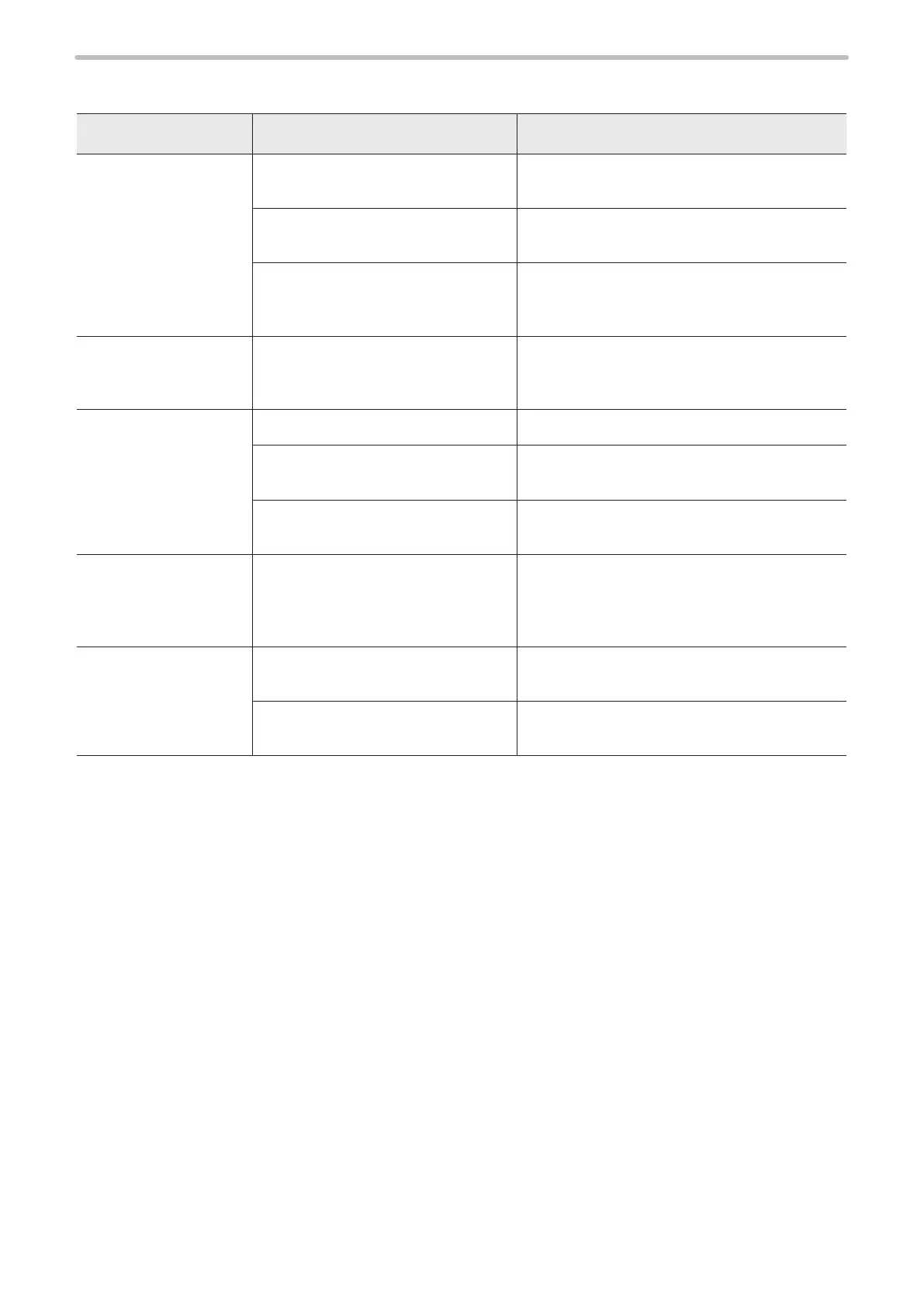
Display
Troubles Causes Measures
Touch panel console
shows nothing.
Laser marker has not be started.
See remedial action against “Laser marker fails to
start up”.
Power cable of console is not
connected.
Check that console cable is securely connected
to connector [CONSOLE] on front of controller.
Return harness is not connected.
Connect return harness ([RETURN OUT] [VGA
OUT] [(VGA+RETURN) IN]) on the rear of the
controller.
Touch panel console
does not respond to
screen tap.
Return harness is not connected.
Connect return harness ([RETURN OUT] [VGA
OUT] [(VGA+RETURN) IN]) on the rear of the
controller.
Monitor shows nothing.
Monitor is not turned on. Check power to monitor.
Monitor cable is not connected.
Check that monitor cable is securely connected to
connector [VGA OUT] on back of controller.
VGA-compatible monitor is not
connected.
Connect a VGA-compatible monitor.
Mouse does not work.
(When the controller
is the PS/2 mouse
supported type)
Mouse relay cable is not connected.
(A mouse is plugged directly into
mouse connector on back of controller.)
Use mouse adaptor cable for the PS/2 type
mouse.
Mouse does not work.
(When the controller
is the USB mouse
supported type)
The mouse is connected to the USB
hub.
Connect the USB mouse to the laser marker
controller directly without USB hub.
The mouse type is not supported by
this product.
Use the USB mouse with Human interface device
(HID) class.





 To Next Page