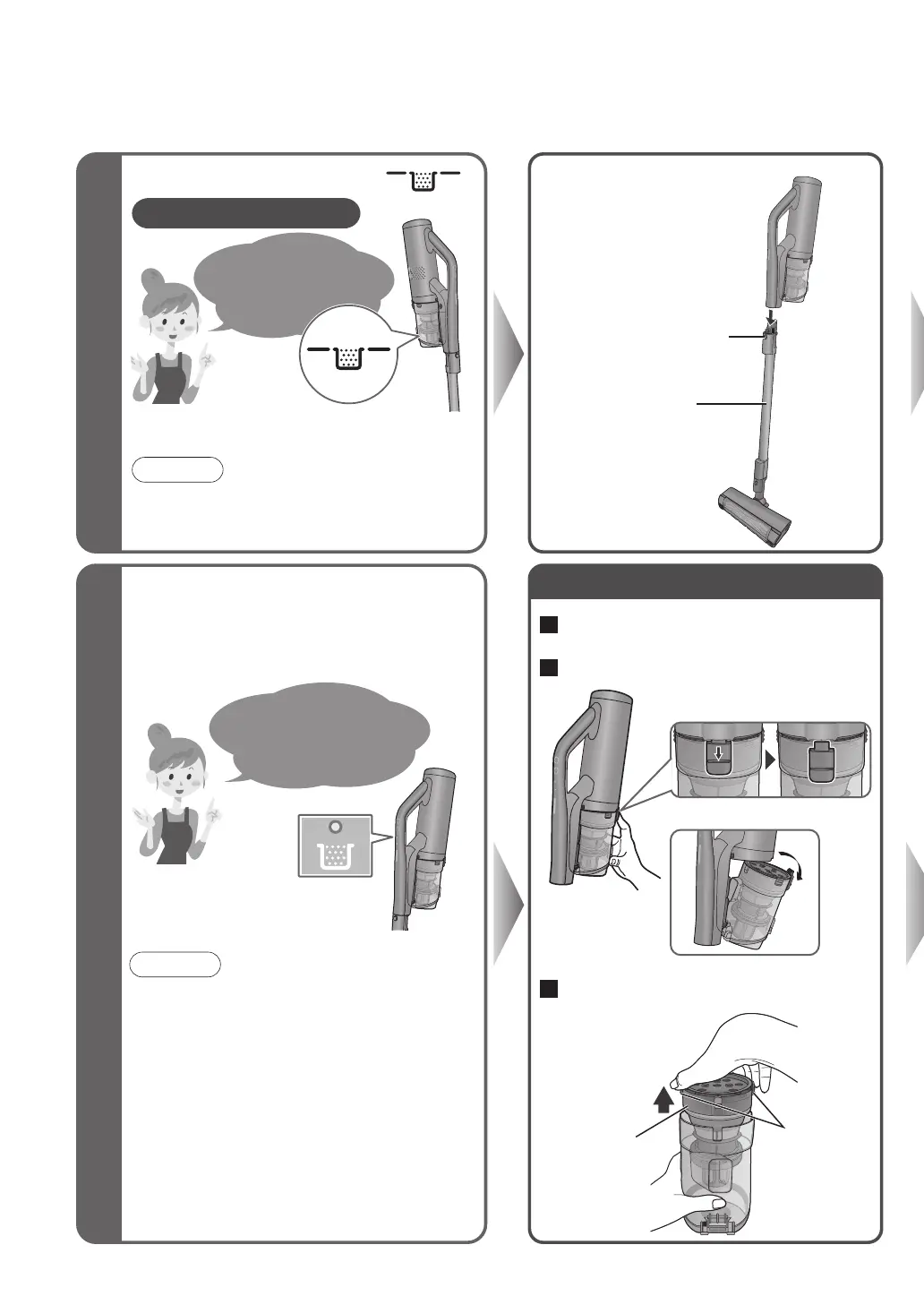
Clear out the debris
before the dust
level line is
exceeded!
12
The lamp does not light up in the AUTO
operation and LONG operation.
Empty the dust box
Maintenance
1
Remove the
extension wand
①
While lowering the
detachment button
② Detach it
■
Even though the debris is thrown away,
the suction power does not recover…
■
The care lamp (red) is lit…
At these times, clean it out (on the right).
The lamp informs you
about the care times
(approximate)!
●
When the situations are as per the following, the
lamp might not light up even if it is filled with debris.
◦
When there is a lot of pet hair and cotton debris
(Directly check how much debris is accumulated)
●At the following times, the lamp might light up
even if there is a little debris.
◦ When there is a lot of sand and dirt (discard
the debris)
◦
When the extension wand/nozzle is clogged with
debris (remove the debris)
◦
When using the telescopic 2-way nozzle/the
dusting brush (directly check how much debris is
accumulated)
3
Lift up the net filter’s tabs to
remove it
2
Remove the dust box
Extension wand
Remove the extension
wand while pressing this
Net filter
Tab s
How fast the dust box fills up varies
depending on the rubbish type.
Check the Dust Level
( )
As a guide, once a week
Note
●
With a new carpet, the dust box is quickly filled up
with loose tufts. (Loose tufts will decrease with the
number of vacuuming times)
Note
1
Throw away the debris (see above)



 To Next Page