Installation 5
Checks after installation
1
Run puried water for about 5 minutes to expel the air inside the main
unit.
①
Set the bypass selector to “
”.
②
Turn on the water faucet to let the water ow.
Note
z
Puried water may contain some black powder (activated carbon).
The amount will decrease as more water ows, so continue checking the water condition for
a while.
2
Check the items on P. EN10-EN11 for any malfunctions.
Check item
Trouble inspection location and remedial action
Reference
page
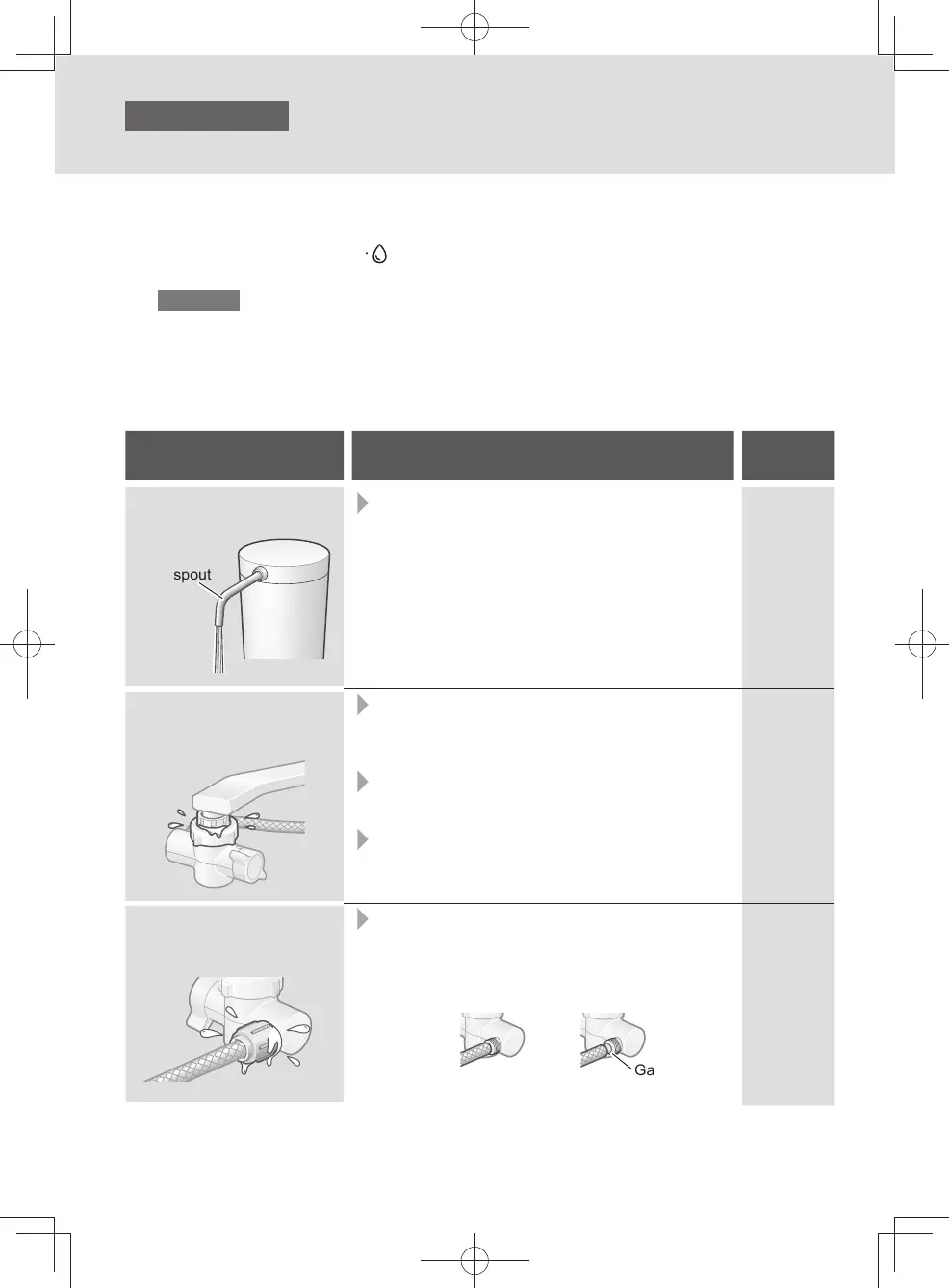
Is water coming out of the
main spout?
Main spout
z
Is the hose bent or attened?
→ If it is, straighten it out.
EN9
Is any water leaking from
where the bypass selector
is connected?
z
Has the bypass selector been installed
securely on the faucet?
→ Check again the instructions for “Attaching the
bypass selector ”, and install it securely.
z
Have the parts inside the bypass selector been
Inserted properly?
→ If not, install them properly.
z
Are there any cracks at the end of the faucet
(in the insulating cap, for instance)?
→ Consult a plumber.
EN7-EN8
EN7-EN8
―
Is there any water leaking
from where the hose is
connected?
z
Has the hose been attached securely to the
bypass selector?
→ Insert it as far as it will go, and use the hose
fastening nut to secure it.
< OK > < NG >
Gap
EN9
EN10
TK-CS200_01_EN.indd 9TK-CS200_01_EN.indd 9 2022/12/15 18:41:422022/12/15 18:41:42



 To Next Page