When Moving the Water Purier
Remove water from the main unit with the following steps before moving the product.
z
Stand the main unit while moving. After removing the water, a small amount of water may remain, so
put the main unit in a bag, etc.
1
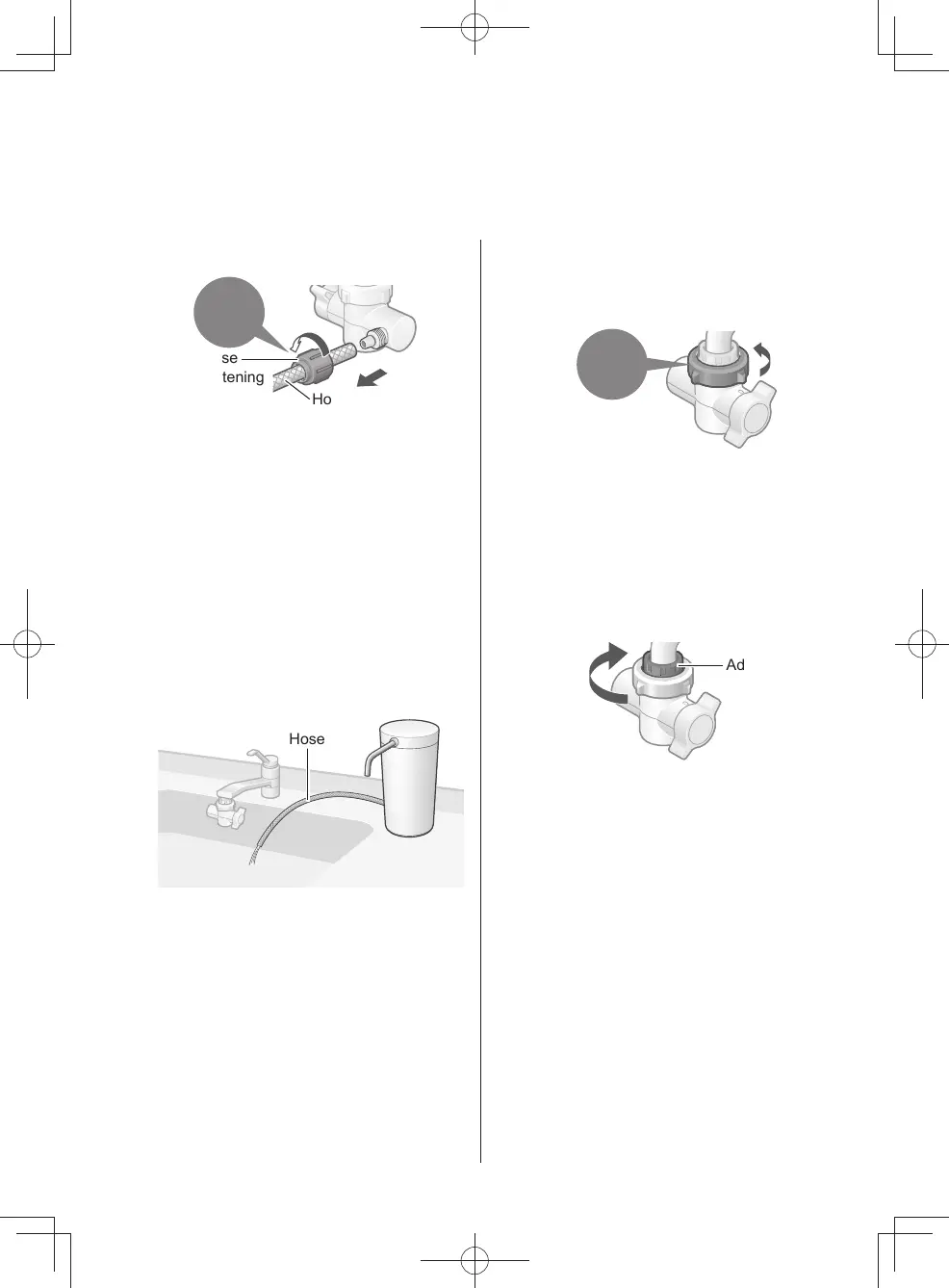
Disconnect the hose.
Loosen
with hand
Hose
fastening
nut
Hose
z
After disconnecting the hose, attach the
hose fastening nut to the original position
of the bypass selector (loss prevention).
2
Remove the cartridge.
(P. EN14)
3
Put the tip of the hose at a position
lower than the main unit,
and discharge the water
remaining in the hose.
Hose
4
Attach the cartridge and cover
to the original position.
(P.EN14-EN15)
5
Loosen the nut,
remove the bypass selector,
and remove the water
inside.
Loosen
with hand
When the joint is dicult to
remove
After tightening the nut rmly with
hand, rotate it together with the bypass
selector. Then it can be removed easily.
z
If it still cannot be removed, use a tool
such as a plier to nip the foam joint,
and remove it.
Adaptor
z
When using a tool such as a plier,
protect the joint with cloth, etc. not to
damage it, and pay attention to the
rotation direction.
EN16
TK-CS200_01_EN.indd 15TK-CS200_01_EN.indd 15 2022/12/15 18:41:452022/12/15 18:41:45



 To Next Page